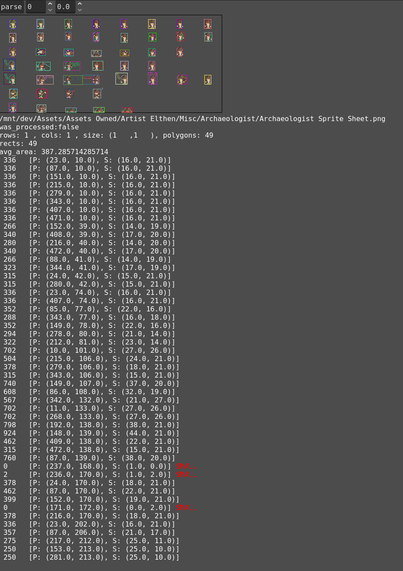
Frame guessing for sprite sheets without meta information is working!

And the debug visualization looks awesome! 😎

(When there are no json or txt files that provid meta information I try to guess it using the bitmap class through alpha mask and polygon extraction.)

#godot #gdscript #godottool #mipgam

If there are no meta information available I am going to guess the frames by extracting polygons.

Using these bitmap functions you can convert an image alpha to a bitmap alpha mask. The bitmap can create polygons based on the transparent boundaries.

Bitmap.create_from_image_alpha
Bitmap.opaque_to_polygons

#godot #gdscript #godottool #mipgam

Added a new Atlas Info inspector to the right panel. Showing the extracted meta information like columns, rows, layers and frames.

My custom tab container can now also be collapsed and expanded.

next: make a condensed tree view where I show single file folders one layer up to reduce the amount of clicking.

backlog: Then add a gallery to show animated sprites in a grid.

#godot #gdscript #godottool #mipgam

The tool can now parse different metadata sources to determine the frame-information for a given image file.

Currently implemented are #aseprite json, list as txt and cols & rows encoded in the filename. Adding more when I come across them in my #pixelart library.

The tool uses the extracted frames to animate the file when you select it in the explorer panel.

next: display the animations in a grid if the tool detects multiple layers and/or rows.

#godot #gdscript #godottool #mipgam