 DrScriptt
 PurpleJillybeans
My project over the last few days... 🏴☠️

@CursedSilicon here’s a link to the thread about #TNCLabNet that I tagged you and @snep in because of #cghmn.
You might find the project interesting and somewhat familiar.
I’ve started a new project: #TNCLabNet Some people build model cars. Some people build model plains. Some people build model ships … in bottles. Some people build model trains … with dioramas that fill rooms. I build … model networks. TNC Lab Network, or ‘LabNet’, is becoming a real thing. LabNet is currently specced as: 3 × (international) Headquarters 3 × Regional Offices per HQ 3 × Branch Offices per RO With a star WAN topology that follows suit. There will also be: 1 × National ISP per HQ 2 × Regional ISPs per HQ 2 × Local ISPs per RISP The three NISPs will come together at one network access point (NAP) / internet exchange point (IXP) which I’m calling NAP/IX’ So there will be the enterprise network, and multiple ISP networks all with their own routers, firewalls, and the likes. Each office will have multiple servers. Each higher level will be more complex. Regional has email and database servers. Headquarters will have HA clusters therefor. I plan on incorporating some BIGiron. My P/390-E and iSeries will get a workout. Yes, that means I’ll be connecting the virtual with the physical. I want to try to run as many protocols as possible inside the enterprise network. The short list is: • TCP/IP • IPX/SPX • AppleTalk (DDP) • DECnet • NetBIOS / SNA If I can, I’d like to incorporate Banyan Vines and Artisoft LANtastic. Because why not‽ I’ll tag these posts so you can easily filter them. Evil bit anyone?
I suspect that #cghmn will be making an appearance in #TNCLabNet.
I bet @snep and / or @CursedSilicon have understandably given up on me.
Hello #retrocomputing lovelies!
I made a video on the absolute *hell* that was not only getting an Intel Mac, but running WINDOWS on it as part of my #CGHMN test rig
Go give it a watch maybe? <3

Thanks to CrossTalkIM open sourcing their services (and @bredo helping me beat the software into working)
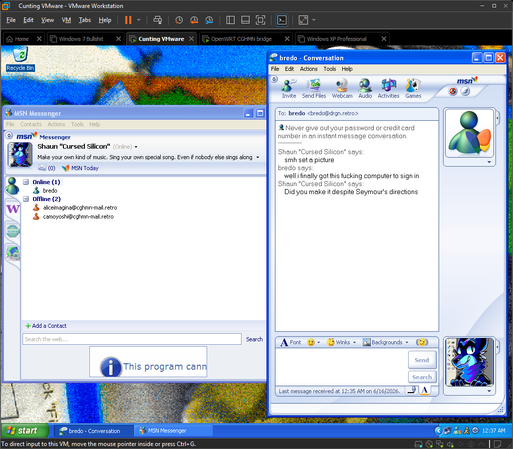
#CGHMN now has an MSN Messenger server in addition to the existing AIM server!
I was never much of an AIM user. MSN was way more popular in places like Australia so I'm absolutely over the moon to finally have this piece of IM software history running on the retro network
Getting underway with the "move my #CGHMN server to real hardware" project. The poll I posted a few days ago said y'all wanted me to run OpenBSD 3.0, but I found that it didn't work well with my hardware so I settled for Linux. Although I'm doing something interesting: I'm running #LinuxFromScratch! Specifically LFS 3.3. After solving the performance problems I was having with the VIA C3 CPU, the bottleneck at this point seems to be the CF card I'm using for storage.
I'm considering moving my main #CGHMN server from a QEMU VM to some real vintage hardware. I'm considering two OS options:
* OpenBSD 3.0: current VM OS, has some novelty value, and I own a physical copy
* Slackware 8.1: more practical benefits, easier to find software and docs for
What do you think, #RetroComputing Fedi? 
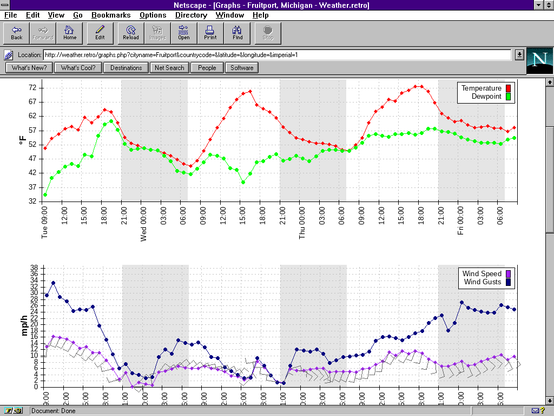
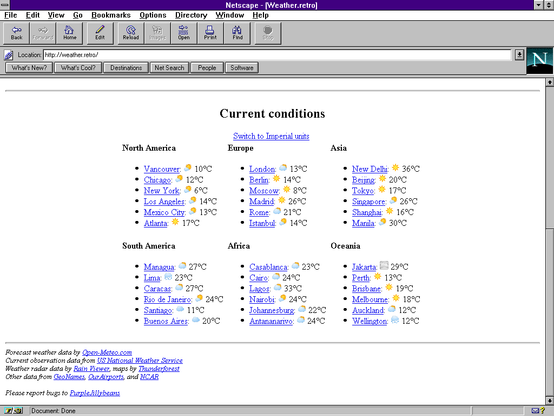
Tomorrow's Weather on Yesterday's Computers
For most of the last month, I've been working on a retro-friendly weather forecast website for #CGHMN. I decided to develop the site itself using a modern LAMP stack due to the need to call modern APIs for weather data, although the output is pure HTML 3.2 without a single line of JavaScript.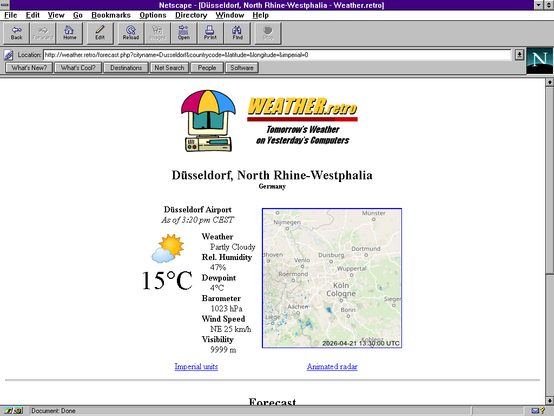
 Cursed Silicon
 Cursed Silicon
 PurpleJillybeans