 Какой-то рандормный
  юзер
юзерSpace Quest: Работа длиною в жизнь
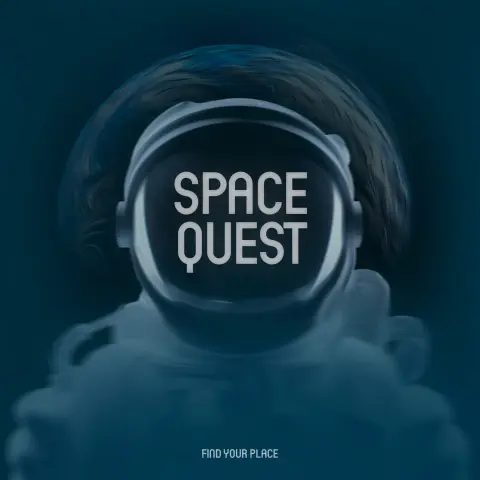
С чего бы начать… В конце июля 2022 года случилось погружение в #FLStudio. На волне дикого интереса в голову буквально рекой полились мелодии — оставалось только фиксировать их в программе. Тогда под рукой не было даже #midi-клавиатуры, поэтому ноты набивались на обычной механике #AnnePro2. Сразу же родилась идея «вечной мелодии»: такой, которую можно смешивать, двигать и транспонировать, но суть её останется неизменной. Так и вышло. Первые наброски получили кодовое название «Lunar», а спустя пару дней трек обрёл свое окончательное имя — «Lunar Soul».
Стоит сделать небольшое отступление. На тот момент прошел всего год после тяжелого расставания, и душа была еще «свежа» для депрессивных эмоций. Учитывая натуру романтика и однолюба, влюбленности имеют свойство задерживаться во мне надолго. Сначала казалось, что эта лунная мелодия — олицетворение чувств к той самой девушке, попытка запечатлеть время, проведенное вместе.
Но однажды, сидя на диване, пришла мысль: «Неужели всё так банально? Неужели мой первый серьезный трек станет лишь напоминанием о человеке, чье лицо я с трудом вспомню через двадцать лет?» Сомнения взяли верх, и спустя несколько дней пришло истинное понимание: эта мелодия — не о ком-то другом. Она обо мне. Я буквально нашел себя в этих звуках. Может звучать притянуто за уши, но, кажется, я единственный, кто до конца «выкупает» финальную альбомную версию. В тот момент всё окончательно сложилось в пазл: трек станет гимном больной души и центром альбома «Space Quest». В планах он стоял третьим по списку (хотя в итоге стал четвертым ).
Путь проб и ошибок
Для «Lunar Soul» существует порядка 12 версий — это не шутка, проект видоизменялся постоянно, вплоть до полного ревампа. Проблема заключалась в отсутствии навыков: в те дни я был совсем «зеленым» и проводил в FL Studio почти всё свободное время.
Самая первая более-менее "готовая" к прослушиванию версия трека позже получила подзаголовок «Immersive Mix», но в сам альбом… не вошла. Зато из этого микса «распаялся» новый трек — «Under the Moon». Те же ноты, схожий сет инструментов, но сдвинутый паттерн и свежая драм-партия. Именно он стал первым релизом на стримингах и всё-таки попал в альбом.
Затем случился полный сброс. Был найден качественный тулкит для транса, и «Lunar Soul» обрел обновленное звучание с припиской «Album Mix». Теперь это оригинал.
К версии 2.4.2 уже была готова полная партитура, но оставалась главная беда — сведение и мастеринг, в которых я был полным профаном. Параллельно велась работа над остальными композициями. Они вытекали одна из другой, создавая единое дерево звучания:
1. Lunar Soul (Immersive) → Under the Moon
2. Lunar Soul (Album) → End of Journey → Strings of Earth → Space Quest + Space Conquest → Voyager
3. Reason → Walery Nebula
4. Unknown Regions → Orbital Velocity
Кстати, «Reason» изначально вообще не планировался для этого проекта, но в процессе мутировал в транс-трек и идеально вписался под именем «Walery Nebula».
Очередность треков в итоге совсем не совпадает с датами их создания. Например, «Space Conquest» раздражал до последнего — исходную мелодию придумал родственник, и она никак мне не поддавалась. Финальная версия была написана буквально за день до релиза после восьми выброшенных демок.
Релиз и «работа над ошибками»
В конце 2023 года пришло время выпускать альбом. Звук был (и по сей день) ужасен: искажения, перегрузы, частотные конфликты. На стриминги попали далеко не лучшие попытки мастеринга, но за полтора года работы наступило такое выгорание, что релиз был дропнут «как есть». Знакомые в один голос твердили: «Да напиши ты уже что-то новое, задолбал».
10 треков, вымученных потом, слезами и больной спиной. До сих пор звук откровенно бесит. В голове слышно, как это должно звучать, но из-за мании на сложную полифонию слоев так много, что грамотно свести их может только опытный звукарь.
Профессионалы, слушавшие релиз, говорили, что я открыл поджанр — Cinematic Trance (сам я называю его Lunar Trance). Советовали уходить в саундтреки для игр, но на это просто нет времени.
Думаете, спустя два с половиной года проект заброшен? Нет. Периодически случаются ночные сессии по 6–8 часов, посвященные ремастерингу. Партитура остается нетронутой — только чистка и сведение. Это тяжело, учитывая, что альбом писался в трех разных парах наушников, и все они были, мягко говоря, плохими.
Почему я пишу об этом сейчас?
Случилось то, во что я уже не верил. Абсолютно случайно открыв FL Studio, я сел за «Lunar Soul». И теперь расширенный Intro Mix готов на 95%. Звук почти идеален: все детали читаются на любом оборудовании, перегруза нет. Трек звучит даже лучше, чем рисовался в воображении.
Параллельно идет работа над «Walery Nebula», хотя там прогресс скромнее. Релиз обновленных версий будет, вопрос лишь — когда.
«Space Quest» — это сердечный проект. Я готов заниматься им хоть всю жизнь, пока не доведу до идеала. Это единственное в музыке, что идет из самой глубины души. И пусть мало кто сможет до конца понять этот посыл, для меня этот альбом — единственный способ погрузиться в разум, воспаленный творчеством и тревогами.
#musicproduction #музыка #music
С чего бы начать… В конце июля 2022 года случилось погружение в #FLStudio. На волне дикого интереса в голову буквально рекой полились мелодии — оставалось только фиксировать их в программе. Тогда под рукой не было даже #midi-клавиатуры, поэтому ноты набивались на обычной механике #AnnePro2. Сразу же родилась идея «вечной мелодии»: такой, которую можно смешивать, двигать и транспонировать, но суть её останется неизменной. Так и вышло. Первые наброски получили кодовое название «Lunar», а спустя пару дней трек обрёл свое окончательное имя — «Lunar Soul».
Стоит сделать небольшое отступление. На тот момент прошел всего год после тяжелого расставания, и душа была еще «свежа» для депрессивных эмоций. Учитывая натуру романтика и однолюба, влюбленности имеют свойство задерживаться во мне надолго. Сначала казалось, что эта лунная мелодия — олицетворение чувств к той самой девушке, попытка запечатлеть время, проведенное вместе.
Но однажды, сидя на диване, пришла мысль: «Неужели всё так банально? Неужели мой первый серьезный трек станет лишь напоминанием о человеке, чье лицо я с трудом вспомню через двадцать лет?» Сомнения взяли верх, и спустя несколько дней пришло истинное понимание: эта мелодия — не о ком-то другом. Она обо мне. Я буквально нашел себя в этих звуках. Может звучать притянуто за уши, но, кажется, я единственный, кто до конца «выкупает» финальную альбомную версию. В тот момент всё окончательно сложилось в пазл: трек станет гимном больной души и центром альбома «Space Quest». В планах он стоял третьим по списку (хотя в итоге стал четвертым ).
Путь проб и ошибок
Для «Lunar Soul» существует порядка 12 версий — это не шутка, проект видоизменялся постоянно, вплоть до полного ревампа. Проблема заключалась в отсутствии навыков: в те дни я был совсем «зеленым» и проводил в FL Studio почти всё свободное время.
Самая первая более-менее "готовая" к прослушиванию версия трека позже получила подзаголовок «Immersive Mix», но в сам альбом… не вошла. Зато из этого микса «распаялся» новый трек — «Under the Moon». Те же ноты, схожий сет инструментов, но сдвинутый паттерн и свежая драм-партия. Именно он стал первым релизом на стримингах и всё-таки попал в альбом.
Затем случился полный сброс. Был найден качественный тулкит для транса, и «Lunar Soul» обрел обновленное звучание с припиской «Album Mix». Теперь это оригинал.
К версии 2.4.2 уже была готова полная партитура, но оставалась главная беда — сведение и мастеринг, в которых я был полным профаном. Параллельно велась работа над остальными композициями. Они вытекали одна из другой, создавая единое дерево звучания:
1. Lunar Soul (Immersive) → Under the Moon
2. Lunar Soul (Album) → End of Journey → Strings of Earth → Space Quest + Space Conquest → Voyager
3. Reason → Walery Nebula
4. Unknown Regions → Orbital Velocity
Кстати, «Reason» изначально вообще не планировался для этого проекта, но в процессе мутировал в транс-трек и идеально вписался под именем «Walery Nebula».
Очередность треков в итоге совсем не совпадает с датами их создания. Например, «Space Conquest» раздражал до последнего — исходную мелодию придумал родственник, и она никак мне не поддавалась. Финальная версия была написана буквально за день до релиза после восьми выброшенных демок.
Релиз и «работа над ошибками»
В конце 2023 года пришло время выпускать альбом. Звук был (и по сей день) ужасен: искажения, перегрузы, частотные конфликты. На стриминги попали далеко не лучшие попытки мастеринга, но за полтора года работы наступило такое выгорание, что релиз был дропнут «как есть». Знакомые в один голос твердили: «Да напиши ты уже что-то новое, задолбал».
10 треков, вымученных потом, слезами и больной спиной. До сих пор звук откровенно бесит. В голове слышно, как это должно звучать, но из-за мании на сложную полифонию слоев так много, что грамотно свести их может только опытный звукарь.
Профессионалы, слушавшие релиз, говорили, что я открыл поджанр — Cinematic Trance (сам я называю его Lunar Trance). Советовали уходить в саундтреки для игр, но на это просто нет времени.
Думаете, спустя два с половиной года проект заброшен? Нет. Периодически случаются ночные сессии по 6–8 часов, посвященные ремастерингу. Партитура остается нетронутой — только чистка и сведение. Это тяжело, учитывая, что альбом писался в трех разных парах наушников, и все они были, мягко говоря, плохими.
Почему я пишу об этом сейчас?
Случилось то, во что я уже не верил. Абсолютно случайно открыв FL Studio, я сел за «Lunar Soul». И теперь расширенный Intro Mix готов на 95%. Звук почти идеален: все детали читаются на любом оборудовании, перегруза нет. Трек звучит даже лучше, чем рисовался в воображении.
Параллельно идет работа над «Walery Nebula», хотя там прогресс скромнее. Релиз обновленных версий будет, вопрос лишь — когда.
«Space Quest» — это сердечный проект. Я готов заниматься им хоть всю жизнь, пока не доведу до идеала. Это единственное в музыке, что идет из самой глубины души. И пусть мало кто сможет до конца понять этот посыл, для меня этот альбом — единственный способ погрузиться в разум, воспаленный творчеством и тревогами.
#musicproduction #музыка #music
 jolupa
 i
i 
 prsprttr☕️
 My name is Gordo
 rich
rich

 #
# Don T3rr0r


 Evelyn☕