 Cecelia
 speedata
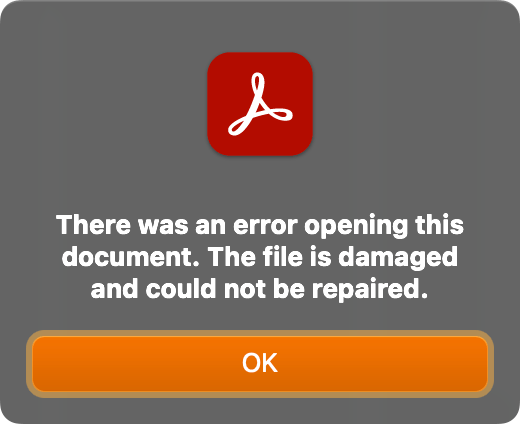
New blog entry: PDF debugging. I show my favourite tools for examining PDF file in case I messed up and get a warning in Adobe Acrobat for example. No more error messages!
Trying to create an accessible PDF after the fact when appropriate tagging was not done from the source document is a soul sucking process.
I will also take this moment to complain about Acrobat Pro’s poor UX and propensity to crash.
Sanity tip for using Adobe Acrobat Pro (at least on macOS): Save early, save often.
Some results are unexpected and might not support undo. It’s quirky software.
New blog entry: PDF debugging. I show my favourite tools for examining PDF file in case I messed up and get a warning in Adobe Acrobat for example. No more error messages!
Learn to resize a PDF easily with Adobe Acrobat Pro. Follow our step-by-step guide for a hassle-free experience.
#ResizePDF #AdobeAcrobatPro #PDFEditing #AccessibilityGuide
Learn how to create accessible PDF forms with Adobe Acrobat Pro, ensuring user-friendly and 508-compliant forms for everyone #AccessiblePDFs #AdobeAcrobatPro #DigitalAccessibility #Section508 #UserFriendlyForms
https://theaccessibilityguy.com/how-to-make-a-form-accessible/
I asked Adobe's support community about my floating toolbar problem in Acrobat Pro, and got a response back that was essentially "Sorry, but that's what it's like now," but that maybe they'll change it in the future. Oh well. #acrobatpro #adobeacrobat #adobeacrobatpro

I'm using Acrobat Pro 2022.003.20281 on a Mac OS 12.5. In past versions I could dock the Quick Actions Toolbar to the top of the window, but in this version of Acrobat, it hovers in the upper left, sometimes covering art that I need to see when zooming in. Is there a way to dock it so it isn't hover...
Anyone know how to move the floating Quick Action Toolbar in Adobe Acrobat Pro so that it is embedded at the top like it used to be, rather than "floating" on the left where it can sometimes cover part of a document when zoomed in? I can't find any info online after looking for some time.
 The Accessibility Guy
 Joshua Love