**2 Moodle plugins that made my life easier**
(direct link to post)
In my other life (sometimes called ‘professional’ life) I’m using Moodle to host various courses.
Last year I went to full self-hosting and I’m still exploring Moodle system. Not sure if I’ll ever figure it out completely.
Recently I found 2 plugins that I find useful: Components 4 Learning and Admin Neo (Adminer).
Components for Learning
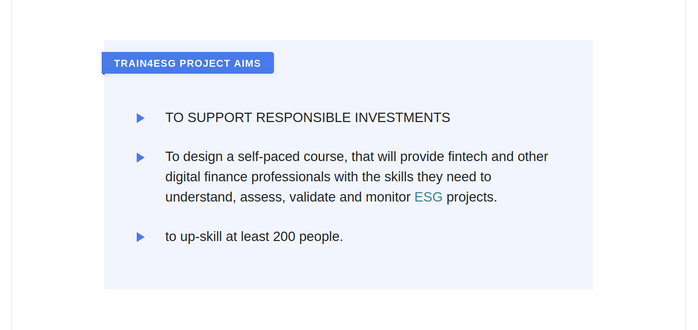
The first one is add-on for text editor: Components 4 Learning (C4L), available for both – Atto and Tiny editor. I’m using it to make learning content a bit less boring. C4L allows me to make various design snippets like this one (blue background with emphasised title and nice bullets):
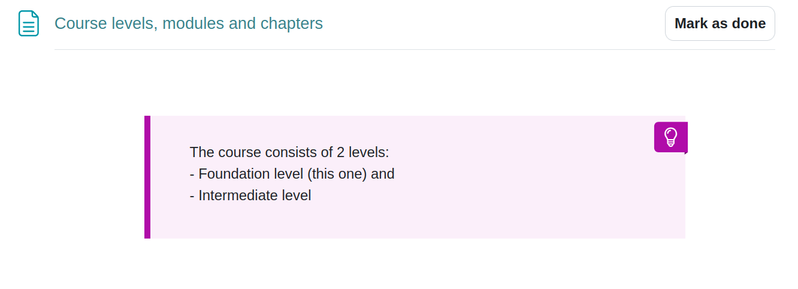
Or this one – purple snippet for ‘aha’ or ‘dont forget’ parts:
Admin Neo plugin
The other plugin is called Admin Neo (Adminer). It allows direct access to the Moodle database. Scary, right?
I installed it because I couldn’t figure out how to make a report of users, who registered to the Moodle, but haven’t enrolled in any course yet. I couldn’t make it with built-in Custom Report tool.
I installed this plugin and executed the following SQL query:
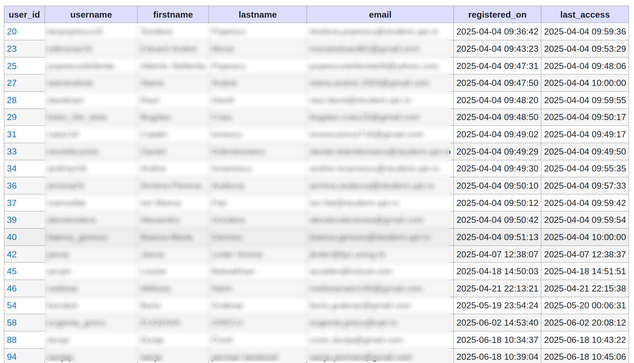
SELECT u.id AS user_id, u.username, u.firstname, u.lastname, u.email, FROM_UNIXTIME(u.timecreated) AS registered_on, FROM_UNIXTIME(u.lastaccess) AS last_accessFROM mdl_user uLEFT JOIN mdl_user_enrolments ue ON ue.userid = u.idWHERE ue.id IS NULL AND u.deleted = 0 AND u.suspended = 0 AND u.confirmed = 1 AND u.id <> 1 -- exclude the main admin accountORDER BY u.timecreated, u.lastname, u.firstnameIt returns a list of users, sorted by registration date. Now I can quickly find the users who need a little bit of nudge to enroll in a course:
If you know a better way (=without messing with SQL) to generate a similar report, please let me know.
https://blog.rozman.info/2-moodle-plugins-that-made-my-life-easier/
#adminer #c4l #moodle #selfhosting
 Friends of REDAXO
 Patch Notification Robot 🔔
 Tomi
Tomi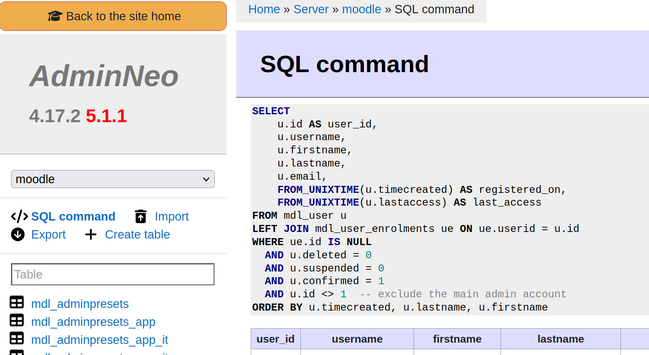
 RedPacket Security
 Chrissy