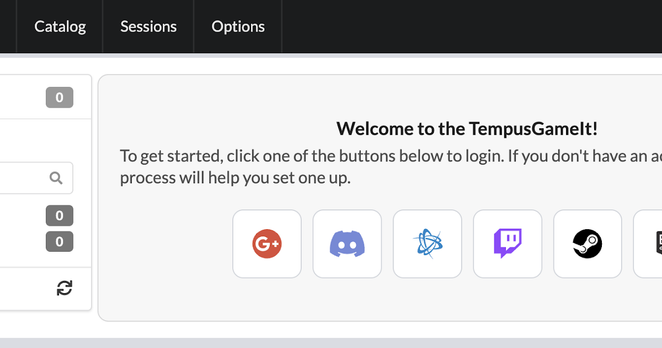
I think I'm happy with how the info pop-out works. The goal is to give a quick tooltip explanation with a more detailed explanation available by clicking the info icon.

Here's a preview of how it looks for the "Needs Info" feature in #TempusGameIt.

Let me know what you think!

It's Saturday hair salon time with my daughter, so that means it's time to hang out in the Fedi. And trying to push my way through something that is a slog in #TempusGameIt.

Dangit, I've dropped down the rankings over on #TempusGameIt because of my gaming indecision, lol. I haven't found a game I want to settle in and actually play, so I just log in / out multiple games, then repeat.

Well, that and I've forgotten to boot it up a few times now too.

#gaming

Yes, I know it is an anti-pattern but I put a clickable “learn more” question mark icon in a tooltip that can pop off an info icon. But at least it won’t pop another tooltip, but a dialog.

A UI designer I am not.

#TempusGameIt

New #TempusGameIt blog post here explaining the new welcome flow recently released. I tried to detail the problems that I saw with onboarding and how we went about solving them.

https://blog.kevinbrill.com/2026/05/being-more-welcoming.html

Being more welcoming

There's been a good amount of change and improvements in the TempusGameIt client over the past year. We've also had a little bit of growth t...

Low fanfare update to #TempusGameIt this morning. It includes:

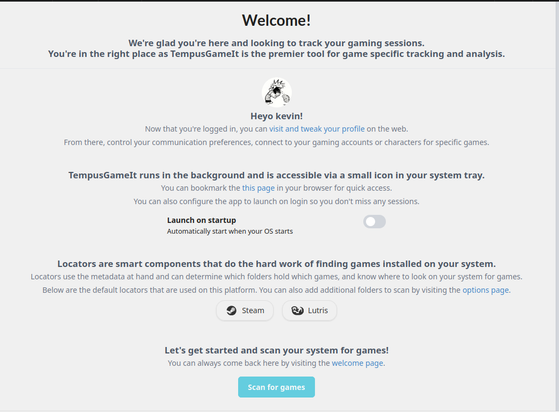
* A welcome screen to help new users learn the basic details of app and get started
* An update to the Add button on the catalog, so it is more prominent and clear on purpose
* Assorted socket fixes in an attempt to help improve some poor update behavior
* A fix for detecting running Steam games on Ubuntu

As always, feel free to check us out at https://tempusgameit.com

TempusGameIt - Delightful Effortless Gameplay Tracking

Track your gaming sessions, collect your screenshots, and track your achievements with ease.

TempusGameIt

Weekend #TempusGameIt development (i.e. "fun coding") will be to launch the first run changes (I've previewed them a bit last weekend on this very account!). I'm also considering adding some additional “More Info" spots to the client, and making the “Add” button a lot more prominent.

IRL has bananas lately and I haven't had the mental capacity during the week to tackle all this unfortunately.

https://tempusgameit.com

TempusGameIt - Delightful Effortless Gameplay Tracking

Track your gaming sessions, collect your screenshots, and track your achievements with ease.

TempusGameIt

I want to communicate a few important points:

* The app itself runs from the tray and has a website front end
* There are some canned apps we support when finding games, but you can add folders to find more
* You can look at your profile online and connect to your steam, battlenet, etc account
* Here is how you can find us and engage with suggestions and support
* Press the scan button to get started!

I think I'll work each of those into a focused card.

#TempusGameIt

Been working on a first run page for #TempusGameIt. This would be what a new user would see when they install the app and it launches for the first time.

In general, upon reflection, I hate it. 

There's too much information crammed onto a single view. Maybe I'll pull the information into cards on a carousel. Yeah, I think I like that better.

Debating whether or not I should be sending emails from #TempusGameIt for various reasons. The ultimate goal is to make sure that it is clear to a user how to get in contact. And an email is a good old fashioned way of handling this.

I think the app should have a clear menu item for this. And maybe an email as last resort, like "you registered two weeks ago and haven't submitted any time". But even there I don't know the effectiveness.