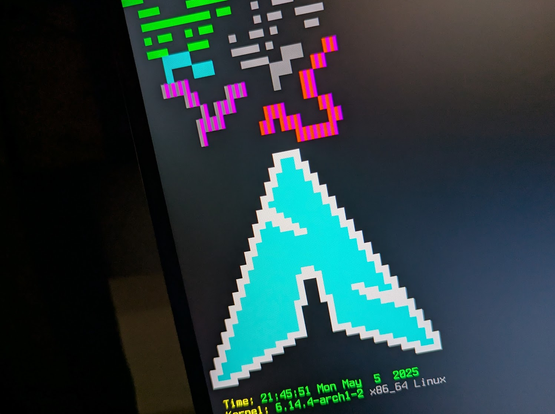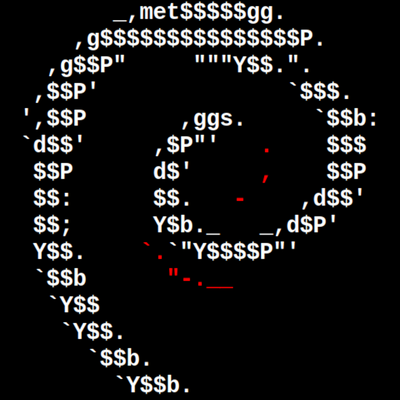
A bit of overoptimizing caused some weird color glitches, but that is sorted out now, and it actually works. (and looks as expected on an actual terminal. The confetti was just some testing.

Import and export are also optimized, and there is a crude permalink function that causes thousands of characters long URLs but works up to a certain complexity.

… and all of this for such a niche 🙃

#IssueDrawer #RecreationalCoding #ArchLinux  #JustLinuxThings #TTY1

#TIL: The non-virtual console on #Archlinux  by default reads the locale from /etc/locale.conf. So when you have messed up characters on #TTY1 – check the locale.conf file for having a “proper” locale set.

LANG=en_US.UTF-8

This might be LANG="C" by default, which messes up whatever automatic system is using it. There is no real downside, since you can simply define the locale in user context.

Just don’t forget to add the locale to /etc/locale.gen and run locale-gen afterwards.

So far, https://tty1.blog has largely been tutorials on how to use particular commands or workflows. I'll keep doing that, but I also want to highlight some real-world problems that can easily be solved with some knowledge of shell scripting and the command line.

To start off, here's how I used the `find` command to create a script for @nantucketebooks to help them easily update the code for all of their books at once.

https://tty1.blog/articles/real-world-solutions-updating-ebooks/

#tty1

tty1.blog

tty1 is a blog about the Linux terminal.

Had an issue with my #linux install this morning

Apparently my display manager (#sddm) was disabled in addition to a mirror list in my package manager changing urls - meaning that I was getting sync errors and early exits from #tty1 as I tried to figure out what was going on ;w;

As a joke, this week I coded a Linux shell: moosh. The whole idea behind moosh is that it responds to every command with a random-length "MooOooOOo…"

So, yes, it's a joke. But let's take a look at it and see if there are any ideas about scripting we can learn along the way.

https://tty1.blog/articles/moosh-the-moo-shell/

#tty1

moosh: the Moo Shell

As a joke, this week I coded a Linux shell: `moosh`. The whole idea behind `moosh` is that it responds to every command with a random-length "MooOooOOo…" So, yes, it's a joke. But let's take a look at it and see if there are any ideas about scripting we can learn along the way.

Another round of #10ThingsILikeRightNow? Don't mind if I do.

- #neovim
- #QMK
- Subscribing to @clarkesworld through @WeightlessBooks
- Being back in the tropics!
- The delicious Tom Yam soup I had for lunch
- Writing posts for https://tty1.blog (#tty1)
- Static site generators—I use https://lume.land
- The Manhattan Transfer (the vocal group)
- The $10 lightweight bluetooth keyboard I bought yesterday
- Playing #trombone

tty1.blog

tty1 is a blog about the Linux terminal.

About a year ago, I stopped using Spotify for my music, instead moving to local audio files. I've never regretted that decision. When I started transitioning to a terminal-based workflow, though, I had to find good utilities to manage and play my collection.

I think that the results have been far more useful than the graphical apps I used to use were.

https://tty1.blog/articles/terminal-music-management/

#tty1 #YearOfTheLinuxTerminal

Terminal-Based Music

About a year ago, I stopped using Spotify for my music, instead moving to local audio files. I've never regretted that decision. When I started transitioning to a terminal-based workflow, though, I had to find good utilities to manage and play my collection. I think that the results have been far more useful than the graphical apps I used to use were.

@benjaminhollon

Loving the blog, bro!

#tty1

Have you ever noticed that there are certain directories everyone has? ~/Documents, ~/Downloads, ~/Desktop, and so forth? Some of them you don't need, some of them you might wish were named differently, but any time you rename or delete them, the originals reappear?

You see, these directories follow a standard so that all programs know where they are—with the right tools under your belt, you can customize them.

https://tty1.blog/articles/xdg-user-dirs/

#tty1

Leveling Up Your Filetree with xdg-user-dirs

Have you ever noticed that there are certain directories everyone has? `~/Documents`, `~/Downloads`, `~/Desktop`, and so forth? Some of them you don't need, some of them you might wish were named differently, but any time you rename or delete them, the originals *reappear*? You see, these directories follow a standard so that all programs know where they are—with the right tools under your belt, you can customize them.

You can only take one of these commands with you to a deserted island. Which do you choose, and why?

(Yes, it's a silly question. Roll with it.)

Feel free to boost for a larger sample size. ;)

#tty1

tar
5.9%
cat
20.2%
curl
42.2%
git
31.7%
Poll ended at .