 Rich Aesthetic
The apps without icons seem so scammy. I know that’s probably not true, but that’s the vibe I get. Why do #indiedevs do it better than the big guys?
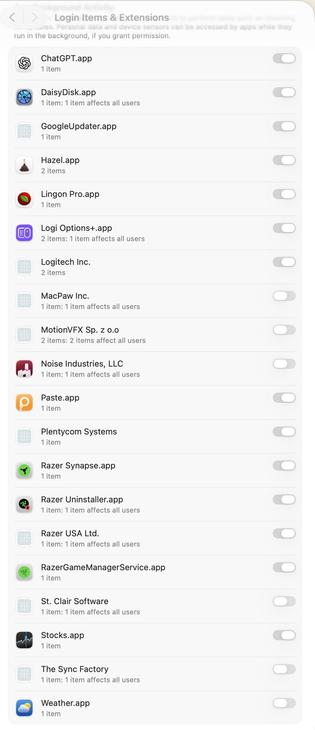
The apps without icons seem so scammy. I know that’s probably not true, but that’s the vibe I get. Why do #indiedevs do it better than the big guys?
Block the "Upgrade to Tahoe" Alerts
https://robservatory.com/block-the-upgrade-to-tahoe-alerts-and-system-settings-indicator/
#HackerNews #BlockAlerts #UpgradeToTahoe #SystemSettings #TechTips
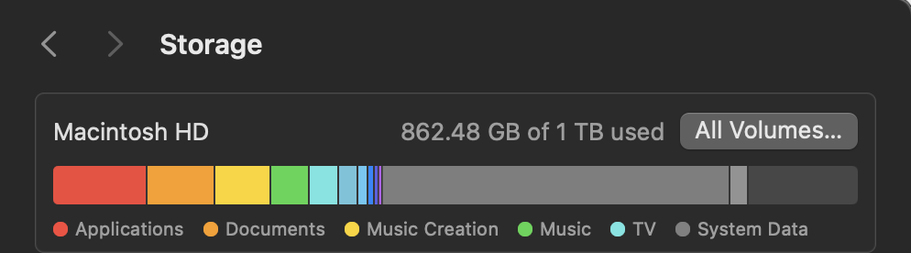
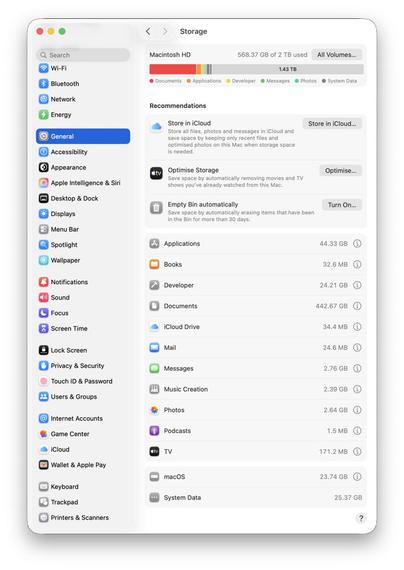
Explainer: Storage settings
https://fed.brid.gy/r/https://eclecticlight.co/2025/12/20/explainer-storage-settings/


🚀 If you’re facing font issues in #Mastodon, enable "Use system's default font" in Preferences > Appearance. 🖥️ Details: https://github.com/mastodon/mastodon/issues/36003
#MastodonTips #FontFix #TechHelp #SystemSettings #CommunitySupport

Steps to reproduce the problem Open a chat textarea (e.g., in Mastodon). Type the word find (without spaces, e.g., "fi"). Observe that the input is replaced by the symbol ⋔ (pitchfork) instead of d...
Windows 10 spies on your use of System Settings (2021)
https://www.michaelhorowitz.com/Windows10.spying.onsettings.php
#HackerNews #Windows10 #Spying #SystemSettings #PrivacyTech #DataSecurity #TechNews
@siracusa At the very least, if you can *only* have popup buttons that “hug" the title of the selected item, at least lower the compression resistance on the label so it truncates. This is NOT how you build UI. Look how the label will go into its own row if it doesn't fit vertically.
What is Hardware Accelerated GPU Scheduling on Windows 11? by Vigneshwaran #HAGS #HardwareAcceleratedGPUScheduling #SystemSettings
https://winsides.com/hardware-accelerated-gpu-scheduling-on-windows-11/


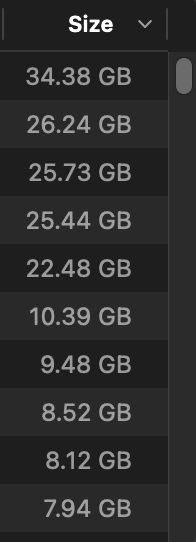
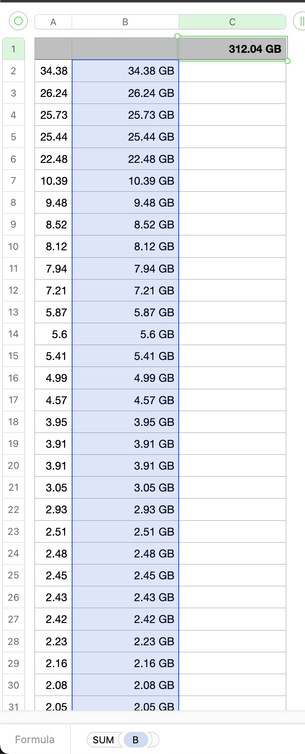
Hmm, looks like either #macOS #SystemSettings' Storage screen can't add or it can't find all applications...
It says there are 509.26 GB of applications, but when I added up the claimed sizes from the same screen, it was only 312.04 GB 🤔
Thus, (at least) one of two things is wrong — either the displayed total is nearly 200 GB too large, or there are applications not in the list or with the wrong size in the list.
Feedback ID: FB17135716

Multiple displays on a Mac sucks
So many people I've worked with have used multiple displays - typically a matched pair side-by-side - and sworn by them. It's always mystified me, to be honest.
I've attempted the multi-display lifestyle a few times over the last thirty years. At first as a bourgeois indulgence, back when even having a single 17" display was considered luxurious1, let-alone two displays. Just because I could. Then sporadically over the years in more practical attempts to expand my screen real estate.
The [...]
 Hacker News
 The Eclectic Light Company [Unofficial]
 Maciej Sypien
 David Roessli
 Mario Guzmán
 Winsides.com
 Ava
Ava 
 Wade Tregaskis