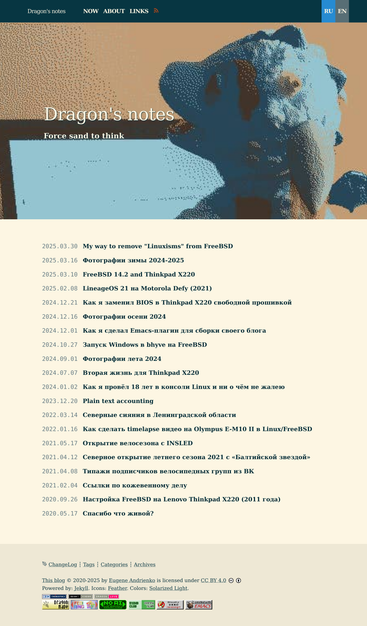
My Linux workstation:
Impressed with stumpwm. As an emacs user thought must try (usually use XMonad).
Workflow: Debian/Emacs (denote.el)/Stumpwm/Zotero.
Happy too with Yandex-browser-stable.
@mariomedjeral I used #Stumpwm for many (many!) years, and its interaction with Emacs was one of the highlights.
What broke my use was multiple monitors. I simply couldn't get it all to work properly, it was a bit overwhelming.
I often use Ratpoison on my laptop, which suites it nicely.
Like Stumpwm, it's stuck of X11 which is less battery efficient than Wayland. Though I think #Ratpoison probably compensates for that.
My Linux workstation:
Impressed with stumpwm. As an emacs user thought must try (usually use XMonad).
Workflow: Debian/Emacs (denote.el)/Stumpwm/Zotero.
Happy too with Yandex-browser-stable.
@tfb My fallback WM, when for some reason exwm doesn't work for me, is StumpWM: Common LISP based so sympathetic to Emacs.
Apparently the original developer of the ratpoison #WindowManager (I posted about it last night) has a similar project written in #CommonLisp called #StumpWM. So, if a #TilingWindowManager interests you, give it a shot!
Fixed bug in stumpish, which disallows to successfully run stumpish inside shell script, which was launched inside StumpWM or StumpWM REPL.
Hope, it will be merged by the StumpWM devs
This pull request fixes one specific bug, when stumpish unable to find StumpWM PID if stumpish is executed from StumpWM. Description of fixed problem I tried to use stumpish inside StumpWM like thi...
I fuckin love this highly customizable, tweakable and hackable beast
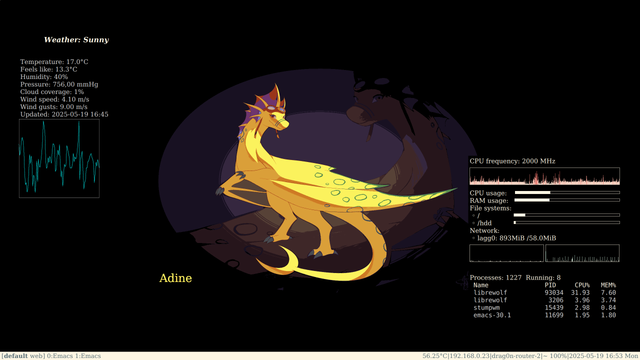
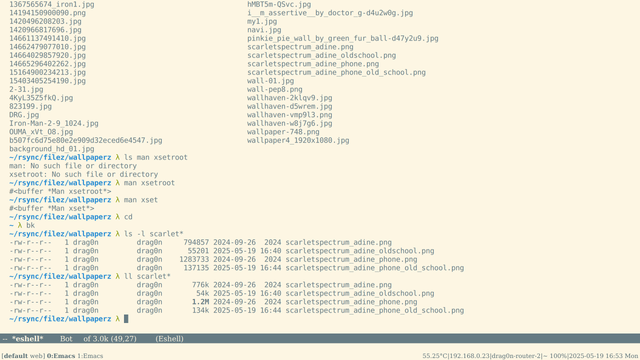
I was inspired by these links: https://merveilles.town/@neauoire/114512760016959177 and tried to use a DejaVu Serif fonts (BTW, I'm always like a Computer Modern serif font) in my system and use a smaller color palette or dithering in my wallpaper/blog header image.
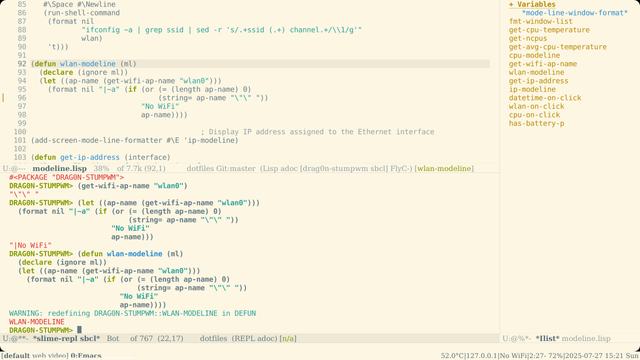
- #StumpWm modeline looks like a good old book
- #Emacs modeline with Serif font looks interesting
- and #conky too
- blog's main page reduced from ~130 Kb to 59 Kb, lol
@[email protected] @[email protected] There is a video link at the top of each one, these talks were all presented in the tool the talk was about :) https://100r.co/site/weathering_software_winter.html https://100r.co/site/computing_and_sustainability.html https://100r.co/site/shining_sand.html
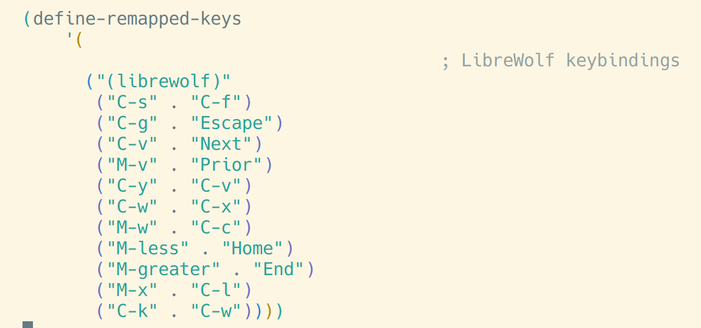
2) I can define custom keybindings for each application. If I want to make search in Librewolf with C-s, go to address bar with M-x and move page up/down with C-v/M-v (so, I want Emacs keybindings in my browser), then I use this code:
(2/2)
Top 2 StumpWm features (for me):
1) I can display anything in modeline. If I get rid of standard bubble notifications and want to display brightness/volume bars not in the floating notification but right in the bottom bar, temporarily replacing all its data with progress bar — then … it is simple:
(1/2)