
Cross-platform spatial QR code tracking for HoloLens 2 and Magic Leap 2 with a ServiceFramework Service, part 1

QR codes AGAIN???

DotNetByExample - The Next Generation

Sometimes you need to know whether or not the user is now actually wearing the device while your app is running. I wrote a little #RealityCollective #ServiceFramework Service to make that easily detectable #MixedReality #HoloLens2

https://localjoost.github.io/Detecting-user-presence-using-MRTK3-gaze-tracking-state/
Detecting user presence using MRTK3 gaze tracking state

Sometimes it’s necessary to know whether or not the user is actually wearing the headset while running your app. For instance, this might be because the user is doing an important task that may not be stopped until completed, or because you want to pause critical, performance-heavy, or battery-draining processes on the device when the user takes it off for a few minutes. I have found MRTK3 gaze tracking state to be a reliable way to detect user presence, and wrote a little ServiceFramework Service to utilize that.

DotNetByExample - The Next Generation

When debugging problems after-the-fact, you can always use UnityPlayer.log. On #HoloLens2, that is. On other devices - for instance #MagicLeap2 - that's not available. So I wrote a little #ServiceFramework service to dump #Unity logfiles in a file for an app running on a device. While I was at it, I included filtering on keywords and log type as well.

https://localjoost.github.io/A-cross-platform-Service-Framework-service-to-write-Unity-log-messages-into-files-on-device/

A cross-platform Service Framework service to write Unity log messages into files on-device

HoloLens applications conveniently dump all the Unity log messages in a text file - including all run time errors. This file can be very useful for tracking down weird occasional errors that only happen at run time. Getting to the file from HoloLens is a bit cumbersome, you have to go via the device portal and you really have to know where to look, it is always called UnityPlayer.log and at least you can get to it.

DotNetByExample - The Next Generation
For my second blogpost of the day ;) one of my more infamous and far-fetched experiments encompasses the combination of #MachineLearning combined with a Spatial Map to recognize and locate objects in 3D space, using a #YoloV8 #computervision model. This worked pretty well on #HoloLens2. I got it to work on #MagicLeap2 as well, but it was quite a rocky road. The #RealityCollective #ServiceFramework to the rescue :). Explanation, sample and full code at: https://localjoost.github.io/Running-a-YoloV8-model-on-a-Magic-Leap-2-to-recognize-objects-in-3D-space/
Running a YoloV8 model on a Magic Leap 2 to recognize objects in 3D space

After I successfully got to run YoloV8 models on HoloLens 2 to recognize the model aircraft I made as a teenager and locate them in space - using the Unity Barracuda inference engine to process the model - I thought it would be fun to try this on the Magic Leap 2 as well. The short version of this experiment is - it worked, as this 4x sped up video shows:

DotNetByExample - The Next Generation
To my surprise there is no Store for #MagicLeap2. So how do you alert users to new versions and help them update? I made a little #ServiceFramework Service and some #MRTK3 UI to do just that. https://localjoost.github.io/A-ServiceFramework-Service-to-help-update-Magic-Leap-2-MRTK3-apps/
A ServiceFramework Service to help update Magic Leap 2 MRTK3 apps

When I talked to the folks at Magic Leap about getting a loaner Magic Leap 2, my first plan was to port HoloATC to their device. My second plan was to get it ready for whatever Store Magic Leap uses for their device and publish it there. They thought that was a great idea, but there was a tiny issue with part two of the plan: they don’t have a Store of any kind for Magic Leap 2. You just put your app out somewhere where people can download it, and they install it using the Magic Leap Device Bridge (a desktop program). They don’t do walled gardens. There are certain advantages to that, like not having to create accounts, deal with developer certificates, etc. There are also drawbacks, one of them being: how are users going to learn about new versions and how are they going to install them? I made a little something to solve that problem, using a Service Framework Service. It looks like this:

DotNetByExample - The Next Generation
BANG! #ServiceFrameWork @globxrcommunity
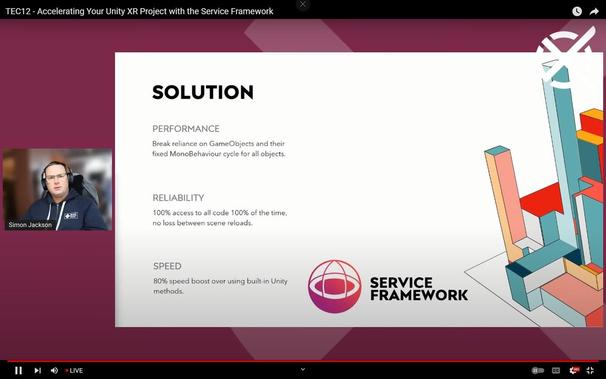
My friend, the (in)famous @SimonDarksideJ, is going to talk about @realitytoolkit #ServiceFramework soon! Don't miss it, this is instrumental in upgrading from MRTK2 to MRTK3 (that is, if you used MRTK2 the right way ;) ) @globxrcommunity https://www.youtube.com/watch?v=ffkpgprliXw
TEC12 - Accelerating Your Unity XR Project with the Service Framework

YouTube