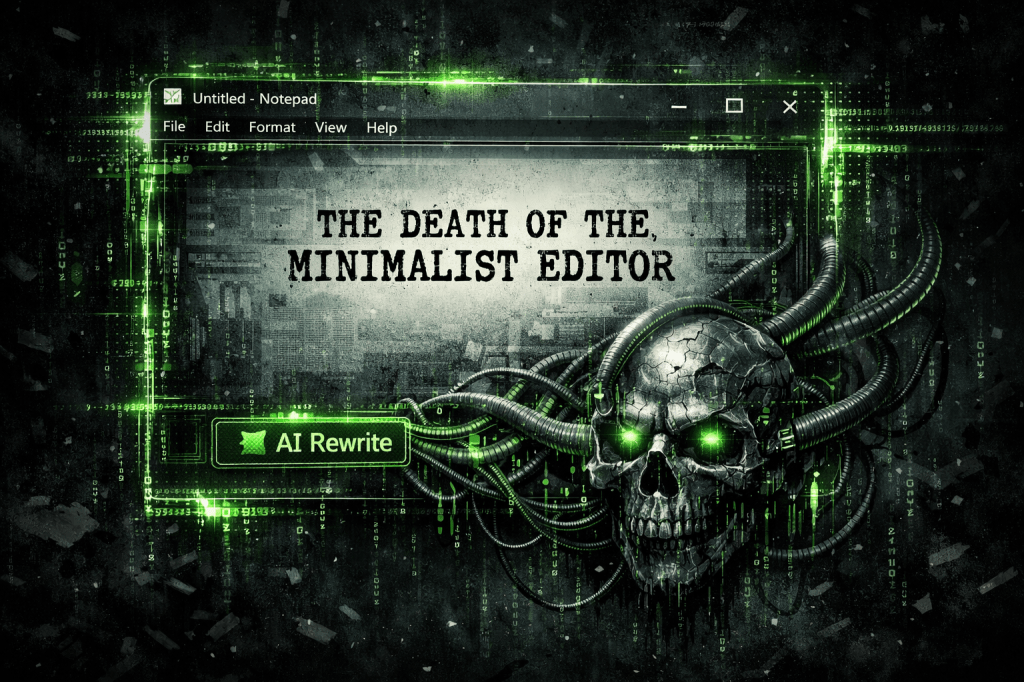
The Death of the Minimalist Editor
2,333 words, 12 minutes read time.
From Digital Napkin to Attack Vector: The Bloating of Windows Notepad
If you asked me ten years ago what the safest app on a Windows machine was, I’d have said Notepad without blinking. It was the digital equivalent of a scrap of paper—ugly, basic, and utterly incapable of hurting anyone because it didn’t do anything but render ASCII. I have spent years hating Notepad for its sheer refusal to evolve, its prehistoric UI, and its lack of basic features like tabs or line numbering. But at least it was a sandbox. You could open a suspicious .txt file and know that the worst thing that could happen was a weird character encoding error. Those days are dead. Microsoft, in its infinite wisdom and desperate race to shove AI into every dark corner of the OS, has turned this minimalist relic into a high-octane attack vector. They didn’t just add tabs; they added a network-connected AI “Rewrite” engine and Markdown rendering, effectively turning a text editor into a browser-lite with none of the hardening. It’s a classic case of fixing what wasn’t broken and breaking the security model in the process.
The shift from the legacy notepad.exe to the modern, Microsoft Store-delivered app represents a fundamental betrayal of what a core utility should be. We’re now living in a reality where your text editor requires a Microsoft account login and “AI credits” just to help you summarize a grocery list. This isn’t innovation; it’s a frantic land grab for user data and “agentic” capabilities that nobody in the right mind actually wants in a system utility. By forcing these features into the default installation, Microsoft has expanded the attack surface of the average workstation by an order of magnitude. We are no longer dealing with a simple buffer that displays text; we are dealing with a complex, multi-layered application that interprets code, handles URIs, and communicates with cloud-based LLMs. When you take the most boring, predictable tool in the shed and turn it into a “smart” assistant, you aren’t upgrading the user—you’re upgrading the hacker’s toolkit.
The Feature Creep Catastrophe: AI, Markdown, and Misery
The road to CVE-2026-20841 was paved with the “good intentions” of the Windows Insider program. Throughout 2025 and into early 2026, Microsoft aggressively rolled out features like “Rewrite,” “Summarize,” and “Coco-pilot” integration directly into the Notepad interface. To make these AI features work, the app needed to handle more than just raw text; it needed to understand structure, which led to the native integration of Markdown support. This allowed the app to render headers, bold text, and—most dangerously—hyperlinks. The moment Notepad gained the ability to interpret and act upon clickable links, it inherited the massive, decades-old security debt of web browsers. Instead of a passive viewer, the app became an active participant in the OS’s protocol handling system, and it did so with the grace of a bull in a china shop.
This integration wasn’t just about aesthetics; it was a fundamental shift in the app’s trust boundaries. By allowing Notepad to render Markdown, Microsoft gave a simple text file the power to trigger system-level actions. The “Rewrite” feature, which uses cloud-based GPT models to “refine” your text, necessitates a constant bridge between the local file and remote Azure services. This creates a nightmare scenario where the app is constantly parsing and sending unverified user input to and from the network. When you combine this with the new “Welcome Screen” and megaphone icons designed to shout about these “improvements,” you get an app that is more focused on marketing its own bloat than maintaining the integrity of the data it handles. I don’t need my text editor to have a “tone” selector; I need it to stay in its lane and not execute remote code because I accidentally clicked a blue string of text in a readme file.
CVE-2026-20841: The “One-Click” Execution Engine
The technical reality of how hackers finally broke Notepad is as embarrassing as it is terrifying. Tracked as CVE-2026-20841, the vulnerability is a textbook command injection flaw rooted in the app’s new Markdown rendering engine. Because the modern Notepad now supports clickable links, it has to decide what to do when a user interacts with one. The researchers discovered that the app’s validation logic was essentially nonexistent when handling non-standard URI schemes. By crafting a Markdown file with a link pointing to a malicious protocol—like file:// or ms-appinstaller://—an attacker could bypass the standard security warnings that usually guard these actions. When a user opens such a file in Notepad and performs a simple Ctrl+Click on the rendered link, the application passes the instruction directly to the system’s ShellExecuteExW function without sanitizing the input.
This isn’t a complex, multi-stage exploit that requires a PhD in cryptography; it’s a “low complexity” attack that leverages the app’s own features against the user. Because Notepad now runs in the security context of the logged-in user, any code executed via this command injection has full access to that user’s files, credentials, and network shares. The exploit works because the app fails to neutralize special elements within the link path, allowing an attacker to point the OS toward a remote SMB share containing an executable. The system sees a “valid” request coming from a trusted Microsoft app and simply follows orders, pulling down and running the remote file. We have officially reached a point where a .md file—something we used to consider as safe as a .txt—can now be used as a delivery vehicle for ransomware, all because Microsoft wanted to make sure your Markdown looked pretty while the AI “rewrote” your notes.
Root Cause: The Infinite Trust of Unsanitized Input
The failure of ShellExecuteExW() in the context of Windows Notepad is a glaring example of what happens when legacy system calls meet modern, bloated application logic. Traditionally, Notepad was a “dumb” terminal for text; it had no reason to interact with the Windows Shell in any way that involved executing external commands or resolving URI schemes. However, by introducing AI-driven features and Markdown support, Microsoft developers essentially handed a loaded gun to the application. The root cause of CVE-2026-20841 lies in the application’s absolute failure to sanitize input before passing it to the operating system’s execution layer. Instead of treating every link or protocol request as potentially hostile, the modern Notepad assumes that if it’s rendered in the window, it’s safe to act upon. This “infinite trust” model is exactly why we can’t have nice things in cybersecurity.
This issue is compounded by the “Agentic OS” delusion currently gripping Redmond. Microsoft’s drive to make every tool “smart” means these applications are increasingly designed to bypass the very sandboxing and confirmation prompts that keep users safe. When Notepad is given the authority to call home to Azure for an AI rewrite or to fetch a Markdown resource, it necessitates a level of system privilege that a text editor simply should not have. By failing to implement rigorous URI validation—specifically failing to block non-standard or dangerous protocols—Microsoft allowed a simple text editor to become a bridge for unverified code. This isn’t just a coding error; it’s a fundamental architectural flaw. It’s the result of prioritizing “AI hype” and feature parity over the “Secure by Design” principles that Microsoft supposedly recommitted to.
The Fix and the Reality: Why Patching Isn’t Enough
Microsoft’s response in the February 2026 “Patch Tuesday” cycle was predictable: a quick fix that attempts to blacklist specific URI schemes and adds a “Are you sure?” prompt when clicking links in Notepad. While this technically mitigates the immediate RCE (Remote Code Execution) threat, it’s nothing more than a digital band-aid on a sucking chest wound. The reality is that as long as Notepad remains a bloated, Store-delivered app with a direct line to the cloud, the attack surface remains fundamentally broken. Patching a single vulnerability doesn’t change the fact that your text editor is now a complex software stack with thousands of lines of unnecessary code. If you really want to secure your workflow, you have to do more than just hit “Update”; you have to actively lobotomize the bloat that Microsoft forced onto your machine.
For those of us who value actual security over “AI-assisted rewriting,” the real fix is a return to sanity. This means disabling the “Co-pilot” and AI integrations via Group Policy or registry hacks and, where possible, reverting to the legacy notepad.exe that still lingers in the System32 directory. You can’t trust an app that thinks it’s smarter than you are, especially when that “intelligence” opens a backdoor to your entire system. The industry needs to stop pretending that every utility needs to be a Swiss Army knife. Sometimes, we just need a screwdriver that doesn’t try to connect to the internet and execute arbitrary code. If you’re still using the default Windows 11 Notepad for anything sensitive, you’re not just living on the edge; you’re practically begging for a breach.
The Agentic OS Delusion: Why “Smart” is Often Stupid
The overarching tragedy of the modern Windows ecosystem is the obsession with “Agentic” computing—the idea that your OS should anticipate your needs and act on your behalf. In the case of Notepad, this manifested as an application that doesn’t just display text, but actively interprets it to provide AI-driven suggestions. This architectural philosophy is a security professional’s worst nightmare because it intentionally blurs the line between data and code. When an application is designed to “understand” what you are typing so it can offer a “Rewrite” or a “Summary,” it must constantly parse that input through complex logic engines. This is exactly where the breakdown occurred with CVE-2026-20841; the “intelligence” layer created a bridge that allowed data—a simple Markdown link—to cross over and become an executable command. We are sacrificing the fundamental security principle of least privilege on the altar of a “smarter” user interface that, frankly, most of us find intrusive and unnecessary.
This push for AI integration in native utilities represents a shift in Microsoft’s threat model that they clearly weren’t prepared to handle. By turning Notepad into a cloud-connected, Markdown-rendering hybrid, they moved it from the “Low Risk” category to a “High Risk” entry point for initial access. Threat actors don’t need to find a zero-day in the kernel if they can just send a phishing email with a .md file that exploits the very tool you use to read it. The “Agentic” dream is built on the assumption that the AI and its supporting parsers will always be able to distinguish between a helpful instruction and a malicious one. As this Notepad exploit proves, that assumption is a dangerous fantasy. When you give a text editor a brain, you also give it the capacity to be tricked, and in the world of cybersecurity, a tricked application is a compromised system.
Conclusion: The High Price of “Free” Features
We have reached a bizarre inflection point where the simplest tools in our digital arsenal are becoming the most dangerous. My hatred for the modern Notepad isn’t just about the cluttered UI or the fact that it asks me to sign in to edit a configuration file; it’s about the fact that Microsoft took a perfectly functional, secure utility and turned it into a liability. The security tax we are paying for these “smart” features is far too high. We are losing the ability to trust the basic building blocks of our operating system because they are being weighed down by marketing-driven bloat and half-baked AI integrations. If the industry doesn’t pull back from this “AI-everything” cliff, we are going to see a wave of vulnerabilities in the most unlikely places—calculators, paint apps, and clocks—all because developers forgot that the primary job of a utility is to be reliable and invisible, not “innovative.”
The lesson of the Notepad hack is a grim reminder that complexity is the ultimate enemy of security. Every line of code added to facilitate an AI summary or a Markdown preview is a potential doorway for an attacker. We need to demand a return to modularity and simplicity, where a text editor is just a text editor and doesn’t require a network stack or a GPT integration to function. Until Microsoft realizes that “more” is often “less” when it comes to system integrity, the burden of security falls on the user. Stop treating your default OS utilities as safe harbors; in the age of the AI-integrated Notepad, even a scrap of digital paper can be a weapon. It’s time to strip away the bloat, disable the “features” you never asked for, and get back to the basics before the next “smart” update turns your workstation into a hacker’s playground.
Call to Action
If this breakdown helped you think a little clearer about the threats out there, don’t just click away. Subscribe for more no-nonsense security insights, drop a comment with your thoughts or questions, or reach out if there’s a topic you want me to tackle next. Stay sharp out there.
D. Bryan King
Sources
Disclaimer:
The views and opinions expressed in this post are solely those of the author. The information provided is based on personal research, experience, and understanding of the subject matter at the time of writing. Readers should consult relevant experts or authorities for specific guidance related to their unique situations.
#agenticOSSecurity #AIRewriteSecurityRisk #automatedRewritingRisks #cloudConnectedApps #CommandInjection #CVE202620841 #cyberThreatIntelligence #cybersecurityAnalysis #cybersecurityDeepDive #cybersecurityTrends2026 #digitalAttackSurface #digitalForensics #disablingAIFeatures #exploitChain #featureCreepRisks #GroupPolicyNotepad #hackingNotepad #incidentResponse #initialAccessVectors #legacyNotepadExe #maliciousURISchemes #malwareDeliveryVectors #MarkdownRenderingAttack #MicrosoftAccountSecurity #MicrosoftAzureAIIntegration #MicrosoftSecurityFlaw #MicrosoftStoreAppSecurity #modernAppSecurity #NotepadAIVulnerability #NotepadRCE #phishingViaMarkdown #PowerShellSecurityTweaks #productivityAppSecurity #protocolHandlingVulnerability #RemoteCodeExecution #sandboxingFailure #secureByDesign #ShellExecuteExWVulnerability #SoftwareBloat #softwareSupplyChain #systemLevelPrivilegeEscalation #technicalBlog #technicalGhostwriting #technicalSEO #textEditorVulnerabilities #threatActorTactics #unauthorizedCodeExecution #unsanitizedInput #URIValidationFailure #vulnerabilityManagement #Windows11AIFeatures #Windows11Bloatware #Windows11Hardening #Windows11NotepadExploit #Windows11Overhaul #WindowsInsiderSecurity #WindowsPatchTuesdayFebruary2026 #WindowsSystemUtilities #zeroDayInitiative Analyst207
 Cybersecurity Threat Surface
 secbro42

 Wladimir Mufty



 Bryan King