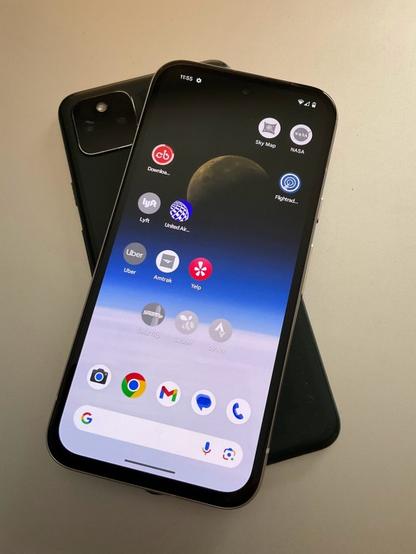
Poll: Do you own a
#nates1984 #TeamPixel #Pixel #GooglePixel #Pixel4 #Pixel5 #Pixel6 #Pixel7 #Pixel8 #Pixel9 #Pixel4a #Pixel5a #Pixel6a #Pixel7a #Pixel8a #Pixel9a #Android @fedipoll
Poll: Do you own a
#nates1984 #TeamPixel #Pixel #GooglePixel #Pixel4 #Pixel5 #Pixel6 #Pixel7 #Pixel8 #Pixel9 #Pixel4a #Pixel5a #Pixel6a #Pixel7a #Pixel8a #Pixel9a #Android @fedipoll
Don't buy the Pixel 5A, it'll fail without warning probably.
I spent less of Sunday morning than I’d feared on a chore that I’d last had to tackle in the summer of 2017: setting up a new Android phone without the old one operational, leaving me to restore only from an online backup.
Having this process go smoothly took some of the sting out of having my previously trusty Pixel 5a die on me. So did having this phone’s demise happen while I was at home and with a light schedule–after which a PCMag colleague shipped me their loaner Pixel 8a, which FedEx deposited on our front porch at 11:25 a.m. Sunday.
Signing into the 8a with my Google account and selecting the 5a’s backup kicked off a restore routine that, like when I set up the 5a at the end of 2021, not only had all of my apps quickly reinstalling from the Play Store but also recreated my carefully tended app-icon layout. The only app that I had to install separately was MetroHero, by virtue of that helpful Metro train tracker being a Web app saved as a home-screen shortcut.
But unlike that last time, I didn’t have any wonkiness with Google Voice and did not need to deal with a weird phone-number-driven onboarding in Google Pay, Google having finally killed off that mediocre mobile-payments app in favor of Google Wallet.
And I had the added advantage of a Titan USB-C security key–an exceptionally useful bit of swag from a SXSW reception that Google had hosted at its Austin offices this March–to authenticate my most important logins. After my Google account itself, I used that to confirm my login into 1Password’s app, which then streamlined signing into my other apps.
But four apps have come with post-install complications:
I’d like to see the developers of these apps–but especially Google and WMATA–work to sand down some of those rough edges if possible, but I doubt they’ll have made much progress by the time I migrate from this loaner phone to whatever phone I buy to replace it.
Which will almost certainly be either a Pixel 8a or the about-to-be introduced Pixel 9. Because even after the unfortunate end of my Pixel 5a, I still value a phone that gets Android updates as fast as Google can ship them, allows an unusual degree of repairability, and includes the Hold For Me function that spares me from hours of listening to hold music every year.
#1Password #AndroidBackup #AndroidRestore #Chrome #passkey #passwordManager #Pixel5a #Pixel5aBlackScreen #Pixel8a #Signal #TodayWeather #USBSecurityKey
My home office always needs cleaning, but there’s one part of it that stays especially resistant to tidying up–the small collection of old and inoperative hardware that might have my data in a condition that might be accessible.
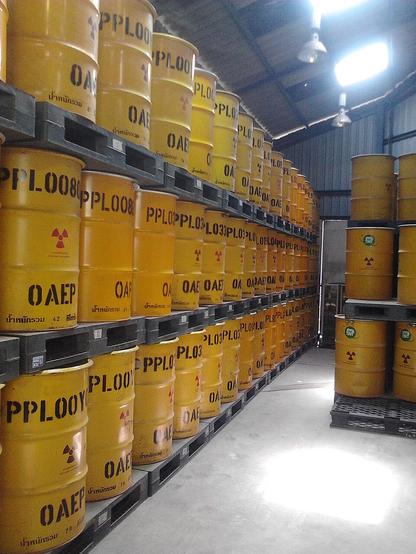
I think of these probably-defunct devices as my own rough equivalent of nuclear waste, but instead of radioactive isotopes they may hold old personal data that I don’t want to see leak out. That’s “may” because unlike spent reactor fuel that we know has to be kept safe, these gadgets no longer function to a degree that would let me confirm that I’d wiped my traces from them or finish that device-reset work.
The most obvious, meaning dustiest, example is the Pixel 1 I’d retired five years ago. I was all set to ship it back to Google for a trade-in offer of $25 when I bought my Pixel 5a at the end of 2021–but then I realized that it no longer charged, which zeroed out the return value.
I couldn’t remember if I’d done the right thing in 2019 and factory-reset the Pixel then. Android’s storage encryption should have meant nothing could be read off the phone anway, even if somebody could breathe electric life back into the thing–but at the end of a busy year it seemed easier to set the old phone aside and figure things out later. And “aside” is where that Pixel remains.
A year later, the HP laptop that I’d bought in late 2017 suffered an apparently fatal display malfunction that meant I could not expect to operate the thing for more than a few minutes after booting it up. That left a drive’s worth of data unprotected–for whatever stupid reason, this computer did not support Windows device encryption.
This output meltdown also left this HP unwipeable, in the sense that I couldn’t use the computer for long enough to install and run the open-source VeraCrypt disk-encryption utility. So once again, the easiest move was to set the device aside on my desk.
Thursday morning added a third device to this sad list: the Pixel 5a that apparently wasn’t aging as well as I’d thought. When I tried checking my notifications on that phone after waking up (I know, not a strong choice), it had mysteriously stopped responding to fingerprint unlocking, taps of its buttons or its screen, or any of the other troubleshooting steps outlined in a Google tech-support note.
This phone unquestionably has my information on it, but is that data in a Schrödinger-esque state of uncertainty? Or is it gone by virtue of the device’s circuitry suffering the kind of catastrophic failure that would make it so unresponsive?
As I scrapped Thursday-night plans to work this problem, I thought that I might as well take another look at the laptop that had been gathering dust on my desk for the last two years.
And after one screen freeze, that seven-year-old HP somehow booted up and kept working long enough for me to install VeraCrypt and encrypt the disk with a complex passphrase generated by 1Password. That makes the entire PC unbootable and unreadable for somebody who doesn’t have that login.
Then the old laptop obliged me further by letting me add a local account and delete my own account. Perhaps I should push my luck further by reformatting the drive and then reinstalling Windows.
Or I could declare victory and take this device to the nearest Apple Store for proper recycling… but procrastination has its own half-life, so I doubt I’ll get that errand done right away.
https://robpegoraro.com/2024/08/02/a-gadget-writers-minor-equivalent-of-nuclear-waste/
#deviceEncryption #encryption #eraseDevice #factoryReset #halfLife #HPSpectreX360 #Pixel1 #Pixel5a #resetDevice #Schrödinger #secureDelete #VeraCrypt #wipeDevice

Two years and seven months should not rate as a lengthy tenure for an electronic device. But for the Google Pixel 5a I bought in late 2021, that span of time is starting to feel more like a career. And in the context of people who feel compelled to buy a new phone every year, my phone might as well be on its second afterlife.
The device still functions fine–the 5a’s 5G radio has yet to be made obsolete by T-Mobile deploying new spectrum bands–and looks decent overall. In particular, I’ve managed to avoid any damage to the screen I replaced with an iFixIt repair kit in October of 2021 after shattering the original screen a few weeks earlier.
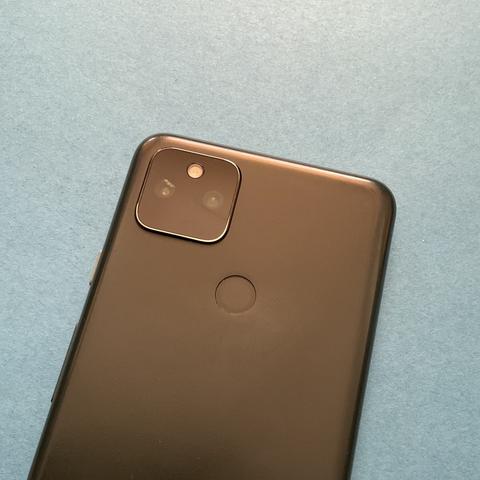
But the glass cover over the back camera assembly has developed a crack that apparently lets in enough moisture at times to lightly fog some photos.
On the phone’s inside, more than two years of discharge-recharge cycles seem to have left their dent in the battery. I’m now more likely to look for the nearest outlet by the afternoon of a day on the go to ensure that the phone retains a healthy charge margin when I get back to home or a hotel.
This phone’s 128 GB of storage also doesn’t have much left, with 112 GB now eaten up by photos, music and a collection of apps overdue for culling.
None of that seems too bad on its own, considering that I’ve kept this 5a in daily service for longer than its three predecessors: a Pixel 3a used for about two years and five months, a first-gen Pixel that served me for just over two years and a month, and a Nexus 5x that succumbed to a fatal bootloop after just a year and eight months.
But the factor most likely to push me to buy a new phone in the coming months is not the 5a’s hardware but its software. Google’s Android-support lifecycle document only pledges version updates for it through August, three years after the 5a’s debut, and Android 15 will almost certainly ship a month or two later.
A Pixel 8a, the most likely replacement, would bring a commitment of Android updates until May of 2031–far longer than I can imagine myself continuing to use a 2024-vintage phone–as well as a better camera, more storage, and cordless charging.
But the 8a and, apparently, every future Pixel phone from Google, will not include a headphone jack. Finally knuckling under to that collective design delusion on a device I use more than any other is going to sting.
https://robpegoraro.com/2024/07/12/a-not-all-that-old-phone-nears-retirement/
#android #Android15 #AndroidSupport #AndroidVersionSupport #headphoneJack #Pixel5a #Pixel8a #softwareLifecycle #TMobile5G
So the #S24Ultra has #WiFiCalling on AT&T but doesn't say it's using "AT&T Wi-Fi Calling" as the carrier. I figured this out because it has the same behavior with MMS as on my mom's #Pixel5A and my #iPhone6SPlus .
Just updated my phone. The screen that comes up manages to be an immediate example of poor design, as the button needed to get past this screen is hidden by the bottom row controls bar.
The statement "Your Pixel is up to date" is thus proven to be true, just probably not in the way it was intended to.
I think some hardware on my #Pixel5a is broken.
This morning, it froze and then screen went blank. I've been able to reboot it a few times by leaving it unplugged for a few minutes, then plugging it in and pressing the power key for 30 secs. But after entering PIN, it freezes and dies again.
I managed to do a hard reset, but while downloading the apps it froze again. I'm discarding a software issue as it seems to freeze when it's doing "work". Any ideas?