 mattdawhit
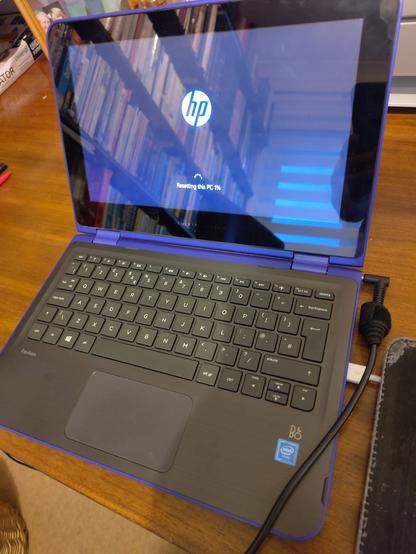
There is a special place in hell for the product owner that agreed the specs of the Hewlett Packard Pavilion 11-k154sa
#ParentalTechSupport
#ParentalTechSupport
Visiting my parents for Christmas was a reminder of just how beleaguered the web is with ads by default; I work largely under the auspices of a pihole blocker with a fair few adlists set on it, so emerging from the umbrella can be a little of a shock.
But, these are my parents, and this is a solvable problem.
I have an old Pi Zero W that's fit for the job, with one of the little adafruit oled screens to plug onto the header. It used to be my pihole setup before I shifted it to a VM server, so it'll work. Just had to set up a few extra scheduled tasks to hopefully reduce the amount of headaches around stuff. To wit:
- A restart. Daily.
- Adlist updates. Daily.
- OS updates. Weekly.
- Pihole updates Weekly.
Had to set up the oled screen script as a service under systemd, but that's not *hard.* Just annoying.
Lastly, a full backup of the SD card, with an eye to potential issues down the road that can be solved with an emergency trip to best buy or whereever (hell, they sell the cards at drug stores, even) for a new card and a reimage with an update thereafter to bring it back up to date.
Done and done. Drop it in next time I'm there.
Fucking Microsoft, I don't even. 😤
FIL got hit with one of those fullscreen-browser "Microsoft Defender has locked your computer" scams, and MalwareBytes didn't block it. The very helpful recovery guide I'm reading suggested running a #Microsoft #Defender #Antivirus offline scan after closing the browser, which seemed like a good idea, so I walked him through starting that... and his computer rebooted to a #Bitlocker recovery key prompt.
‼️ FUCKING WARN US FIRST!! ‼️
I had no idea he even had Bitlocker enabled - it must have been turned on by default when we set up Windows on this new laptop. Really hoping he can remember his Microsoft account password so he can login from his phone (and yeah, walking him through *that* will be fun) and try to find it there.
A nice pop-up saying "Hey, you'll need your Bitlocker recovery key, so make sure you have it handy!" would have been REALLY FUCKING NICE about five minutes ago. 🤬
ETA: After I finished swearing (on mute), I had him just click Skip This Drive and bail out of the offline scan, Windows booted as usual, and he's running a full scan instead. And now I've added "find his recovery key" to my #ParentalTechSupport todo list... but not today. 🙄
 Dr Lucy Rogers
 Laren
Laren Lisa Lorenzin KR4LFE (she/her)