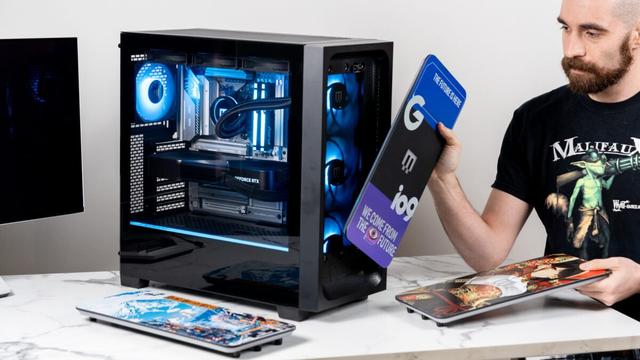
The good people at Lenovo didn't see fit to put any USB-A 3.x ports on the back of this machine, and only one USB-C port on the front bezel. This is one of those LOQ Towers, so it's actually quite something to behold, and I hate the way cables coming out of the front of it looks.
If I wanted to solve this very decidedly first world problem, and I haven't had my hands inside a computer since the early 2000's (except to bust dust), I would need some advice.
It's PCIe now, I know that much looking at Windows device manager. What version is relevant to my purpose and how do I figure that out?
The only other thing in the stupid thing is a NVIDIA RTX 3050, which is a bit of a chonker. It doesn't look like there's another PCIe slot that it's obscuring. Even if there were, it doesn't look like I could move the support bar for it down any further. This seems to foreclose expanding the USB port situation altogether?
I found an empty four-pin connector on the board labeled USB. Is this another way to the USB hub on the motherboard? What does that rabbit hole look like?
Related:
I've got to have a new powered, table-top USB hub, regardless of the outcome with the port expansion in the tower. I like Anker. I'd love some thoughts on that.
Meta:
What on earth makes a USB PCIe card so expensive?
I though port austerity was a Mac thing. What is the rationale behind putting zero USB 3, a paltry four USB 2, and no USB-C ports on an ostensibly full-size tower in 2023?

How to Download Windows 11 Media Creation Tool: Install Without Losing Data
Stop stressing over your Windows 11 upgrade! Let's walks to the through a fail-safe clean install. Avoid mistakes, keep your files safe, and do it right the first time.
The consumer GPU market isn't in crisis; it's in an undeclared "End of Life" phase. NVIDIA is deliberately starving the AIB supply chain (partners like MSI and Asus) to divert all of TSMC's silicon to AI chips for data centers, where margins are obscene.
MSI just declared 2026 will be a supply nightmare and is cutting production. They're closing the ecosystem. PC gaming and independent builders have become a nuisance for Jensen Huang's balance sheets.
I'm compiling logs and market data for a complete autopsy of this commercial architecture. I'll post the full video on my channel. The era of x86 and affordable consumer hardware is coming to an end under the blows of the CUDA monopoly.
https://www.youtube.com/@Rational-Tech-VeLL
#Hardware #NVIDIA #PCBuild #SysAdmin #TechNews #OpenSource #Microarchitecture #GPU #RationalTech

Performance. Analysis. No Hype. Real information. Welcome to Rational Tech. This channel is not about RGB lights or marketing buzzwords. We focus on engineering-driven PC building, hardware analysis, and real-world workstation performance. Our approach is simple: Rationality over Hype. We test thermal dynamics, power stability (UPS/PSU efficiency), and component reliability to build systems designed for 24/7 heavy workloads. Current Main Project: Building a next-gen workstation featuring the Intel Z890 platform and RTX 5080, focusing on airflow optimization and clean power delivery. If you are looking for in-depth analysis, honest benchmarks, and a logical approach to high-end tech, you are in the right place. Subscribe for the engineering. Stay for the truth. Powered by V&LL Lisbon, Portugal
Well my Gigabyte Z890 AERO G Motherboard has a bad CPU Socket.🙁
One Pin is just a little off & that is making RAM slot B2 not work right.
The system does work on slot A2 so I was able to test out both RAM sticks 1 by 1 at full speed via memtest86+, all tested out good. I also booted 3 Linux distro's all fine.
So the board is going back to amazon as I'm within my 30-days.
Good news is price for that board has gone down so $40 back to me😃
I've updated my Arduino RGB controller:
- color transitions are now much smoother
- I can now control the maximum color intensity
- The ambient light when my PC is turned off is now much dimmer
Read more here: https://svana.name/2026/04/my-arduino-rgb-controller-is-now-even-better/