Qiita - 人気の記事
商品購入アプリのカートの中身を自動でExcel領収書に転記する
https://qiita.com/Masayanf/items/ff6fa93746873da7aa91?utm_campaign=popular_items&utm_medium=feed&utm_source=popular_items
 HubSite 365
Power Automate: Excel Is the Bottleneck
🟪 Excel writes are the bottleneck in Power Automate 🚀
If your SharePoint exports to Excel take minutes or hours it's likely due to row by row writes.
The video shows switching to a bulk insert using Office Scripts and a JSON array to cut run time from minutes to seconds.
It also covers creating the JSON payload generating the Office Script with ChatGPT and wiring it into a flow.
💡 Bulk insert via Office Script
🔍 JSON array for rows
⚖️ Time cut from minutes to seconds
Ready to speed up your exports?
▶︎https://www.hubsite365.com/en-ww/citizen-developer/?id=c6a5df47-b9fa-f011-8406-000d3a4aeaab&topic=8daf8386-bb75-ea11-a811-000d3a210788&theater=true

【レベル2】Power Automate × Office スクリプトで稼働入力表を自動作成する:祝日を自動取得してみよう
https://qiita.com/sonooh/items/d59f77b64993f6a1ad97?utm_campaign=popular_items&utm_medium=feed&utm_source=popular_items
【レベル1】Power Automate × Office スクリプトで稼働入力表を自動作成する
https://qiita.com/sonooh/items/2759f1cd8ca2afd8b668?utm_campaign=popular_items&utm_medium=feed&utm_source=popular_items
 Max Leibman has moved!
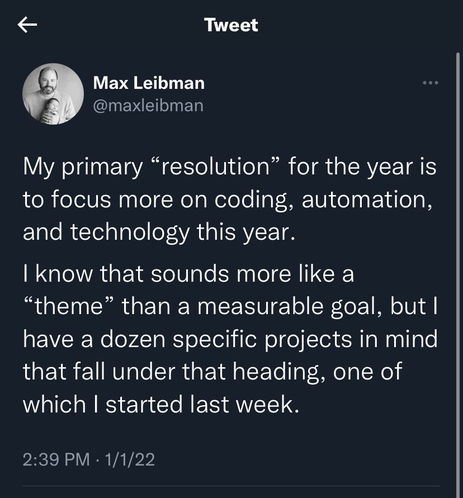
I found this tweet while looking for something else tonight—I didn’t remember making it, but I did follow through and do it. I noodled around with several projects, including two that proved very significant: first, automating my team’s reporting stack with a mix of #PowerAutomate, #VBA, and #OfficeScripts; and second, setting up a scheduling widget for our training department’s intranet page using #PowerApps. And there’s more of this work lined up in 2023!
#LowCode #NoCode #Resolutions
#LowCode #NoCode #Resolutions