@ayukawa

Hm. I used to use the client on Linux, with the server on MacOS. It would blank the Mac's display correctly. I didn't use it the other way, so I don't know if it worked that way in my config.

Which desktop are you running on the Linux machine? This support post indicates screen blanking won't work for KDE, because it lacks support for blanking in its D-Bus implementation:

https://forum.nomachine.com/topic/screen-blanking-questions-issues

There's also this KB article:
https://kb.nomachine.com/AR07M00851

Which seems to imply that the method they use to implement blanking is playing games with gamma adjustment - a hack. Maybe that's a permissions thing, the application isn't allowed to adjust gamma with your Linux desktop - or gamma adjustment isn't supported.

#NoMachine #Linux #host #gamma #blank

In my Lappy's atomic immutable, Fedora Kinoite, in prior months when i was setting it up, ALL attempts to be able to connect to Dad's pc with either AnyDesk or RustDesk, via either Flatpaks & overlaid rpm pkgs, failed. Hence, now in Tower's KDELinux i've not even bothered with those two flatpaks, not to mention that this atomic does not have a(n easy) way to overlay. Happily i found recently that AppImage works well for VeraCrypt in KDELinux, so i wondered if any of AnyDesk, RustDesk, or NoMachine might have an AI option... & yes, RD does! Aaaaaaand... it works - both for remote-access desktop control, & for file-transfer - yippee!

So, now that i have found effective workarounds for the last lingering papercuts in
KDELinux, which hitherto stopped this otherwise lovely OS being able to be my fulltime daily system [remote-access ✅, VeraCrypt ✅, backups ✅, virtual machines ✅], i tentatively now conclude that henceforth i'll only boot back into either Arch or Sparky when i want to, rather than til now each time i needed to [for the preceding issues] 🎉 🥳 👯‍♀️

The ongoing failure of the
ArchLinux Distrobox in my KDELinux [but no other DB] remains galling [not least that coz it does not work i had to find other ways to solve those tricky app issues], but now it is no longer significantly holding me back.

#DropbearPooterising #Linux #LinuxWomen #FOSS
​ ​​ ​#ArchLinux #KDEPlasma ​​ ​#KDELinux
#SparkyLinux ​#Kalpa  ​#Kinoite
#AnyDesk #RustDesk #Flatpaks #AppImage #NoMachine

If like me, you're in the probably quite small subset of people who - use zed on linux, don't run much other Vulkan software and also use NoMachine for remote desktop, then you might enjoy the results of my afternoon's debugging session tracing mysterious zed crashes.

https://github.com/zed-industries/zed/discussions/42546

#zed #vulkan #nomachine
zed crashing on launch because NoMachine version 8.19.2 breaks vulkan · zed-industries zed · Discussion #42546

Just dropping this in here in case anyone else runs into it. Zed stopped launching for me entirely this morning, after a reboot on my Debian laptop (which I don't tend to reboot that often) All tro...

GitHub

Wer irgendwann in letzter Zeit mal testweise die Remote-Desktop-Software NX NoMachine installiert hatte, sollte seinen Linux-Rechner auf Überbleibsel dieser Installation kontrollieren:

wiki.archlinux.org/title/NoMac…

Die verbliebene Gerätekonfigurationsregel /etc/udev/rules.d/99-virtualgl-dri.rules hatte mir die Berechtigungen für /dev/dri/renderD128 dergestalt verbogen, dass Vulkan nicht richtig funktionierte.

#NoMachine #VulkanAPI #udev

NoMachine - ArchWiki

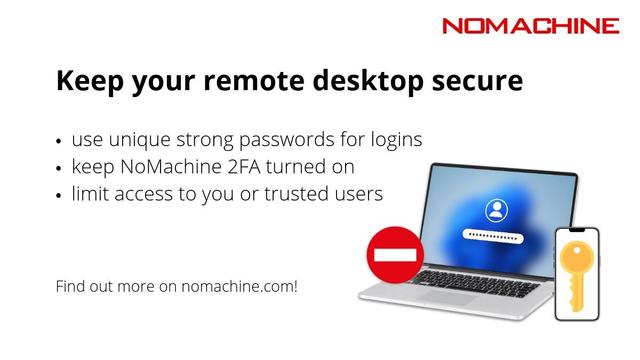
Let’s close #CybersecurityAwarenessMonth with a reminder to check your settings. In NoMachine, you’ll find all security permissions and notifications under Settings → Server → Security. Stay safe and know your tools!
#RemoteAccess #NoMachine

With NoMachine remote access, security isn’t an add-on, it’s built into its core. End-to-end encryption keeps your remote sessions private, and your data protected.

https://www.nomachine.com/

#CybersecurityAwarenessMonth #ITSecurity #NoMachine

NoMachine solutions are built to protect your remote desktop and data, but protection still starts with people.
https://www.nomachine.com

#CybersecurityAwarenessMonth #ITSecurity #NoMachine

Have you downloaded NoMachine 9 yet?
Try the new NoMachine Network service and let us know what you think!
https://nomachine.com/network
#RemoteDesktop #NoMachine #RemoteAccess

one interesting thing I learned this week, LXC 'VMs' on Proxmox do not have an emulated graphics card, so if you install a desktop environment on one, you need to connect to it using something like #NoMachine.

I've been using NoMachine for years at this point, ever since the bitrot in #X2Go got too bad to ignore. it works quite well, apart from some annoying minor bugs with grabbing keyboard input on Cinnamon.

Are you running Arch Linux? Do you need a remote desktop solution?

Have a look at @NoMachine A cross-platform remote access tool.

Visit the blog:
https://fshng.xyz/posts/howto-nomachine-arch-linux/

#rdp #linux #arch #archlinux #remotedesktop #nomachine

How To: NoMachine on Arch Linux

Remote desktop software over the network

For S#!ts N Giggles