Logging gehört zu den Dingen, die am Anfang oft nebensächlich wirken. Der Code läuft, die Ausgabe passt, also scheint alles in Ordnung zu sein. Spätestens wenn ein Fehler nur in einer bestimmten Umgebung auftritt, eine Anfrage unerwartet lange dauert oder ein Problem nicht sauber reproduzier...

https://magicmarcy.de/was-gutes-logging-ausmacht-und-warum-schlechte-logs-zeit-kosten

#Logging #Logs #Log4j #debug #error #info #println #Java #Wildfly #Coding #Programming #Softwaredesign #LogLevel

Was gutes Logging ausmacht und warum schlechte Logs Zeit kosten | magicmarcy.de

Logging gehört zu den Dingen, die am Anfang oft nebensächlich wirken. Der Code läuft, die Ausgabe passt, also scheint alles in Ordnung zu sein. Spätestens wenn ein Fehler nur in einer bestimmten Umgebung auftritt, eine Anfrage unerwartet lange dauert oder ein Problem nicht sauber reproduzierbar ist, merkst du aber schnell, wie wichtig gute Logs sind. Ein sauberes Logging hilft dir nicht nur beim Debugging, sondern auch dabei, Anwendungen im laufenden Betrieb nachvollziehbar zu halten.

magicmarcy.de

Отладка Программ Уровнями Логирования (или Медицинская Карта Вашей Программы)

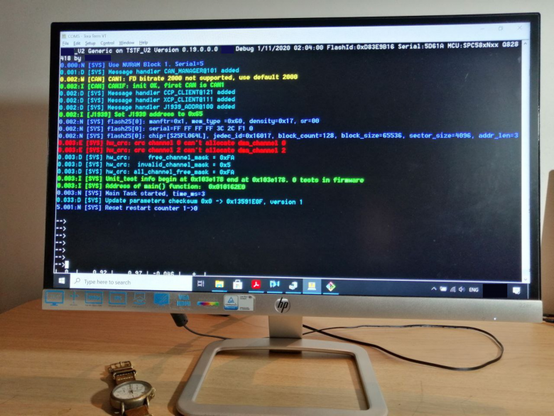
Программы часто отлаживают применяя printf-отладку. Однако в этом есть недостаток. Со временем вывод printf сообщения становится настолько частыми и плотным, что становится просто невозможно что-либо прочитать. Чтобы с этим бороться придумали уровни логирования LogLevels. Суть в том, чтобы из shell консоли в run time можно было включать или отключить логи для конкретных программных компонентов. Отдельными командами вы можете увеличивать или уменьшать многословность логирования. Это позволяет Вам сфокусировать внимание на конкретном программном компоненте и найти суть ошибки в программе или причину по которой не проходит модульный тест.

https://habr.com/ru/articles/1016480/

#LogLevel #log_levels #loglevels #debug #error #warning #notice #trace #info #paranoid

Отладка Программ Уровнями Логирования (или Медицинская Карта Вашей Программы)

Программы часто отлаживают применяя printf-отладку. Однако в этом есть недостаток. Со временем вывод printf сообщения становится настолько частыми и плотным, что становится просто невозможно что-либо...

Хабр
000-default.conf<VirtualHost *:80>
# The ServerName directive sets the request scheme, hostname and port that
# the server uses to identify itself. This is used when creating
# redirection URLs. In the context of virtual hosts, the ServerName
# specifies what hostname must appear in the request's Host: header to
# match this virtual host. For the default virtual host (this file) this
# value is not decisive as it is used as a last resort host regardless.
# However, you must set it for any further virtual host explicitly.
#ServerName www.example.com
ServerAdmin webmaster@localhost
DocumentRoot /var/www/html
# Available loglevels: trace8, ..., trace1, debug, info, notice, warn,
# error, crit, alert, emerg.
# It is also possible to configure the loglevel for particular
# modules, e.g.
#LogLevel info ssl:warn
ErrorLog ${APACHE_LOG_DIR}/error.log
CustomLog ${APACHE_LOG_DIR}/access.log combined
# For most configuration files from conf-available/, which are
# enabled or disabled at a global level, it is possible to
# include a line for only one particular virtual host. For example the
# following line enables the CGI configuration for this host only
# after it has been globally disabled with "a2disconf".
#Include conf-available/serve-cgi-bin.conf
RewriteEngine on
RewriteCond %{SERVER_NAME} =yourfriendicadomain.com
RewriteRule ^ https://%{SERVER_NAME}%{REQUEST_URI} [END,NE,R=permanent]
</VirtualHost>
# vim: syntax=apache ts=4 sw=4 sts=4 sr noet

Checking 000-default-le-ssl.conf after successful completion of the certbot HTTPS routine:

Certbot entered more lines in the already existing file that was created by scratch when executing
sudo nano /etc/apache2/sites-available/000-default-le-ssl.conf
creating a complete mess.

It created kinda a double entry and also added <VirtualHost *:80>
I started testing and comparing and ended up with the following file:

000-default-le-ssl.conf<IfModule mod_ssl.c>
<VirtualHost *:443>
# The ServerName directive sets the request scheme, hostname and port that
# the server uses to identify itself. This is used when creating
# redirection URLs. In the context of virtual hosts, the ServerName
# specifies what hostname must appear in the request's Host: header to
# match this virtual host. For the default virtual host (this file) this
# value is not decisive as it is used as a last resort host regardless.
# However, you must set it for any further virtual host explicitly.
#ServerName www.example.com
ServerAdmin webmaster@localhost
DocumentRoot /var/www/html
<Directory /var/www/html>
AllowOverride All
</Directory>

# Available loglevels: trace8, ..., trace1, debug, info, notice, warn,
# error, crit, alert, emerg.
# It is also possible to configure the loglevel for particular
# modules, e.g.
#LogLevel info ssl:warn
ErrorLog ${APACHE_LOG_DIR}/error.log
CustomLog ${APACHE_LOG_DIR}/access.log combined
# For most configuration files from conf-available/, which are
# enabled or disabled at a global level, it is possible to
# include a line for only one particular virtual host. For example the
# following line enables the CGI configuration for this host only
# after it has been globally disabled with "a2disconf".
#Include conf-available/serve-cgi-bin.conf
ServerName yourdomainname.com
Include /etc/letsencrypt/options-ssl-apache.conf
SSLCertificateFile /etc/letsencrypt/live/yourdomainname.com/fullchain.pem
SSLCertificateKeyFile /etc/letsencrypt/live/yourdomainname.com/privkey.pem
</VirtualHost>
</IfModule>

With <VirtualHost *:80> firefox gives a:
SSL_ERROR_RX_RECORD_TOO_LONG error,
so I used port 443 as in the example and apparently that works.