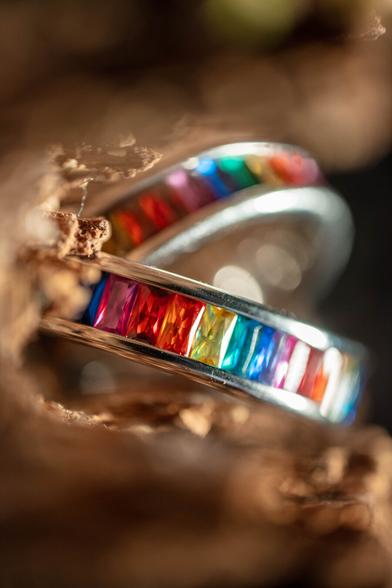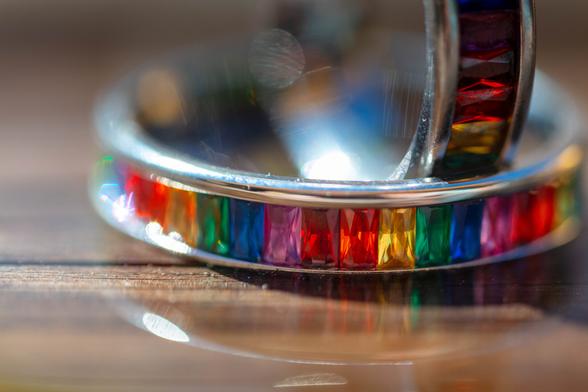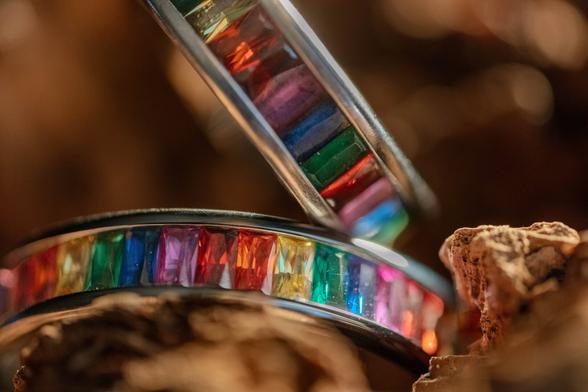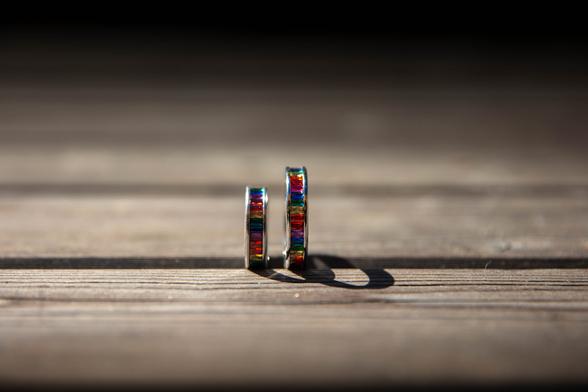
Day 2 continued the journey of learning and discovery.
Students not only refined their skills but also shared their experiences and takeaways, reflecting the impact of working with tools like the snoot, power station, fog machine, and lighting setups. With gear from Digitek and Viltrox, the sessions turned into a stage for creativity and confidence.

#Digitek #LightingSetup #PowerStation #PhotographyCommunity #VideographyLife #Viltrox #InnovationInPhotography

Day 1 was packed with hands-on learning and real-time practice.
Students explored lighting setups and experimented with tools like the snoot, power station, fog machine, and more. With professional gear from Digitek and Viltrox, every moment was about turning theory into action.

#Digitek #IITMWorkshop #LightingSetup #PowerStation #PhotographyCommunity #VideographyLife #Viltrox #InnovationInPhotography

Digitek 100W Bi-Color LED Light (DCL-100 WBC) is hands-down one of the most powerful and versatile lights I’ve tested.

Key Features:
Powerful 100W Output
2700K–6500K Bi-Color + 200 Color Presets
20 Built-in FX Modes
APP & Manual Control

Offer Price: Rs. 10,999.00
M.R.P: Rs. 15,995.00
Shop Now:https://zurl.co/IntCI

#DigitekLights #DCL100WBC #BiColorLED #ContentCreationGear #LEDLightingKit #CreatorTools #DigitekReview #LightingSetup

Just tested the Digitek DCL 100WBC RGB Light—and it’s officially made it to my must-carry gear list! Whether it’s a moody indoor setup or an outdoor golden hour shoot, this beast adapts like a pro.

Powerful 100W RGB LED Output
Wide Color Temperature Range
High Color Accuracy

Offer Price: Rs. 14,999.00

Shop Now: https://zurl.co/goGgb

#DigitekIndia #RGBLight #ContentCreatorGear #LightingSetup #VideographyTools #OnSetEssentials #DigitekDCL100WBC #CreatorApproved #LightItRight

Because the right light never lets you down.
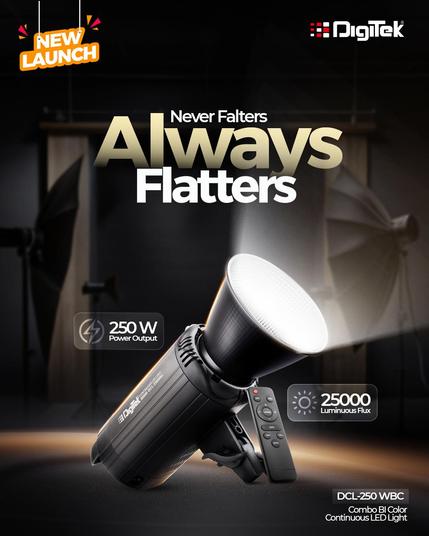
The Digitek DCL-250 WBC is crafted to deliver consistent, flattering illumination, whether you're shooting portraits, streaming, or producing high-quality content.

Product Highlights:
- 250W Power Output

Offer Price: Rs. 7,899.00
M.R.P: Rs. 24,995.00
Shop Now: https://zurl.co/qFmMK

#Digitek #NewLaunch #DigitekLights #DigitekDCL250WBC #StudioLighting #LEDLights #ContentCreatorGear #PhotographyLighting #VideoProduction #LightingSetup

Your concept is solid, but the setup needs the right lighting-and that's where Digitek shines. From the Portable RGB Video Light for dynamic effects to the sturdy C Stand, the Beauty Dish Softbox for soft glow, and the Bi-Color LED Light for perfect tones, we’ve got everything you need. Set it up right and let your creativity shine in the best light!

#Digitek #LightingSetup #PerfectLighting #ContentCreation #PhotographyGear #VideoCreation #CreateWithDigitek

Lighting setup: Indoor swimwear shoot

Shooting swimwear outside in natural light is nearly always the best solution, after all, the bright, crisp sunshine is an easy-win when it comes to making swimwear look good. But what if an outdoor shoot simply isn’t practical or even possible due to location and of course weather? In this article I’ll discuss a simple […]

DIY Photography

How to Make a DIY Dappled Natural Light Background for Portraits

Creating a do-it-yourself lighting setup for dappled natural light backgrounds isn’t as tricky or as involved to achieve as some setups and techniques, but it is a nice little idea to play with if the occasion arises.

The good news is, you barely need any kit to make this work, and truth be told, I was actually packing away my lighting gear when I saw this natural light pattern form on my scrim after a shoot. I quickly asked the model back and decided to grab a few frames as the naturally formed dappled light background looked amazing. Here’s how to get the same look yourself…

The natural light background created in-camera here, looks an awful lot like a cloudy day, when in fact it’s not created by clouds at all…

What Do You Need?

1. A white sheet or bounce board

2. Another thin white sheet or scrim

Yes, that’s honestly all you need, so to all the people who complain about tutorials written for people with a full studio's worth of kit, this little setup is for you.

What You'll Also Need

1. Bright, sunny day

Sorry, there was one more item I forgot to mention and that’s the Sun. Sadly this last item will prevent most of us Brits from pulling this setup off for 51 weeks of the year, but if you get lucky and the Sun does indeed come out, this is a very quick and easy look to achieve.

The Setup

The setup itself involves you placing one white sheet or bounce-board behind you and then you place the other thin sheet or scrim behind the model. To be clear, yes I am using a purpose-built scrim here, but a single cotton sheet will do just as well for the look we’re after. When positioning the two sheets, be sure to also position your model with the Sun behind them.

Lastly, try to set the whole thing up in front of some bushes or trees to get the desired dappled light effect on the scrim behind your subject. Take a look at the diagram below to see what I mean.

The setup works as the hard sunlight shines through the trees behind the subject and essentially projects the dappled light and shadows onto the white sheet behind them, resulting in this beautiful pattern on the background.

The same sunlight is also so strong that it hits the white sheet behind you and bounces back onto the model which in turn bathes them in this beautifully soft light as well. Effectively you’re getting two lights in one here as the same light is illuminating the background as well as the model too.

The Final Look

There are some clear benefits to this look and firstly, of course, is its ease of implementation. Sure, you need the Sun to be out, but if you live in a region where the Sun isn’t revered like a mythical creature like it is here in England, this isn’t too much to ask for.

Secondly, the look this light gives to the model is extremely flattering as the bounced sunlight hitting the sheet behind you and illuminating the model is extremely soft. Plus, when the model is stood close to the scrim sheet behind her, a little light bleeds through and delicately lights the edges of her face and body to further add dimension to the body too. Look again at the images here if you missed them at first glance. See how the edges of her body and jacket are highlighted?

Lastly, I was particularly impressed by how the dappled light effect on the background actually looked like clouds on a sunny day behind her. This is of course just an illusion thanks to the dappled light from the trees behind, but it's an interesting way to achieve this effect if that’s what you’re after.

Closing Comments

Ultimately this is a very easy setup to achieve as long as the Sun is out. There are a couple of things I want to mention though that are worth bearing in mind when setting this up.

Color contamination

Be mindful of your surroundings when doing this and by that I mean be aware of what the Sun is actually bouncing off around you. Sure it will bounce off the white sheet behind you and light the subject beautifully, but the Sun is also bouncing off of everything too. In these shots, I had a red-brick building to my right and as a result, I was getting a red cast on the right of the model (her left). I reduced it in post so it's not too visible here now, but it's certainly worth being aware of.

Adjusting the amount of dappling

One other thing to play with is adjusting the amount of dappling you get on the background behind your subject. I liked the blurred and out-of-focus dappling I was getting on my background, but you can choose to make it sharper or more blurred depending on how close you position your setup to the trees and foliage behind you. Placing your setup quite close to the trees will result in very blurred mottling and puling the setup further away will get you sharper dappling effects. Just something to play or at the very least be aware of if you’re not getting the desired effect when you try it yourself.

Good luck and have fun playing with this one. Be patient though, as the scriptures have foretold the return of the Sun in due course, let’s just hope we can remember where this article was when that great day does indeed come to pass.

About the author : Jake Hicks is an editorial and fashion photographer based in Reading, UK. He specializes in keeping the skill in the camera and not just on the screen. If you’d like to learn more about his incredibly popular gelled lighting and post-pro techniques, visit this link for more info. You can find more of his work and writing on his website, Facebook, 500px, Instagram, Twitter, and Flickr. This article was also published here.

Credits: Photographs by Jake Hicks. Featured model is Annabelle Strutt.

#lighting #tutorials #dappledlight #jakehicks #lightingsetup #portraiture

How to Make a DIY Dappled Natural Light Background for Portraits

Photographer Jake Hicks shares an easy do-it-yourself way to create dappled natural light in the background of portraits.

PetaPixel

Lighting White-on-White or Black-on-Black Photos with Just One Flash

The most complex scenarios one can get in lighting are black on black and white on white. These scare most photographers, regardless of the genre. If black absorbs light and white bounces, how can you achieve natural-looking results with just one light?

Still-life photography is a very popular genre that is in high demand. For this reason, many photographers consider product photography to be quite lucrative. That said, product photography requires very intricate knowledge of lighting and how to deal with complex situations.

Are two of those annoying light scenarios are black on black and white on white.

Why Is This Important?

These two scenarios are probably the best way to see if a photographer really knows light. Importantly, black on black and white on white isn't unique to still life photography. I’ve had to photograph such scenarios in fashion as well.

[

View this post on Instagram

](https://www.instagram.com/p/CPDaI8vhmA0/?utm_source=ig_embed&utm_campaign=loading)

A post shared by Illya I Photographer (@illyaovcharphoto)

White backgrounds are commonly found in E-commerce shots, with the ability to crop and change the image easily, white background images have become a standard for many websites such as eBay or Etsy.

Black backgrounds on the other hand are fantastic in showing details of shiny metallic objects, jewelry. A common place to find black background shots is in luxury ads. An overall dark image captivates the viewer’s attention to what’s most important: the product or subject.

White on White

There are several techniques to photograph this setting. The most important consideration is creating depth and shape as we want to highlight the subject at hand as best as possible. Let’s look at a simple setting: A white battery charger against a white backdrop.

1. Black Frame

Goal: My goal is to create an image where the object doesn’t blend in the white background, has defined edges, and the background is evenly lit without any significant hotspots.

2. Test Light

Let’s introduce the first strobe. Placing it on the side that’s closer to the camera yields this result:

That does not look compelling and is far from what I need. There is an unwanted shadow behind the charger, moreover increasing the power blows out the highlights beyond imaginable.

In order to create an even diffused soft illumination, I need a large source. In this case, a white umbrella is the best option. As the object is white and matte there isn't too much necessity to control direct reflections from shiny surfaces.

Introducing my first strobe, I see that there is some shadow edge definition, but really not that much. The closer side has completely blended in with the background. In order to add definition, I must cut the light. Chances are, you’re like me and don’t have a warehouse of flags and grip. When it comes to cutting light, most matte black objects will do the job adequately well.

I used my graphics tablet and empty boxes to create a setup -- each of these things will cut light and hence add definition to my subject.

Here's the resulting photo straight from the camera:

Here is how I achieved my goal of creating this simple-looking but a technically complex image with just one light:

Black on Black

Because we all love flash photography, our next subject will be flash itself. The task is to capture a unit for a hypothetical campaign. The main requirements are to make sure the image shows the details of the unit. This seems not that difficult.

As a general rule of thumb, you need to make sure that the outlines are visible. While in white on white that was about cutting light, here it is about adding light. Outlines will be only visible if they are a different color than the general image.

1. Black Frame

Goal: The goal is to create an image of the flash where the edge definitions are shown clearly. The flash itself must have volume and stand out from the background which is to remain black.

2. Test Light

Same process, but slightly different midset. I want to show how symmetrical flash is, hence I place my light slightly on top. Bare bulb, just as always.

This yields a wild range of problems: from the overexposed flash tube to the unevenly lit flash body. Naturally, this isn’t the desired result. I want to smoothen out the light and gradate it. For this, I need a soft diffused source.

Placing an umbrella on my strobe and placing the modifier directly above the subject yield this exact result.

However, there is a problem, the reflections in the body are not the same. This, while being a small detail can be a crucial one. In order to make my reflections the same, I introduce two white walls into the frame: a collapsable reflector and a foam board. It doesn’t make a huge difference what you use as long as they have a similar texture and are white.

Here is the final result (straight from camera):

This achieves the goal, again with one single light.

Background Considerations

It is important to know that not all black is equally good at absorbing light. For example, black paper, although being dark is pretty useless if the light hits it. It produces a huge amount of diffuse reflection and therefore will show up as dark grey.

If you want to photograph an object that is resting on a black background, you may want to pick out something that produces direct reflection, or polarized reflection. For this reason, acrylic black is a great choice for such applications.

Closing Thoughts

The setups shown here are products of a different approach to light, one that doesn’t think in terms of setups. While not better than the approach in terms of setups, it does allow me to be freer with how I make light.

In simple terms, if you think of light as an instrument and not a setup you will be able to craft complex setups even from one light and simple modifier. Naturally, feel free to use the setups used in this article -- however, they are crafted to serve a specific purpose, not to taken from the Internet and used as-is.

#lighting #tutorials #blackonblack #flash #howto #illyaovchar #lightingsetup #whiteonwhite

Lighting White-on-White or Black-on-Black Photos with Just One Flash

How to light a black-on-black or white-on-white photo with just a single flash in product or fashion photography.

PetaPixel