@librepcb

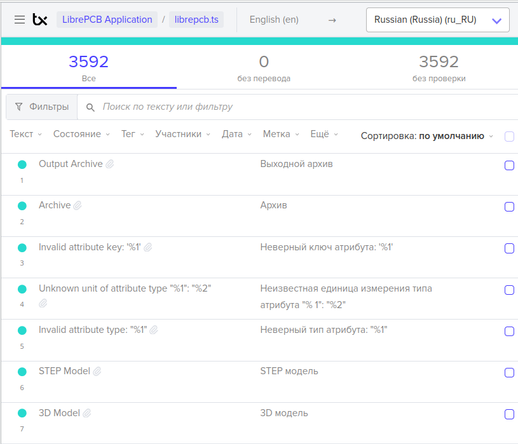
Имею честь сообщить, что я закончил локализацию `librepcb`

LibrePCB — это бесплатный, кроссплатформенный, простой в использовании комплекс автоматизации электронного проектирования для рисования схем и проектирования печатных плат.

Теперь "великий и могучий" (TM) присутствует на все 146 процентов.

Свобода. Развитие. Удобство.

https://librepcb.org/

И заодно напомню про одну довольно известную CAD-библиотеку.
Получите доступ к бесплатным символам, отпечаткам и 3D-моделям в более чем 30 форматах CAD-карт от Ultra Librarian, крупнейшей в мире CAD-библиотеки.
https://www.ultralibrarian.com/


#librepcb #electronics #pcb #PrintedCircuitBoards

EAGLE licences hit a hard stop in two weeks. So it's time for plan B. 👀

LibrePCB is a European, fully free EDA, that works almost like EAGLE. It keeps schematics & boards perfectly synced and features a native EAGLE importer: https://community.aisler.net/t/librepcb/94/2?utm_source=mastodon&utm_medium=social&utm_campaign=librepcb

#electronics #librepcb #hardware
https://community.aisler.net/t/librepcb/94/2?utm_source=mastodon&utm_medium=social&utm_campaign=librepcb

LibrePCB

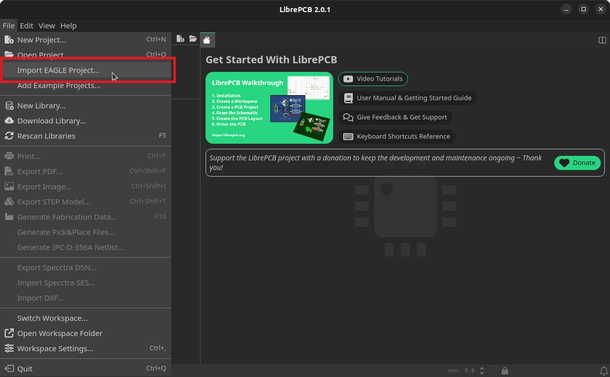
If you are migrating legacy designs to LibrePCB, you don’t have to start from scratch. LibrePCB version 2.0 includes a built-in import tool for Autodesk EAGLE files. Before we start, keep in mind: The importer only supports XML-based EAGLE files (v6 or later). If you have v5 .sch, .brd, or .lbr files, you must open and save them in a newer version of EAGLE first to convert the formatting. Because this tool translates between two different software architectures, there are limitations. Review t...

AISLER Creative Community

#LibrePCB 2.1.0 is out! Some of its exciting new features are:

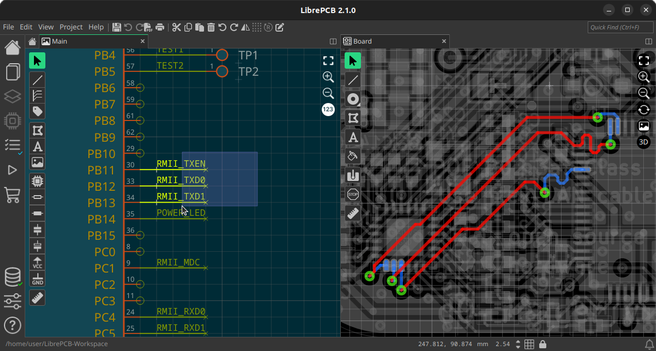
• Automatic, bidirectional cross-probing
• Find & highlight nets in boards & schematics
• New UI themes & color schemes (light & dark)
• More realistic 3D previews with shading
• View & edit boards from the bottom
• New project library manager

➡️ See details & screenshots here: https://librepcb.org/blog/2026-05-19_release_2.1.0/

#OpenSource #Electronics

LibrePCB 2.1.0 Released | LibrePCB Blog

Today we released LibrePCB 2.1.0, bringing cross-probing, UI themes, 3D shading, a new project library manager, automatic library updates, and many more improvements! Check out the highlights and the full changelog below.

DIY: создание новых компнентов в LibrePCB

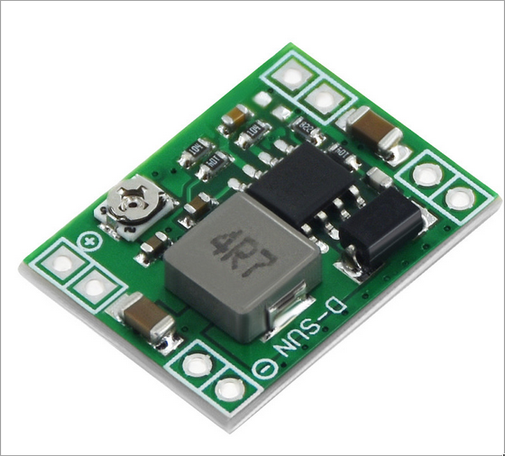
При создании плат в той или иной программе периодически приходится использовать какие-то компоненты, которых нет в стандартном пакете: какой-нибудь разъем необычного размера, готовый модуль и т.д. Сам пользуюсь сейчас LibrePCB, и вот в комментариях видел вопрос: а где брать компоненты для LibrePCB, если их там не нашлось? Создать, конечно! Создание нового компонента только на первый взгляд кажется сложным. но на самом деле всё довольно просто, если понять логику, как это там делается. Например, нужно создать компонент модуля понижения напряжения DCDC:

https://habr.com/ru/articles/1016668/

#librepcb #компоненты #печатная_плата

DIY: создание новых компнентов в LibrePCB

При создании плат в той или иной программе периодически приходится использовать какие-то компоненты, которых нет в стандартном пакете: какой-нибудь разъем необычного размера, готовый модуль и т.д. Сам...

Хабр

@gerotakke I totally get it.

I have the same problem with PCBs. My first three projects are in JLCPCB’s EasyEDA, because it was quicker to get started. It’s nice, but it’s not awesome either. I want to get them out of there to regain control, but for that I need to learn #KiCAD, and I don’t know whether it’s going to be frustrating. There’s also #LibrePCB, which is nice, but I’m not sure whether it’s going to become too limited.

At least simple PCBs like mine are easy to redo from scratch.

We've just released #LibrePCB 2.0.1, which brings a few minor improvements and bugfixes. See the full changelog here: https://librepcb.org/blog/2026-02-22_release_2.0.1/
LibrePCB 2.0.1 Released | LibrePCB Blog

Today we released LibrePCB 2.0.1, which brings a few small improvements (e.g. better HiDPI screen support) and various bugfixes. See the full changelog below.

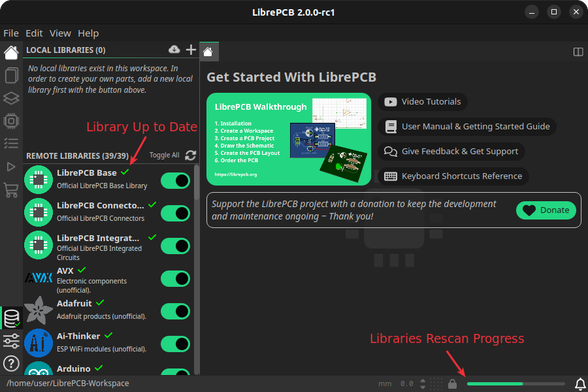
🎉 LibrePCB 2.0 is out!

#LibrePCB is a free, cross-platform application for drawing schematics and designing PCBs.
With version 2.0, the UI migrated from #Qt to #Slint, bringing a refreshed interface focused on productivity.

We’re proud to see #Slint used in a large-scale, full-featured desktop application 💙

🔗 https://librepcb.org/blog/2026-01-28_release_2.0.0/

#MadeWithSlint #OpenSource

LibrePCB 2.0.0 Released | LibrePCB Blog

I am very proud to announce the release of LibrePCB 2.0.0 today, after 10 months of hard work! The implementation of a completely new UI with modern technologies marks the beginning of a new era in the history of LibrePCB. But there are also many other improvements and new features, check out the details below.

#LibrePCB 2.0.0 is released! Highlights:

• New, modern UI concept with split windows and tabs #MadeWithSlint
• Schematic buses
• Images in schematics & symbols
• Advanced design rules for vias & planes
• Predefined design rules & output jobs
• And many more!

➡️ https://librepcb.org/blog/2026-01-28_release_2.0.0/

LibrePCB 2.0.0 Released | LibrePCB Blog

I am very proud to announce the release of LibrePCB 2.0.0 today, after 10 months of hard work! The implementation of a completely new UI with modern technologies marks the beginning of a new era in the history of LibrePCB. But there are also many other improvements and new features, check out the details below.

#LibrePCB 2.0 is feature-complete and a first release candidate is available for download! Help us testing the new UI & features and let us know your feedback:
➡️ https://librepcb.org/blog/2026-01-13_release_2.0.0-rc1/
LibrePCB 2.0.0 RC1 Released | LibrePCB Blog

I’m very excited to announce that LibrePCB 2.0 is feature-complete and that a first release candidate is available for download!

@ed dopo *mesi* ho ripreso in mano le strisce a led da mettere sui pensili della sala, ho visto accendere una striscia *senza che fondessero né la breadboard né i relativi jumper* tramite cui il tutto era collegato al microcontrollore e poi ho aperto #LibrePCB e iniziato a disegnare cose.

e stiamo parlando di *luci* *colorate*, mica roba bianco calda qualunque!