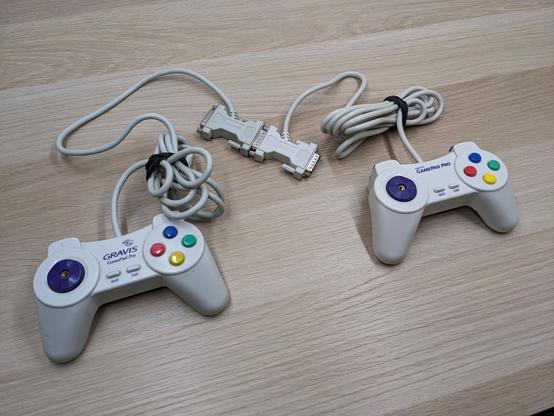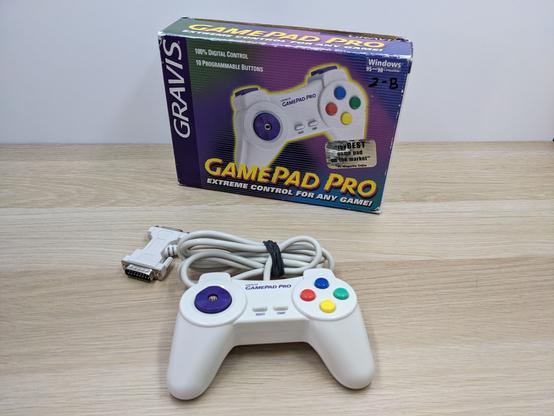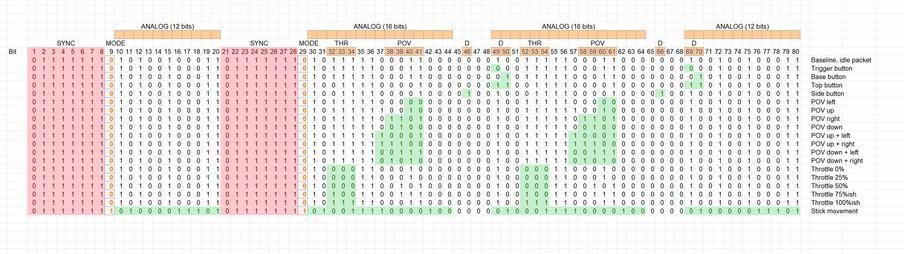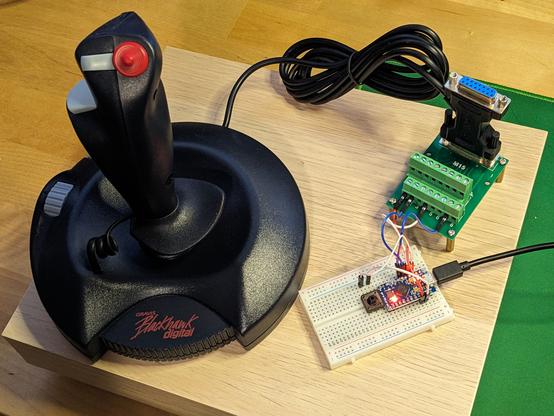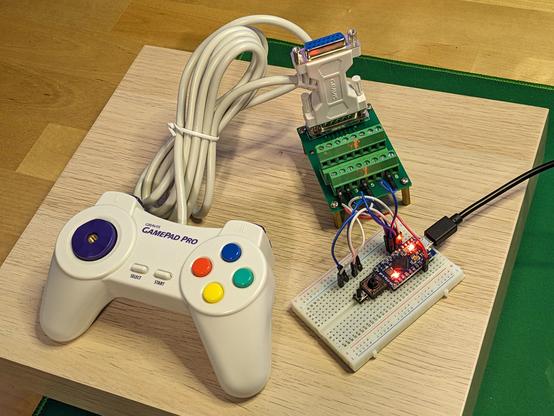
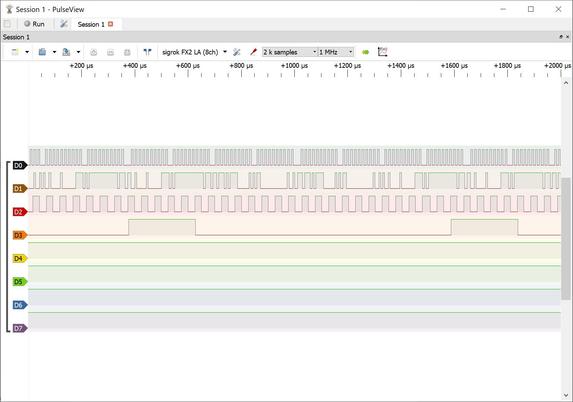
Here's how multiple #GravisGrIP controllers work, daisy-chained to a single gameport. Each digital device uses two button lines to flash their signals to the computer, and the Y-adapters on these simply rewire the second controller's B1/B2 lines to B3/B4 on the gameport - the GrIP driver looked at both pairs of button signals and supported different controllers simultaneously.

PulseView here shows the Blackhawk Digital's clock and data on D0/D1, and the slower GamePad Pro on D2/D3. #retrogaming
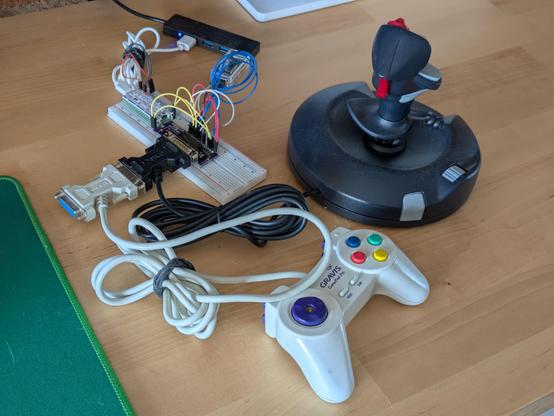
A selling point of #GravisGrIP controllers back in the day was that you could plug two of them into the same computer, and every single button on them would work. How?

A gameport Y-adapter cable works by swapping buttons 1 and 2 on the second joystick through to the pins for buttons 3 and 4 at the computer end, and the pass-through connector on a GamePad Pro does the exact same thing. Each pad only needs a data and a clock line to work, and Gravis software checked both sets of lines for data.

Here's a thread on how the Gravis GamePad Pro - a game controller with ten digital buttons - was made to work on the PC gameport interface, which actually only supports a total of four buttons. You've probably never actually wondered about that, but you very probably *have* wondered about where all those zeroes and ones they talk about in computing come into things, and this thread has that, too! 🧵

#retrogaming #retrocomputing #GravisGrIP #GravisGamePad

Progress today on reverse-engineering the #GravisGrIP BlackHawk Digital joystick - there are indeed two different packets this thing sends! Bit 9 is a zero if it's updating digital inputs, and a one if it's changing joystick inputs.

This was confusing because the GamePad Pro's start sequence was always a 0, a number of 1s and another 0; I'd assumed that trailing zero was part of the start bits, but the GPP has no analog controls, so even if that's in the GrIP spec it'd never show a one there.

The GamePad Pro's #GravisGrIP protocol is well-understood, and totally documented in the last paragraph in this archived project: https://github.com/prosper00/GRiP-duino

However, the same thing doesn't seem to exist for the BHD or other devices.

All but the GrIP MultiPort are supported by Linux, but the code here is totally opaque to me: https://github.com/ilbers/linux/blob/master/drivers/input/joystick/grip.c

I've cheekily reached out to Vojtech Pavlik, that driver's author from 24 years ago, to see if he's kept any notes - we'll see how lucky I am there.

GitHub - prosper00/GRiP-duino: Arduino project to convert 15-pin Gravis Gamepad Pro gamepads to USB-HID in digital GRiP mode (supporting all buttons)

Arduino project to convert 15-pin Gravis Gamepad Pro gamepads to USB-HID in digital GRiP mode (supporting all buttons) - prosper00/GRiP-duino

GitHub

The subject of tonight's frivolous nonsense is the second of five #GravisGrIP devices I'd like to support with my adapter. The BlackHawk Digital was the first Gravis joystick to support the GrIP protocol, and - without the fall-back analog gameport mode of the GamePad Pro or forwards-compatibility with USB - is basically lost technology at this point. This week - tonight, with any luck - I intend to change that.

With three analog axes, this will be tougher to discombobulate than the GPP.

The result of tonight's frivolities: a fully-functional USB adapter for the original Gravis GamePad Pro in GrIP mode, which enables all ten buttons and D-pad input to work over a standard 15-pin gameport.

This on its own is not special - at least two other projects out there replicate this exact functionality - but the key here is that *I understand how this works now*, and I can start work on supporting all the other #GravisGrIP controllers. Stay tuned!

#retrocomputing #retrogaming #arduino