
The Tiller Community has created dozens of free templates for spreadsheets powered by Tiller.

The easiest way to browse these is in the Tiller Community Templates gallery, where new templates are added regularly.

We thought it might be helpful to share a list of the top ten most popular templates for 2024 so far. “So far,” because the most popular templates change throughout the year.

This list looked different at the end of 2023, as people ran reports and created budgets for the new year ahead. And as tax season picks up, this list will change again.

We’ll update this list at the end of the quarter in March, and again at the beginning of July.

Note: “Tiller Community Solutions” indicates templates created by our team members, often @Randy.

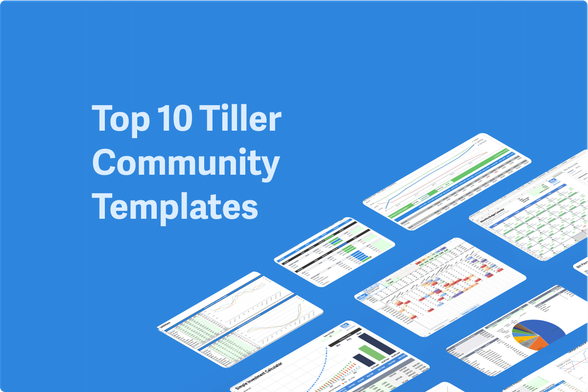
Top 10 Tiller Community Templates Q1 2024:

1. Categories by Month for Google Sheets 2. Category Tracker for Excel and Google Sheets 3. Net Worth Tracker for Google Sheets and Excel 4. Simple Investment Calculator for Google Sheets 5. Savings Budget for Google Sheets 6. Monthly Analysis for Google Sheets 7. Utilities Expense Tracker for Google Sheets 8. Retirement Planner for Google Sheets 9. Monthly Budget Calendar for Google Sheets and Excel 10. Bill Payment Tracker Bonus: Transaction Tracker for Microsoft Excel

1. Categories by Month for Google Sheets

by @taylorvance

Easily track your spending trends with one glance. This template shows total amounts for all your categories over any timeframe. Conditional formatting highlights higher and lower spending months, letting you instantly see how each category is trending over time.

Minimal setup required – view insights for all categories across all dates with no extra work.

Categories by Month

2. Category Tracker for Excel and Google Sheets

by Tiller Community Solutions

The Category Tracker Report for Excel and Google Sheets offers a customizable tool to understand your finances.

Visualize spending and income with pie charts over any date range. See category totals, income, expenses, transfers, and net cash flow for a comprehensive financial snapshot.

Category Tracker for Microsoft Excel

Category Tracker for Microsoft Excel

3. Net Worth Tracker for Google Sheets and Excel

by Tiller Community Solutions

Easily track the most important metrics driving changes to your net worth over time. See everything from current cash on hand to the value of assets and the impact of liabilities.

Visualize your total net worth as well as trends over a customizable time period. Includes a net worth chart and trends table for up to 12 months of net worth data.

Net Worth Spreadsheet for Google Sheets

Category Tracker for Microsoft Excel

4. Simple Investment Calculator for Google Sheets

by @morgan

See if you’re on track with your investment goals and model how changes to your strategy might impact the end result with this free investment calculator for Google Sheets.

Simple Investment Calculator for Google Sheets

5. Savings Budget for Google Sheets

by Tiller Community Solutions

The Envelope Savings Budget Spreadsheet offers streamlined savings management within Google Sheets. Track savings goals by category, customize budget rollovers, and easily modify budgets. Get historical insights with change-history logging for informed financial decisions.

Savings Budget Spreadsheet

6. Monthly Analysis for Google Sheets

by Tiller Community Solutions

Visualize your budget, spending, and remaining funds across categories. Compare trends over time to gain valuable insights and make informed financial decisions.

Monthly Analysis Spreadsheet

7. Utilities Expense Tracker for Google Sheets

by @jpfieber

The Utilities template helps you track and keep control of utility costs. Visualize consumption, spending trends, and compare data over time. Get accurate budget estimates based on your historical usage for smarter financial planning.

Utilities Expense Tracker Spreadsheet

8. Retirement Planner for Google Sheets

by @jono

The Retirement Planner integrates with your Tiller Cash Flow Forecast for a comprehensive retirement picture.

Easily set up your plan, visualize growth scenarios, and see when you’ll reach your portfolio goals.

This flexible tool allows for personalized adjustments to ensure your retirement plan aligns with your unique needs.

Retirement Planning Spreadsheet

9. Monthly Budget Calendar for Google Sheets and Excel

by @edward

The Monthly Budget Calendar for Google Sheets or Excel provides a streamlined way to track daily spending within a simple calendar view.

Set your monthly budget, choose your expense tracking method, and easily visualize progress towards your target with helpful sparklines.

Monthly Budget Calendar for Microsoft Excel

Monthly Budget Calendar

10. Bill Payment Tracker

by @jono

Bill Payment Tracker Spreadsheet

Bonus: Transaction Tracker for Microsoft Excel

by @yossiea

Note: This template is moving up the list fast and will soon lap the Bill Tracker above, so we’re adding it here.

Instantly see all transactions for a selected category with quick, prebuilt drop-down filters.

Transaction Tracker for Microsoft Excel

https://www.tillerhq.com/here-are-the-10-most-popular-tiller-community-templates/

#CollectedSpreadsheetTemplates #GoogleSheetsTemplates #MicrosoftExcelTemplates
Community Solutions - Tiller

Community Solutions Archive - Tiller

Tiller

Debt can provide leverage for achieving your goals, like buying a house, car, or education.

But debt can quickly become a burden. A recent survey found 54% of U.S. adults often feel stressed because of debt.

And debt is expensive. Monthly interest payments reduce your ability to save and invest. (No wonder 36% of Americans have more credit card debt than emergency savings.)

You asked, we listened

Over 100,000 people have trusted Tiller to navigate their financial journey. Managing debt is a key part of that journey.

So, with feedback from the Tiller Community, we developed a new Debt Payoff Planner you can customize to manage all your debt in one place.

Introducing the new Debt Payoff Planner for Google Sheets and Excel

The new Debt Payoff Planner makes tracking debt simple. It shows:

  • Current balances on all credit cards and loans 
  • Interest rates for each liability based on your input
  • Minimum monthly payments based on your input
  • Progress toward your debt payoff goals
  • Estimated monthly interest totals  
  • Projected debt payoff date (based on your inputs)
  • Total interest paid over the lifetime of the debt
  • Recommended payments to reach your desired payoff date

Customize Your Debt Payoff Strategy

The Debt Payoff Planner can model debt snowball, avalanche, or a custom ranking payoff strategy for up to 25 accounts for up to 30 years. 

See how different payoff amounts and other variables impact your debt freedom date. Experiment with variables including monthly payment amounts and time to debt payoff.

Then make a custom debt payoff plan based on your actual balances and real-world numbers.

About the Debt Snowball and Avalanche Methods

The debt snowball and avalanche methods are two popular strategies for paying off debt. The debt snowball method prioritizes small quick wins to stay motivated, while the debt avalanche method focuses on minimizing total interest payments over time.

Debt Snowball

The debt snowball method prioritizes paying off your smallest debt balances first, regardless of interest rate.

For example, using the snowball method you would pay off a credit card with a $1,000 balance and 10% interest rate before paying off a card with a 15% interest rate and $2,000 balance. 

The advantage of this method is psychological – successfully paying off small debts quickly can give motivation to keep tackling larger ones.

Debt Avalanche 

The debt avalanche method focuses on paying off debts with the highest interest rates first, regardless of balance size. 

For instance, you would pay off a high-interest credit card before paying off your student loans, even if the card has a lower balance. 

The debt avalanche will likely save you more in the long run by reducing interest payments. However, it can be less motivating without the quick wins of eliminating your small debts first. 

Custom Payoff Ranking Option

The Debt Payoff planner also provides a custom ranking model. Use this to target debts you simply want to eliminate first, regardless of any other factor. 

Budgeting for Debt Payoff

It’s recommended to make a quick budget before making a debt payoff plan. A budget shows how much money you have to put toward debt after covering your living and other expenses.

A budget can also help you find expenses to cut, giving you more to put towards debt. 

The Tiller Foundation Template includes a yearly and monthly budget. Several budgets are available at the Tiller Community Template gallery. 

Tiller Foundation Template

Combining the Debt Payoff Planner with the budgeting tools in the Tiller Foundation Template will give you a master plan for transforming your financial life. 

However, while it’s recommended, a budget isn’t required to use the Debt Planner template. In fact, because it’s solely based on your account balances, you don’t even need to categorize transactions to use the Debt Planner spreadsheet.

Requirements and Installation 

The Debt Payoff Planner is included with your Tiller subscription. It’s available now for Google and Excel spreadsheets powered by Tiller Money Feeds. And, of course, it’s 100% compatible with the Foundation Template.

If you don’t have a Tiller subscription, you can try the Debt Planner completely free for 30 days.

If you cancel your trial, you keep the template along with any other templates and data you’ve installed.

Installation

Install the Debt Payoff Planner using the Templates feature in the Tiller Money Feeds add-on for Google Sheets, or Tiller Money Feeds add-in for Excel.

Google Sheets
Click the “Templates” option in the main sidebar and click “Install”

Microsoft Excel
Click Tools at the top of the Tiller Money Feeds sidebar then Manage Templates and click “Install”

Click here to learn more about how to install and use the Debt Payoff Planner

Sign Up for a Free “Get Out of Debt With Tiller” Webinar 

Learn more about the Debt Payoff Planner and how it can help you plan your debt payoff strategy with a free webinar, covering:

  • How to install the Debt Payoff Planner in your Tiller-powered spreadsheet
  • How to configure the Debt Payoff Planner for Snowball, Avalanche, or a custom ranking method
  • Suggested weekly Tiller workflows to help you stay on track with your debt payoff goals 

The webinar will be February 27 at 3:00 PM ET. Sign up even if you can’t attend and we’ll send a recording! 

Sign up for the debt webinar

Questions and Feedback

Share your questions and feedback about the Debt Payoff Planner here in the Tiller Community.

https://newtheme.kinsta.cloud/introducing-the-new-tiller-debt-payoff-planner-spreadsheet/

#DebtPayoff #fdfdfd #GoogleSheetsTemplates #MicrosoftExcelTemplates #TllerNews

The Silent Strain: How Debt Takes A Toll On Mental Health

Debt is an inescapable part of life for many Americans, affecting not only our financial stability but also our mental health and relationships. Debt stress is real and pervasive, leaving many feeling like they’re drowning in debt and depression. With a staggering 77% of American households dealing with some form of debt and the cost […]

Forbes

Debt can provide leverage for achieving your goals, like buying a house, car, or education.

But debt can quickly become a burden. A recent survey found 54% of U.S. adults often feel stressed because of debt.

And debt is expensive. Monthly interest payments reduce your ability to save and invest. (No wonder 36% of Americans have more credit card debt than emergency savings.)

You asked, we listened

Over 100,000 people have trusted Tiller to navigate their financial journey. Managing debt is a key part of that journey.

So, with feedback from the Tiller Community, we developed a new Debt Payoff Planner you can customize to manage all your debt in one place.

Introducing the new Debt Payoff Planner for Google Sheets and Excel

The new Debt Payoff Planner makes tracking debt simple. It shows:

  • Current balances on all credit cards and loans 
  • Interest rates for each liability based on your input
  • Minimum monthly payments based on your input
  • Progress toward your debt payoff goals
  • Estimated monthly interest totals  
  • Projected debt payoff date (based on your inputs)
  • Total interest paid over the lifetime of the debt
  • Recommended payments to reach your desired payoff date

Customize Your Debt Payoff Strategy

The Debt Payoff Planner can model debt snowball, avalanche, or a custom ranking payoff strategy for up to 25 accounts for up to 30 years. 

See how different payoff amounts and other variables impact your debt freedom date. Experiment with variables including monthly payment amounts and time to debt payoff.

Then make a custom debt payoff plan based on your actual balances and real-world numbers.

About the Debt Snowball and Avalanche Methods

The debt snowball and avalanche methods are two popular strategies for paying off debt. The debt snowball method prioritizes small quick wins to stay motivated, while the debt avalanche method focuses on minimizing total interest payments over time.

Debt Snowball

The debt snowball method prioritizes paying off your smallest debt balances first, regardless of interest rate.

For example, using the snowball method you would pay off a credit card with a $1,000 balance and 10% interest rate before paying off a card with a 15% interest rate and $2,000 balance. 

The advantage of this method is psychological – successfully paying off small debts quickly can give motivation to keep tackling larger ones.

Debt Avalanche 

The debt avalanche method focuses on paying off debts with the highest interest rates first, regardless of balance size. 

For instance, you would pay off a high-interest credit card before paying off your student loans, even if the card has a lower balance. 

The debt avalanche will likely save you more in the long run by reducing interest payments. However, it can be less motivating without the quick wins of eliminating your small debts first. 

Custom Payoff Ranking Option

The Debt Payoff planner also provides a custom ranking model. Use this to target debts you simply want to eliminate first, regardless of any other factor. 

Budgeting for Debt Payoff

It’s recommended to make a quick budget before making a debt payoff plan. A budget shows how much money you have to put toward debt after covering your living and other expenses.

A budget can also help you find expenses to cut, giving you more to put towards debt. 

The Tiller Foundation Template includes a yearly and monthly budget. Several budgets are available at the Tiller Community Template gallery. 

Tiller Foundation Template

Combining the Debt Payoff Planner with the budgeting tools in the Tiller Foundation Template will give you a master plan for transforming your financial life. 

However, while it’s recommended, a budget isn’t required to use the Debt Planner template. In fact, because it’s solely based on your account balances, you don’t even need to categorize transactions to use the Debt Planner spreadsheet.

Requirements and Installation 

The Debt Payoff Planner is included with your Tiller subscription. It’s available now for Google and Excel spreadsheets powered by Tiller Money Feeds. And, of course, it’s 100% compatible with the Foundation Template.

If you don’t have a Tiller subscription, you can try the Debt Planner completely free for 30 days.

If you cancel your trial, you keep the template along with any other templates and data you’ve installed.

Installation

Install the Debt Payoff Planner using the Templates feature in the Tiller Money Feeds add-on for Google Sheets, or Tiller Money Feeds add-in for Excel.

Google Sheets
Click the “Templates” option in the main sidebar and click “Install”

Microsoft Excel
Click Tools at the top of the Tiller Money Feeds sidebar then Manage Templates and click “Install”

Click here to learn more about how to install and use the Debt Payoff Planner

Sign Up for a Free “Get Out of Debt With Tiller” Webinar 

Learn more about the Debt Payoff Planner and how it can help you plan your debt payoff strategy with a free webinar, covering:

  • How to install the Debt Payoff Planner in your Tiller-powered spreadsheet
  • How to configure the Debt Payoff Planner for Snowball, Avalanche, or a custom ranking method
  • Suggested weekly Tiller workflows to help you stay on track with your debt payoff goals 

The webinar will be February 27 at 3:00 PM ET. Sign up even if you can’t attend and we’ll send a recording! 

Sign up for the debt webinar

Questions and Feedback

Share your questions and feedback about the Debt Payoff Planner here in the Tiller Community.

https://kadence.kinsta.cloud/introducing-the-new-tiller-debt-payoff-planner-spreadsheet/

#DebtPayoff #fdfdfd #GoogleSheetsTemplates #MicrosoftExcelTemplates #TllerNews

The Silent Strain: How Debt Takes A Toll On Mental Health

Debt is an inescapable part of life for many Americans, affecting not only our financial stability but also our mental health and relationships. Debt stress is real and pervasive, leaving many feeling like they’re drowning in debt and depression. With a staggering 77% of American households dealing with some form of debt and the cost […]

Forbes

Debt can provide leverage for achieving your goals, like buying a house, car, or education.

But debt can quickly become a burden. A recent survey found 54% of U.S. adults often feel stressed because of debt.

And debt is expensive. Monthly interest payments reduce your ability to save and invest. (No wonder 36% of Americans have more credit card debt than emergency savings.)

You asked, we listened

Over 100,000 people have trusted Tiller to navigate their financial journey. Managing debt is a key part of that journey.

So, with feedback from the Tiller Community, we developed a new Debt Payoff Planner you can customize to manage all your debt in one place.

Introducing the new Debt Payoff Planner for Google Sheets and Excel

The new Debt Payoff Planner makes tracking debt simple. It shows:

  • Current balances on all credit cards and loans 
  • Interest rates for each liability based on your input
  • Minimum monthly payments based on your input
  • Progress toward your debt payoff goals
  • Estimated monthly interest totals  
  • Projected debt payoff date (based on your inputs)
  • Total interest paid over the lifetime of the debt
  • Recommended payments to reach your desired payoff date

Customize Your Debt Payoff Strategy

The Debt Payoff Planner can model debt snowball, avalanche, or a custom ranking payoff strategy for up to 25 accounts for up to 30 years. 

See how different payoff amounts and other variables impact your debt freedom date. Experiment with variables including monthly payment amounts and time to debt payoff.

Then make a custom debt payoff plan based on your actual balances and real-world numbers.

About the Debt Snowball and Avalanche Methods

The debt snowball and avalanche methods are two popular strategies for paying off debt. The debt snowball method prioritizes small quick wins to stay motivated, while the debt avalanche method focuses on minimizing total interest payments over time.

Debt Snowball

The debt snowball method prioritizes paying off your smallest debt balances first, regardless of interest rate.

For example, using the snowball method you would pay off a credit card with a $1,000 balance and 10% interest rate before paying off a card with a 15% interest rate and $2,000 balance. 

The advantage of this method is psychological – successfully paying off small debts quickly can give motivation to keep tackling larger ones.

Debt Avalanche 

The debt avalanche method focuses on paying off debts with the highest interest rates first, regardless of balance size. 

For instance, you would pay off a high-interest credit card before paying off your student loans, even if the card has a lower balance. 

The debt avalanche will likely save you more in the long run by reducing interest payments. However, it can be less motivating without the quick wins of eliminating your small debts first. 

Custom Payoff Ranking Option

The Debt Payoff planner also provides a custom ranking model. Use this to target debts you simply want to eliminate first, regardless of any other factor. 

Budgeting for Debt Payoff

It’s recommended to make a quick budget before making a debt payoff plan. A budget shows how much money you have to put toward debt after covering your living and other expenses.

A budget can also help you find expenses to cut, giving you more to put towards debt. 

The Tiller Foundation Template includes a yearly and monthly budget. Several budgets are available at the Tiller Community Template gallery. 

Tiller Foundation Template

Combining the Debt Payoff Planner with the budgeting tools in the Tiller Foundation Template will give you a master plan for transforming your financial life. 

However, while it’s recommended, a budget isn’t required to use the Debt Planner template. In fact, because it’s solely based on your account balances, you don’t even need to categorize transactions to use the Debt Planner spreadsheet.

Requirements and Installation 

The Debt Payoff Planner is included with your Tiller subscription. It’s available now for Google and Excel spreadsheets powered by Tiller Money Feeds. And, of course, it’s 100% compatible with the Foundation Template.

If you don’t have a Tiller subscription, you can try the Debt Planner completely free for 30 days.

If you cancel your trial, you keep the template along with any other templates and data you’ve installed.

Installation

Install the Debt Payoff Planner using the Templates feature in the Tiller Money Feeds add-on for Google Sheets, or Tiller Money Feeds add-in for Excel.

Google Sheets
Click the “Templates” option in the main sidebar and click “Install”

Microsoft Excel
Click Tools at the top of the Tiller Money Feeds sidebar then Manage Templates and click “Install”

Click here to learn more about how to install and use the Debt Payoff Planner

Sign Up for a Free “Get Out of Debt With Tiller” Webinar 

Learn more about the Debt Payoff Planner and how it can help you plan your debt payoff strategy with a free webinar, covering:

  • How to install the Debt Payoff Planner in your Tiller-powered spreadsheet
  • How to configure the Debt Payoff Planner for Snowball, Avalanche, or a custom ranking method
  • Suggested weekly Tiller workflows to help you stay on track with your debt payoff goals 

The webinar will be February 27 at 3:00 PM ET. Sign up even if you can’t attend and we’ll send a recording! 

Sign up for the debt webinar

Questions and Feedback

Share your questions and feedback about the Debt Payoff Planner here in the Tiller Community.

https://elementory.kinsta.cloud/introducing-the-new-tiller-debt-payoff-planner-spreadsheet/

#DebtPayoff #fdfdfd #GoogleSheetsTemplates #MicrosoftExcelTemplates #TllerNews

The Silent Strain: How Debt Takes A Toll On Mental Health

Debt is an inescapable part of life for many Americans, affecting not only our financial stability but also our mental health and relationships. Debt stress is real and pervasive, leaving many feeling like they’re drowning in debt and depression. With a staggering 77% of American households dealing with some form of debt and the cost […]

Forbes

Debt can provide leverage for achieving your goals, like buying a house, car, or education.

But debt can quickly become a burden. A recent survey found 54% of U.S. adults often feel stressed because of debt.

And debt is expensive. Monthly interest payments reduce your ability to save and invest. (No wonder 36% of Americans have more credit card debt than emergency savings.)

You asked, we listened

Over 100,000 people have trusted Tiller to navigate their financial journey. Managing debt is a key part of that journey.

So, with feedback from the Tiller Community, we developed a new Debt Payoff Planner you can customize to manage all your debt in one place.

Introducing the new Debt Payoff Planner for Google Sheets and Excel

The new Debt Payoff Planner makes tracking debt simple. It shows:

  • Current balances on all credit cards and loans 
  • Interest rates for each liability based on your input
  • Minimum monthly payments based on your input
  • Progress toward your debt payoff goals
  • Estimated monthly interest totals  
  • Projected debt payoff date (based on your inputs)
  • Total interest paid over the lifetime of the debt
  • Recommended payments to reach your desired payoff date

Customize Your Debt Payoff Strategy

The Debt Payoff Planner can model debt snowball, avalanche, or a custom ranking payoff strategy for up to 25 accounts for up to 30 years. 

See how different payoff amounts and other variables impact your debt freedom date. Experiment with variables including monthly payment amounts and time to debt payoff.

Then make a custom debt payoff plan based on your actual balances and real-world numbers.

About the Debt Snowball and Avalanche Methods

The debt snowball and avalanche methods are two popular strategies for paying off debt. The debt snowball method prioritizes small quick wins to stay motivated, while the debt avalanche method focuses on minimizing total interest payments over time.

Debt Snowball

The debt snowball method prioritizes paying off your smallest debt balances first, regardless of interest rate.

For example, using the snowball method you would pay off a credit card with a $1,000 balance and 10% interest rate before paying off a card with a 15% interest rate and $2,000 balance. 

The advantage of this method is psychological – successfully paying off small debts quickly can give motivation to keep tackling larger ones.

Debt Avalanche 

The debt avalanche method focuses on paying off debts with the highest interest rates first, regardless of balance size. 

For instance, you would pay off a high-interest credit card before paying off your student loans, even if the card has a lower balance. 

The debt avalanche will likely save you more in the long run by reducing interest payments. However, it can be less motivating without the quick wins of eliminating your small debts first. 

Custom Payoff Ranking Option

The Debt Payoff planner also provides a custom ranking model. Use this to target debts you simply want to eliminate first, regardless of any other factor. 

Budgeting for Debt Payoff

It’s recommended to make a quick budget before making a debt payoff plan. A budget shows how much money you have to put toward debt after covering your living and other expenses.

A budget can also help you find expenses to cut, giving you more to put towards debt. 

The Tiller Foundation Template includes a yearly and monthly budget. Several budgets are available at the Tiller Community Template gallery. 

Tiller Foundation Template

Combining the Debt Payoff Planner with the budgeting tools in the Tiller Foundation Template will give you a master plan for transforming your financial life. 

However, while it’s recommended, a budget isn’t required to use the Debt Planner template. In fact, because it’s solely based on your account balances, you don’t even need to categorize transactions to use the Debt Planner spreadsheet.

Requirements and Installation 

The Debt Payoff Planner is included with your Tiller subscription. It’s available now for Google and Excel spreadsheets powered by Tiller Money Feeds. And, of course, it’s 100% compatible with the Foundation Template.

If you don’t have a Tiller subscription, you can try the Debt Planner completely free for 30 days.

If you cancel your trial, you keep the template along with any other templates and data you’ve installed.

Installation

Install the Debt Payoff Planner using the Templates feature in the Tiller Money Feeds add-on for Google Sheets, or Tiller Money Feeds add-in for Excel.

Google Sheets
Click the “Templates” option in the main sidebar and click “Install”

Microsoft Excel
Click Tools at the top of the Tiller Money Feeds sidebar then Manage Templates and click “Install”

Click here to learn more about how to install and use the Debt Payoff Planner

Sign Up for a Free “Get Out of Debt With Tiller” Webinar 

Learn more about the Debt Payoff Planner and how it can help you plan your debt payoff strategy with a free webinar, covering:

  • How to install the Debt Payoff Planner in your Tiller-powered spreadsheet
  • How to configure the Debt Payoff Planner for Snowball, Avalanche, or a custom ranking method
  • Suggested weekly Tiller workflows to help you stay on track with your debt payoff goals 

The webinar will be February 27 at 3:00 PM ET. Sign up even if you can’t attend and we’ll send a recording! 

Sign up for the debt webinar

Questions and Feedback

Share your questions and feedback about the Debt Payoff Planner here in the Tiller Community.

https://v3uikit.kinsta.cloud/introducing-the-new-tiller-debt-payoff-planner-spreadsheet/

#DebtPayoff #fdfdfd #GoogleSheetsTemplates #MicrosoftExcelTemplates #TllerNews

The Silent Strain: How Debt Takes A Toll On Mental Health

Debt is an inescapable part of life for many Americans, affecting not only our financial stability but also our mental health and relationships. Debt stress is real and pervasive, leaving many feeling like they’re drowning in debt and depression. With a staggering 77% of American households dealing with some form of debt and the cost […]

Forbes

Debt can provide leverage for achieving your goals, like buying a house, car, or education.

But debt can quickly become a burden. A recent survey found 54% of U.S. adults often feel stressed because of debt.

And debt is expensive. Monthly interest payments reduce your ability to save and invest. (No wonder 36% of Americans have more credit card debt than emergency savings.)

You asked, we listened

Over 100,000 people have trusted Tiller to navigate their financial journey. Managing debt is a key part of that journey.

So, with feedback from the Tiller Community, we developed a new Debt Payoff Planner you can customize to manage all your debt in one place.

Introducing the new Debt Payoff Planner for Google Sheets and Excel

The new Debt Payoff Planner makes tracking debt simple. It shows:

  • Current balances on all credit cards and loans 
  • Interest rates for each liability based on your input
  • Minimum monthly payments based on your input
  • Progress toward your debt payoff goals
  • Estimated monthly interest totals  
  • Projected debt payoff date (based on your inputs)
  • Total interest paid over the lifetime of the debt
  • Recommended payments to reach your desired payoff date

Customize Your Debt Payoff Strategy

The Debt Payoff Planner can model debt snowball, avalanche, or a custom ranking payoff strategy for up to 25 accounts for up to 30 years. 

See how different payoff amounts and other variables impact your debt freedom date. Experiment with variables including monthly payment amounts and time to debt payoff.

Then make a custom debt payoff plan based on your actual balances and real-world numbers.

About the Debt Snowball and Avalanche Methods

The debt snowball and avalanche methods are two popular strategies for paying off debt. The debt snowball method prioritizes small quick wins to stay motivated, while the debt avalanche method focuses on minimizing total interest payments over time.

Debt Snowball

The debt snowball method prioritizes paying off your smallest debt balances first, regardless of interest rate.

For example, using the snowball method you would pay off a credit card with a $1,000 balance and 10% interest rate before paying off a card with a 15% interest rate and $2,000 balance. 

The advantage of this method is psychological – successfully paying off small debts quickly can give motivation to keep tackling larger ones.

Debt Avalanche 

The debt avalanche method focuses on paying off debts with the highest interest rates first, regardless of balance size. 

For instance, you would pay off a high-interest credit card before paying off your student loans, even if the card has a lower balance. 

The debt avalanche will likely save you more in the long run by reducing interest payments. However, it can be less motivating without the quick wins of eliminating your small debts first. 

Custom Payoff Ranking Option

The Debt Payoff planner also provides a custom ranking model. Use this to target debts you simply want to eliminate first, regardless of any other factor. 

Budgeting for Debt Payoff

It’s recommended to make a quick budget before making a debt payoff plan. A budget shows how much money you have to put toward debt after covering your living and other expenses.

A budget can also help you find expenses to cut, giving you more to put towards debt. 

The Tiller Foundation Template includes a yearly and monthly budget. Several budgets are available at the Tiller Community Template gallery. 

Tiller Foundation Template

Combining the Debt Payoff Planner with the budgeting tools in the Tiller Foundation Template will give you a master plan for transforming your financial life. 

However, while it’s recommended, a budget isn’t required to use the Debt Planner template. In fact, because it’s solely based on your account balances, you don’t even need to categorize transactions to use the Debt Planner spreadsheet.

Requirements and Installation 

The Debt Payoff Planner is included with your Tiller subscription. It’s available now for Google and Excel spreadsheets powered by Tiller Money Feeds. And, of course, it’s 100% compatible with the Foundation Template.

If you don’t have a Tiller subscription, you can try the Debt Planner completely free for 30 days.

If you cancel your trial, you keep the template along with any other templates and data you’ve installed.

Installation

Install the Debt Payoff Planner using the Templates feature in the Tiller Money Feeds add-on for Google Sheets, or Tiller Money Feeds add-in for Excel.

Google Sheets
Click the “Templates” option in the main sidebar and click “Install”

Microsoft Excel
Click Tools at the top of the Tiller Money Feeds sidebar then Manage Templates and click “Install”

Click here to learn more about how to install and use the Debt Payoff Planner

Sign Up for a Free “Get Out of Debt With Tiller” Webinar 

Learn more about the Debt Payoff Planner and how it can help you plan your debt payoff strategy with a free webinar, covering:

  • How to install the Debt Payoff Planner in your Tiller-powered spreadsheet
  • How to configure the Debt Payoff Planner for Snowball, Avalanche, or a custom ranking method
  • Suggested weekly Tiller workflows to help you stay on track with your debt payoff goals 

The webinar will be February 27 at 3:00 PM ET. Sign up even if you can’t attend and we’ll send a recording! 

Sign up for the debt webinar

Questions and Feedback

Share your questions and feedback about the Debt Payoff Planner here in the Tiller Community.

https://april.kinsta.cloud/introducing-the-new-tiller-debt-payoff-planner-spreadsheet/

#8395a7 #DebtPayoff #fdfdfd #GoogleSheetsTemplates #MicrosoftExcelTemplates #TllerNews

The Silent Strain: How Debt Takes A Toll On Mental Health

Debt is an inescapable part of life for many Americans, affecting not only our financial stability but also our mental health and relationships. Debt stress is real and pervasive, leaving many feeling like they’re drowning in debt and depression. With a staggering 77% of American households dealing with some form of debt and the cost […]

Forbes

Debt can provide leverage for achieving your goals, like buying a house, car, or education.

But debt can quickly become a burden. A recent survey found 54% of U.S. adults often feel stressed because of debt.

And debt is expensive. Monthly interest payments reduce your ability to save and invest. (No wonder 36% of Americans have more credit card debt than emergency savings.)

You asked, we listened

Over 100,000 people have trusted Tiller to navigate their financial journey. Managing debt is a key part of that journey.

So, with feedback from the Tiller Community, we developed a new Debt Payoff Planner you can customize to manage all your debt in one place.

Introducing the new Debt Payoff Planner for Google Sheets and Excel

The new Debt Payoff Planner makes tracking debt simple. It shows:

  • Current balances on all credit cards and loans 
  • Interest rates for each liability based on your input
  • Minimum monthly payments based on your input
  • Progress toward your debt payoff goals
  • Estimated monthly interest totals  
  • Projected debt payoff date (based on your inputs)
  • Total interest paid over the lifetime of the debt
  • Recommended payments to reach your desired payoff date

Customize Your Debt Payoff Strategy

The Debt Payoff Planner can model debt snowball, avalanche, or a custom ranking payoff strategy for up to 25 accounts for up to 30 years. 

See how different payoff amounts and other variables impact your debt freedom date. Experiment with variables including monthly payment amounts and time to debt payoff.

Then make a custom debt payoff plan based on your actual balances and real-world numbers.

About the Debt Snowball and Avalanche Methods

The debt snowball and avalanche methods are two popular strategies for paying off debt. The debt snowball method prioritizes small quick wins to stay motivated, while the debt avalanche method focuses on minimizing total interest payments over time.

Debt Snowball

The debt snowball method prioritizes paying off your smallest debt balances first, regardless of interest rate.

For example, using the snowball method you would pay off a credit card with a $1,000 balance and 10% interest rate before paying off a card with a 15% interest rate and $2,000 balance. 

The advantage of this method is psychological – successfully paying off small debts quickly can give motivation to keep tackling larger ones.

Debt Avalanche 

The debt avalanche method focuses on paying off debts with the highest interest rates first, regardless of balance size. 

For instance, you would pay off a high-interest credit card before paying off your student loans, even if the card has a lower balance. 

The debt avalanche will likely save you more in the long run by reducing interest payments. However, it can be less motivating without the quick wins of eliminating your small debts first. 

Custom Payoff Ranking Option

The Debt Payoff planner also provides a custom ranking model. Use this to target debts you simply want to eliminate first, regardless of any other factor. 

Budgeting for Debt Payoff

It’s recommended to make a quick budget before making a debt payoff plan. A budget shows how much money you have to put toward debt after covering your living and other expenses.

A budget can also help you find expenses to cut, giving you more to put towards debt. 

The Tiller Foundation Template includes a yearly and monthly budget. Several budgets are available at the Tiller Community Template gallery. 

Tiller Foundation Template

Combining the Debt Payoff Planner with the budgeting tools in the Tiller Foundation Template will give you a master plan for transforming your financial life. 

However, while it’s recommended, a budget isn’t required to use the Debt Planner template. In fact, because it’s solely based on your account balances, you don’t even need to categorize transactions to use the Debt Planner spreadsheet.

Requirements and Installation 

The Debt Payoff Planner is included with your Tiller subscription. It’s available now for Google and Excel spreadsheets powered by Tiller Money Feeds. And, of course, it’s 100% compatible with the Foundation Template.

If you don’t have a Tiller subscription, you can try the Debt Planner completely free for 30 days.

If you cancel your trial, you keep the template along with any other templates and data you’ve installed.

Installation

Install the Debt Payoff Planner using the Templates feature in the Tiller Money Feeds add-on for Google Sheets, or Tiller Money Feeds add-in for Excel.

Google Sheets
Click the “Templates” option in the main sidebar and click “Install”

Microsoft Excel
Click Tools at the top of the Tiller Money Feeds sidebar then Manage Templates and click “Install”

Click here to learn more about how to install and use the Debt Payoff Planner

Questions and Feedback

Share your questions and feedback about the Debt Payoff Planner here in the Tiller Community.

https://www.tillerhq.com/introducing-the-new-tiller-debt-payoff-planner-spreadsheet/

#8395a7 #DebtPayoff #fdfdfd #GoogleSheetsTemplates #MicrosoftExcelTemplates #TllerNews

The Silent Strain: How Debt Takes A Toll On Mental Health

Debt is an inescapable part of life for many Americans, affecting not only our financial stability but also our mental health and relationships. Debt stress is real and pervasive, leaving many feeling like they’re drowning in debt and depression. With a staggering 77% of American households dealing with some form of debt and the cost […]

Forbes

Managing debt is a normal part of the modern financial journey. But as interest rates surge along with historic levels of credit card debt, many households are feeling stressed by increasing monthly payments.

If you’re hoping to reduce your debt and interest fee payments, it’s worth considering the snowball approach.

How the debt snowball method works

The debt snowball method is one of the most effective debt payoff strategies. It’s designed to help you start small and gain momentum over time until you are debt-free. Here’s how it works:

  • Make a list of all your debts–student loans, credit cards, vehicle loans, medical bills, etc.
  • Put them in order from smallest balance to largest balance.
  • Each month, make the minimum payment on each debt and then throw every available penny at the smallest debt until it is paid off.
  • Repeat Step 3 until everything is paid off.
  • Here’s an example of the debt snowball method in action:

    Using the debt snowball method, you would pay off your medical bill first. Then, when that was paid off, you’d take the money you were using towards your medical bill and apply it to your credit card bill. Then, you’d focus on your monthly auto loan payments and finally your student loans.

    Studies show that small wins are the single most important factor in accomplishing a hard task. These small wins are built into the snowball method, which is why it is so effective.

    Trying to pay off $98,814 in debt is daunting, but paying off $1,766 doesn’t sound so bad.

    A study from the Kellogg School of Business at Northwestern University found that consumers who used the snowball method paid off their debt faster. And three large field experiments based on actual credit card data published in the Journal of Consumer Research found “focusing on paying down the account with the smallest balance tends to have the most powerful effect on people’s sense of progress – and therefore their motivation to continue paying down their debts.”

    By the time you’re ready to attack your largest debt, it will feel achievable. And before you know it, debt freedom will be yours.

    Also consider the avalanche debt payoff method

    While more people have success with the debt snowball method, the avalanche payoff approach is the best option mathematically.

    Using this method, you pay off the debt with the highest interest rate first, regardless of how much you owe.

    In the example able, you would pay off your credit card debt first, because it has the highest interest rate. You’d then direct your attention to your auto loan, student loans, and finally your student loan.

    Free Debt Snowball Spreadsheets for 2024

    A spreadsheet is one of the most helpful tools for planning the best debt payoff strategy for your situation. So here are some of the best free debt snowball spreadsheets for Google Sheets and Excel. Note that some of these help you evaluate the avalanche method as well.

    Browse debt snowball spreadsheets:

  • Debt Snowball Planner for Google Sheets and Excel
  • Debt Payoff Calculator for Google Sheets
  • Debt Snowball Spreadsheet from Reddit
  • Debt Reduction Calculator for Excel
  • Money and Budget Snapshot for Excel
  • Debt Reduction Calculator for Google Sheets and Excel from Vertex42
  • Debt Snowball Planner for Google Sheets and Excel

    Tiller’s Debt Payoff Planner for Google Sheets and Excel automatically tracks your credit card balances and loans in one dashboard, with tools for making a custom payoff strategy.

    The Debt Payoff Planner makes tracking debt simple. It shows:

    • Current balances on all credit cards and loans 
    • Interest rates for each liability based on your input
    • Minimum monthly payments based on your input
    • Progress toward your debt payoff goals
    • Estimated monthly interest totals  
    • Projected debt payoff date (based on your inputs)
    • Total interest paid over the lifetime of the debt
    • Recommended payments to reach your desired payoff date

    The Debt Payoff Planner can model the debt snowball method, avalanche, or a custom ranking payoff strategy for up to 25 accounts for up to 30 years. 

    See how different payoff amounts and other variables impact your debt freedom date. Experiment with variables including monthly payment amounts and time to debt payoff.

    Then make a custom debt payoff plan based on your actual balances and real-world numbers.

    Get the Debt Payoff Planner

    Debt Payoff Calculator for Google Sheets

    Use the Debt Payoff Calculator for Google Sheets to plan the best debt payment strategy for the fastest payoff based on your current financial situation.

    Get the Debt Payoff Calculator

    Debt Snowball Spreadsheet from Reddit

    This is a simple, 12-month debt-tracking spreadsheet that can help you track a snowball or avalanche strategy. It’s a good starting template for further customization.

    Learn more and read comments about this template.

    Open the Google Sheet Preview

    Debt Reduction Calculator for Excel

    Not a debt snowball spreadsheet, this simple credit payment calculator template can help you calculate the amount of money you must pay each month to fully repay your debt. You can also view the monthly payment amount and the total interest paid if you make extra payments. You can use this tool to change your repayment plan and see how much longer it will take you to repay your loan.

    Payoff calculator for Excel

    Money and Budget Snapshot for Excel

    While this simple Excel template isn’t a debt snowball calculator, it can quickly give you an idea of what you can afford to pay toward your debt after budgeting for your big living expenses. (Here’s a free Google Sheet version.)

    Money and Budget Snapshot

    Debt Reduction Calculator for Google Sheets and Excel from Vertex42

    The Debt Reduction Calculator from Vertex42 is a spreadsheet that gets a little more intricate. The first page allows you to input your debt and select your payoff strategy: Snowball, avalanche or stair-stepper – the last of which is a unique combination of the snowball and avalanche methods.

    If you choose the snowball method, there is a handy chart that will show you your projected progress. There is no such chart for the avalanche or stair-stepper method.

    Whichever method you choose, there will be a separate tab where you can log your payment schedule.

    For Microsoft Excel (2010 or later)

    For Google Sheets

    https://april.kinsta.cloud/debt-snowball-spreadsheet/

    #DebtPayoff #DebtSnowball #F6F5F0 #GoogleSheetsTemplates #MicrosoftExcelTemplate

    Americans Finally Start to Feel the Sting From the Fed’s Rate Hikes

    Those who need to borrow now are getting a lot less for their money

    WSJ

    Managing debt is a normal part of the modern financial journey. But as interest rates surge along with historic levels of credit card debt, many households are feeling stressed by increasing monthly payments.

    If you’re hoping to reduce your debt and interest fee payments, it’s worth considering the snowball approach.

    How the debt snowball method works

    The debt snowball method is one of the most effective debt payoff strategies. It’s designed to help you start small and gain momentum over time until you are debt-free. Here’s how it works:

  • Make a list of all your debts–student loans, credit cards, vehicle loans, medical bills, etc.
  • Put them in order from smallest balance to largest balance.
  • Each month, make the minimum payment on each debt and then throw every available penny at the smallest debt until it is paid off.
  • Repeat Step 3 until everything is paid off.
  • Here’s an example of the debt snowball method in action:

    Using the debt snowball method, you would pay off your medical bill first. Then, when that was paid off, you’d take the money you were using towards your medical bill and apply it to your credit card bill. Then, you’d focus on your monthly auto loan payments and finally your student loans.

    Studies show that small wins are the single most important factor in accomplishing a hard task. These small wins are built into the snowball method, which is why it is so effective.

    Trying to pay off $98,814 in debt is daunting, but paying off $1,766 doesn’t sound so bad.

    A study from the Kellogg School of Business at Northwestern University found that consumers who used the snowball method paid off their debt faster. And three large field experiments based on actual credit card data published in the Journal of Consumer Research found “focusing on paying down the account with the smallest balance tends to have the most powerful effect on people’s sense of progress – and therefore their motivation to continue paying down their debts.”

    By the time you’re ready to attack your largest debt, it will feel achievable. And before you know it, debt freedom will be yours.

    Also consider the avalanche debt payoff method

    While more people have success with the debt snowball method, the avalanche payoff approach is the best option mathematically.

    Using this method, you pay off the debt with the highest interest rate first, regardless of how much you owe.

    In the example able, you would pay off your credit card debt first, because it has the highest interest rate. You’d then direct your attention to your auto loan, student loans, and finally your student loan.

    Free Debt Snowball Spreadsheets for 2024

    A spreadsheet is one of the most helpful tools for planning the best debt payoff strategy for your situation. So here are some of the best free debt snowball spreadsheets for Google Sheets and Excel. Note that some of these help you evaluate the avalanche method as well.

    Browse debt snowball spreadsheets:

  • Debt Snowball Planner for Google Sheets and Excel
  • Debt Payoff Calculator for Google Sheets
  • Debt Snowball Spreadsheet from Reddit
  • Debt Reduction Calculator for Excel
  • Money and Budget Snapshot for Excel
  • Debt Reduction Calculator for Google Sheets and Excel from Vertex42
  • Debt Snowball Planner for Google Sheets and Excel

    Tiller’s Debt Payoff Planner for Google Sheets and Excel automatically tracks your credit card balances and loans in one dashboard, with tools for making a custom payoff strategy.

    The Debt Payoff Planner makes tracking debt simple. It shows:

    • Current balances on all credit cards and loans 
    • Interest rates for each liability based on your input
    • Minimum monthly payments based on your input
    • Progress toward your debt payoff goals
    • Estimated monthly interest totals  
    • Projected debt payoff date (based on your inputs)
    • Total interest paid over the lifetime of the debt
    • Recommended payments to reach your desired payoff date

    The Debt Payoff Planner can model the debt snowball method, avalanche, or a custom ranking payoff strategy for up to 25 accounts for up to 30 years. 

    See how different payoff amounts and other variables impact your debt freedom date. Experiment with variables including monthly payment amounts and time to debt payoff.

    Then make a custom debt payoff plan based on your actual balances and real-world numbers.

    Get the Debt Payoff Planner

    Debt Payoff Calculator for Google Sheets

    Use the Debt Payoff Calculator for Google Sheets to plan the best debt payment strategy for the fastest payoff based on your current financial situation.

    Get the Debt Payoff Calculator

    Debt Snowball Spreadsheet from Reddit

    This is a simple, 12-month debt-tracking spreadsheet that can help you track a snowball or avalanche strategy. It’s a good starting template for further customization.

    Learn more and read comments about this template.

    Open the Google Sheet Preview

    Debt Reduction Calculator for Excel

    Not a debt snowball spreadsheet, this simple credit payment calculator template can help you calculate the amount of money you must pay each month to fully repay your debt. You can also view the monthly payment amount and the total interest paid if you make extra payments. You can use this tool to change your repayment plan and see how much longer it will take you to repay your loan.

    Payoff calculator for Excel

    Money and Budget Snapshot for Excel

    While this simple Excel template isn’t a debt snowball calculator, it can quickly give you an idea of what you can afford to pay toward your debt after budgeting for your big living expenses. (Here’s a free Google Sheet version.)

    Money and Budget Snapshot

    Debt Reduction Calculator for Google Sheets and Excel from Vertex42

    The Debt Reduction Calculator from Vertex42 is a spreadsheet that gets a little more intricate. The first page allows you to input your debt and select your payoff strategy: Snowball, avalanche or stair-stepper – the last of which is a unique combination of the snowball and avalanche methods.

    If you choose the snowball method, there is a handy chart that will show you your projected progress. There is no such chart for the avalanche or stair-stepper method.

    Whichever method you choose, there will be a separate tab where you can log your payment schedule.

    For Microsoft Excel (2010 or later)

    For Google Sheets

    https://kadence.kinsta.cloud/debt-snowball-spreadsheet/

    #DebtPayoff #DebtSnowball #F6F5F0 #GoogleSheetsTemplates #MicrosoftExcelTemplate

    Americans Finally Start to Feel the Sting From the Fed’s Rate Hikes

    Those who need to borrow now are getting a lot less for their money

    WSJ

    Managing debt is a normal part of the modern financial journey. But as interest rates surge along with historic levels of credit card debt, many households are feeling stressed by increasing monthly payments.

    If you’re hoping to reduce your debt and interest fee payments, it’s worth considering the snowball approach.

    How the debt snowball method works

    The debt snowball method is one of the most effective debt payoff strategies. It’s designed to help you start small and gain momentum over time until you are debt-free. Here’s how it works:

  • Make a list of all your debts–student loans, credit cards, vehicle loans, medical bills, etc.
  • Put them in order from smallest balance to largest balance.
  • Each month, make the minimum payment on each debt and then throw every available penny at the smallest debt until it is paid off.
  • Repeat Step 3 until everything is paid off.
  • Here’s an example of the debt snowball method in action:

    Using the debt snowball method, you would pay off your medical bill first. Then, when that was paid off, you’d take the money you were using towards your medical bill and apply it to your credit card bill. Then, you’d focus on your monthly auto loan payments and finally your student loans.

    Studies show that small wins are the single most important factor in accomplishing a hard task. These small wins are built into the snowball method, which is why it is so effective.

    Trying to pay off $98,814 in debt is daunting, but paying off $1,766 doesn’t sound so bad.

    A study from the Kellogg School of Business at Northwestern University found that consumers who used the snowball method paid off their debt faster. And three large field experiments based on actual credit card data published in the Journal of Consumer Research found “focusing on paying down the account with the smallest balance tends to have the most powerful effect on people’s sense of progress – and therefore their motivation to continue paying down their debts.”

    By the time you’re ready to attack your largest debt, it will feel achievable. And before you know it, debt freedom will be yours.

    Also consider the avalanche debt payoff method

    While more people have success with the debt snowball method, the avalanche payoff approach is the best option mathematically.

    Using this method, you pay off the debt with the highest interest rate first, regardless of how much you owe.

    In the example able, you would pay off your credit card debt first, because it has the highest interest rate. You’d then direct your attention to your auto loan, student loans, and finally your student loan.

    Free Debt Snowball Spreadsheets for 2024

    A spreadsheet is one of the most helpful tools for planning the best debt payoff strategy for your situation. So here are some of the best free debt snowball spreadsheets for Google Sheets and Excel. Note that some of these help you evaluate the avalanche method as well.

    Browse debt snowball spreadsheets:

  • Debt Snowball Planner for Google Sheets and Excel
  • Debt Payoff Calculator for Google Sheets
  • Debt Snowball Spreadsheet from Reddit
  • Debt Reduction Calculator for Excel
  • Money and Budget Snapshot for Excel
  • Debt Reduction Calculator for Google Sheets and Excel from Vertex42
  • Debt Snowball Planner for Google Sheets and Excel

    Tiller’s Debt Payoff Planner for Google Sheets and Excel automatically tracks your credit card balances and loans in one dashboard, with tools for making a custom payoff strategy.

    The Debt Payoff Planner makes tracking debt simple. It shows:

    • Current balances on all credit cards and loans 
    • Interest rates for each liability based on your input
    • Minimum monthly payments based on your input
    • Progress toward your debt payoff goals
    • Estimated monthly interest totals  
    • Projected debt payoff date (based on your inputs)
    • Total interest paid over the lifetime of the debt
    • Recommended payments to reach your desired payoff date

    The Debt Payoff Planner can model the debt snowball method, avalanche, or a custom ranking payoff strategy for up to 25 accounts for up to 30 years. 

    See how different payoff amounts and other variables impact your debt freedom date. Experiment with variables including monthly payment amounts and time to debt payoff.

    Then make a custom debt payoff plan based on your actual balances and real-world numbers.

    Get the Debt Payoff Planner

    Debt Payoff Calculator for Google Sheets

    Use the Debt Payoff Calculator for Google Sheets to plan the best debt payment strategy for the fastest payoff based on your current financial situation.

    Get the Debt Payoff Calculator

    Debt Snowball Spreadsheet from Reddit

    This is a simple, 12-month debt-tracking spreadsheet that can help you track a snowball or avalanche strategy. It’s a good starting template for further customization.

    Learn more and read comments about this template.

    Open the Google Sheet Preview

    Debt Reduction Calculator for Excel

    Not a debt snowball spreadsheet, this simple credit payment calculator template can help you calculate the amount of money you must pay each month to fully repay your debt. You can also view the monthly payment amount and the total interest paid if you make extra payments. You can use this tool to change your repayment plan and see how much longer it will take you to repay your loan.

    Payoff calculator for Excel

    Money and Budget Snapshot for Excel

    While this simple Excel template isn’t a debt snowball calculator, it can quickly give you an idea of what you can afford to pay toward your debt after budgeting for your big living expenses. (Here’s a free Google Sheet version.)

    Money and Budget Snapshot

    Debt Reduction Calculator for Google Sheets and Excel from Vertex42

    The Debt Reduction Calculator from Vertex42 is a spreadsheet that gets a little more intricate. The first page allows you to input your debt and select your payoff strategy: Snowball, avalanche or stair-stepper – the last of which is a unique combination of the snowball and avalanche methods.

    If you choose the snowball method, there is a handy chart that will show you your projected progress. There is no such chart for the avalanche or stair-stepper method.

    Whichever method you choose, there will be a separate tab where you can log your payment schedule.

    For Microsoft Excel (2010 or later)

    For Google Sheets

    https://newtheme.kinsta.cloud/debt-snowball-spreadsheet/

    #DebtPayoff #DebtSnowball #F6F5F0 #GoogleSheetsTemplates #MicrosoftExcelTemplate

    Americans Finally Start to Feel the Sting From the Fed’s Rate Hikes

    Those who need to borrow now are getting a lot less for their money

    WSJ