 Tiller
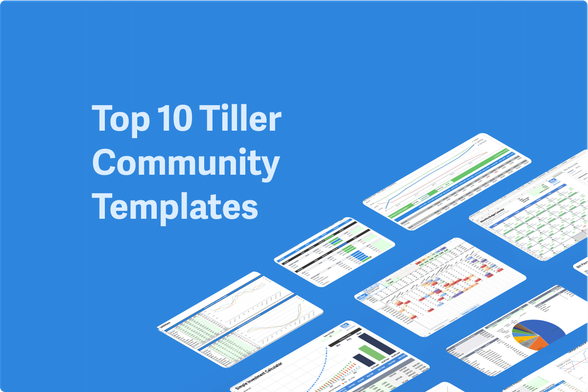
The Tiller Community has created dozens of free templates for spreadsheets powered by Tiller.
The easiest way to browse these is in the Tiller Community Templates gallery, where new templates are added regularly.
We thought it might be helpful to share a list of the top ten most popular templates for 2024 so far. “So far,” because the most popular templates change throughout the year.
This list looked different at the end of 2023, as people ran reports and created budgets for the new year ahead. And as tax season picks up, this list will change again.
We’ll update this list at the end of the quarter in March, and again at the beginning of July.
Note: “Tiller Community Solutions” indicates templates created by our team members, often @Randy.
Top 10 Tiller Community Templates Q1 2024:
1. Categories by Month for Google Sheets 2. Category Tracker for Excel and Google Sheets 3. Net Worth Tracker for Google Sheets and Excel 4. Simple Investment Calculator for Google Sheets 5. Savings Budget for Google Sheets 6. Monthly Analysis for Google Sheets 7. Utilities Expense Tracker for Google Sheets 8. Retirement Planner for Google Sheets 9. Monthly Budget Calendar for Google Sheets and Excel 10. Bill Payment Tracker Bonus: Transaction Tracker for Microsoft Excel1. Categories by Month for Google Sheets
by @taylorvance
Easily track your spending trends with one glance. This template shows total amounts for all your categories over any timeframe. Conditional formatting highlights higher and lower spending months, letting you instantly see how each category is trending over time.
Minimal setup required – view insights for all categories across all dates with no extra work.
2. Category Tracker for Excel and Google Sheets
by Tiller Community Solutions
The Category Tracker Report for Excel and Google Sheets offers a customizable tool to understand your finances.
Visualize spending and income with pie charts over any date range. See category totals, income, expenses, transfers, and net cash flow for a comprehensive financial snapshot.
Category Tracker for Microsoft Excel
Category Tracker for Microsoft Excel
3. Net Worth Tracker for Google Sheets and Excel
by Tiller Community Solutions
Easily track the most important metrics driving changes to your net worth over time. See everything from current cash on hand to the value of assets and the impact of liabilities.
Visualize your total net worth as well as trends over a customizable time period. Includes a net worth chart and trends table for up to 12 months of net worth data.
Net Worth Spreadsheet for Google Sheets
Category Tracker for Microsoft Excel
4. Simple Investment Calculator for Google Sheets
by @morgan
See if you’re on track with your investment goals and model how changes to your strategy might impact the end result with this free investment calculator for Google Sheets.
Simple Investment Calculator for Google Sheets
5. Savings Budget for Google Sheets
by Tiller Community Solutions
The Envelope Savings Budget Spreadsheet offers streamlined savings management within Google Sheets. Track savings goals by category, customize budget rollovers, and easily modify budgets. Get historical insights with change-history logging for informed financial decisions.
6. Monthly Analysis for Google Sheets
by Tiller Community Solutions
Visualize your budget, spending, and remaining funds across categories. Compare trends over time to gain valuable insights and make informed financial decisions.
7. Utilities Expense Tracker for Google Sheets
by @jpfieber
The Utilities template helps you track and keep control of utility costs. Visualize consumption, spending trends, and compare data over time. Get accurate budget estimates based on your historical usage for smarter financial planning.
Utilities Expense Tracker Spreadsheet
8. Retirement Planner for Google Sheets
by @jono
The Retirement Planner integrates with your Tiller Cash Flow Forecast for a comprehensive retirement picture.
Easily set up your plan, visualize growth scenarios, and see when you’ll reach your portfolio goals.
This flexible tool allows for personalized adjustments to ensure your retirement plan aligns with your unique needs.
Retirement Planning Spreadsheet
9. Monthly Budget Calendar for Google Sheets and Excel
by @edward
The Monthly Budget Calendar for Google Sheets or Excel provides a streamlined way to track daily spending within a simple calendar view.
Set your monthly budget, choose your expense tracking method, and easily visualize progress towards your target with helpful sparklines.
Monthly Budget Calendar for Microsoft Excel
10. Bill Payment Tracker
by @jono
Bill Payment Tracker Spreadsheet
Bonus: Transaction Tracker for Microsoft Excel
by @yossiea
Note: This template is moving up the list fast and will soon lap the Bill Tracker above, so we’re adding it here.
Instantly see all transactions for a selected category with quick, prebuilt drop-down filters.
Transaction Tracker for Microsoft Excel
https://www.tillerhq.com/here-are-the-10-most-popular-tiller-community-templates/
#CollectedSpreadsheetTemplates #GoogleSheetsTemplates #MicrosoftExcelTemplates