Most file converters still push you to upload your files somewhere. Even for basic stuff like changing a PDF or converting an image. It works, but it’s not something you feel great about, especially with random files.
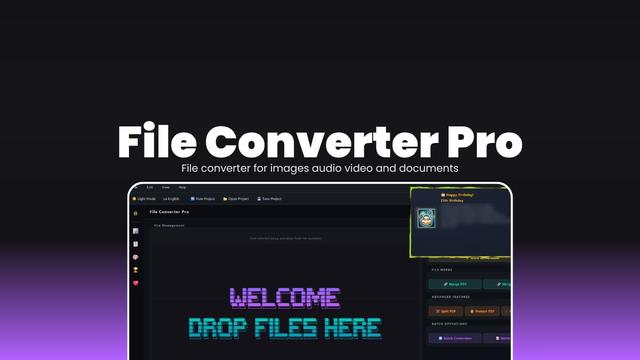
File Converter Pro works like a simple offline converter. You drop files in, pick what you want, and it converts everything locally. No uploads on any server.
https://firethering.com/file-converter-pro-offline-file-converter-images-audio-video-documents/
#opensource #fileconverter #utilities #software #trending
File Converter Pro offline file converter for images audio video and documents - Firethering
Most file converters still push you to upload your files somewhere. Even for basic stuff like changing a PDF or converting an image. It works, but it’s not something you feel great about, especially with random files. File Converter Pro works like a simple offline converter. You drop files in, pick what you want, and it converts everything locally. No uploads or any server. The UI isn’t just functional, it actually looks like someone cared. Smooth startup, proper dark mode, small touches that make it feel like a real app instead of a side project. There’s also some extra stuff like stats and achievements. Sounds gimmicky, but it kind of works. You start noticing how often you use it. It’s not lightweight though. And if you want audio or video conversions, you’ll need FFmpeg. But once that’s sorted, you’re done setting things up.
Remember struggling to extract just one page from a huge PDF? ConvertCraft's PDF Splitter lets you precisely divide documents by page or range, instantly and offline. Keep your data private, always.
Try it free: https://www.convert-craft.com/app/?tool=pdf-split
#Privacy #FileConverter #TechCanada #SaaS #ConvertCraft
Tired of online tools demanding your data just to extract images from a PDF? ConvertCraft keeps your privacy intact. Get every page as a high-quality JPG or PNG, instantly, with zero uploads and no personal data shared.
Try it free: https://www.convert-craft.com/app/?tool=pdf-to-images
#Privacy #FileConverter #TechUK #SaaS #WebTools #ConvertCraft
I used to spend ages retyping PDFs," said one user. ConvertCraft's PDF to Word converter changes that, transforming static PDFs into editable DOCX files right in your browser. Get your time back with zero uploads.
Try it free: https://www.convert-craft.com/app/?tool=pdf-to-docx
#Privacy #SaaS #TechUSA #FileConverter #WebTools #OpenSource
Tired of blurry photos and pixelated images? Our AI Image Enhancer sharpens and upscales your pictures, bringing clarity with a single click. Get professional-looking results instantly, right in your browser.
Try it free: https://www.convert-craft.com/app/?tool=ai-image-enhancer
#Privacy #FileConverter #TechIreland #ConvertCraft #SaaS
Tired of clunky PDF viewers for image extraction? Our PDF to Image converter extracts every page as a high-quality JPG or PNG, instantly and privately. Far superior to screenshotting individual pages.
Try it free: https://www.convert-craft.com/app/?tool=pdf-to-images
#Privacy #WebTools #ConvertCraft #TechAustralia #FileConverter
Convert files instantly — no account, no tracking, no limits.
PDF Splitter: Try it here: https://convert-craft.com/tool/pdf-split
#Privacy #FileConverter #ConvertCraft
Your data stays yours. ConvertCraft offers a truly privacy-focused, zero-log file conversion experience, right in your browser. Drop any file, pick your format, and get instant results without registration.
Try it here: https://convert-craft.com/tool/main
#Privacy #SaaS #TechUSA #FileConverter #WebTools #OpenSource
Your data stays yours. ConvertCraft offers instant, browser-based file conversion with a strict zero-logs policy. Drop any file, pick your format, and get your output – no registration, no compromise on privacy.
Try it here: https://convert-craft.com/ar/tool/main
#Privacy #SaaS #TechUSA #FileConverter #WebTools #OpenSource
 Firethering
 ConvertCraft