 blub
blubSo a #Lora cardtracker suits also for #aviation collision avoidance? 😍
https://github.com/lyusupov/SoftRF/wiki/Card-Edition
 TomKrajci 🇺🇦 🏳️🌈 🏳️⚧️
Glider antennae for the FLARM collision alert system ... where to put them?
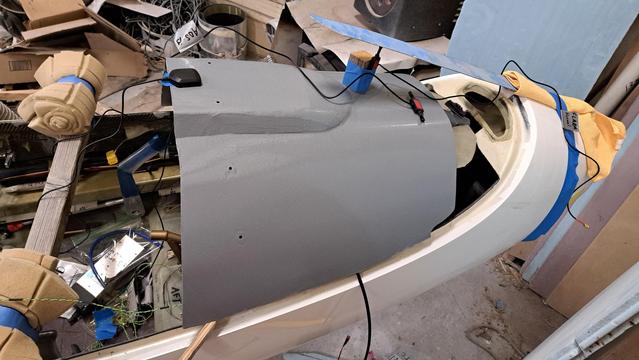
I have three antennae to worry about: GPS, ADS-B, and FLARM A. (FLARM B is an external antenna on the bottom of the fuselage.)
They can't be too close to each other. The blue strip of aluminum taped to the nose shows the notional canopy inner surface, so there is not much height available. Fortunately, the instrument bay top cover is fiberglass is radio transparent. If I have to drill a hole to set the tallest antenna a bit lower, that's not all that terrible.
Note, for proper antenna polarization the dipoles must be vertical.
Considering all the other antennae I have (transponder and its GPS, radio, infotainment system, SSMIS download and HAM relay), I'm starting to feel like this airplane:
https://en.wikipedia.org/wiki/Boeing_RC-135
At least I don't need a long wire HF antenna. Or do I?
#AvGeek #Aviation #ElectricAircraft #ExperimentalAviation #Homebuilt #Glider #DIY #FLARM #Antenna #Radio #GPS #Electronics #Avionics
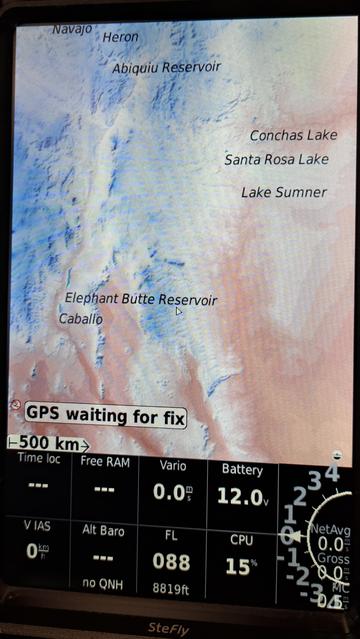
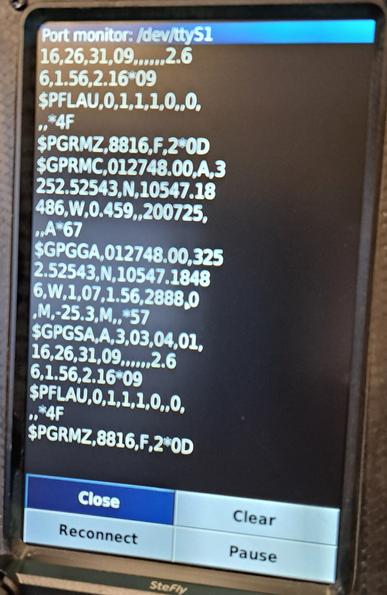
The glider's flight computer is successfully working in the garage! Woo hoo!
1st photo - XCsoar software has been loaded, showing a map and terrain data for New Mexico. (Airspace boundaries I'll add tomorrow.) No GPS data at the moment.
2nd photo - FLARM powered up, green status light...so it's got a GPS fix. Now to configure the glide computer to receive the FLARM data...GPS position as well as info on nearby aircraft. This is a debugging screen that shows I'm getting a meaningful data stream.
3rd photo - now the map is properly located because we have a GPS fix.
4th photo - Even with antennae casually draped over the fuselage, I'm getting ADS-B data of airliners miles away!
I also tested the three pneumatic inputs to the glide computer: pitot, static, total energy. They all cause the glide computer to respond in the correct manner.
#AvGeek #Aviation #ElectricAircraft #ExperimentalAviation #Homebuilt #Glider #DIY #Avionics #Electronics #Radio #GPS #FLARM #ADSB #Map
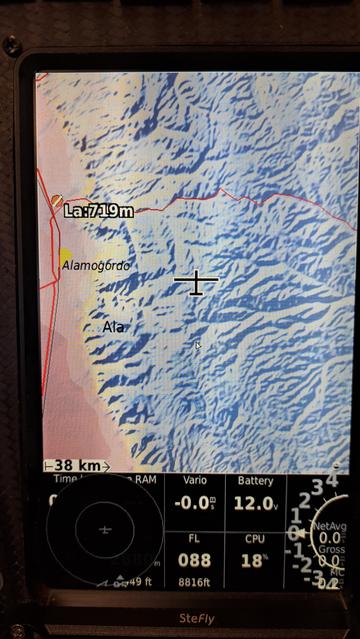
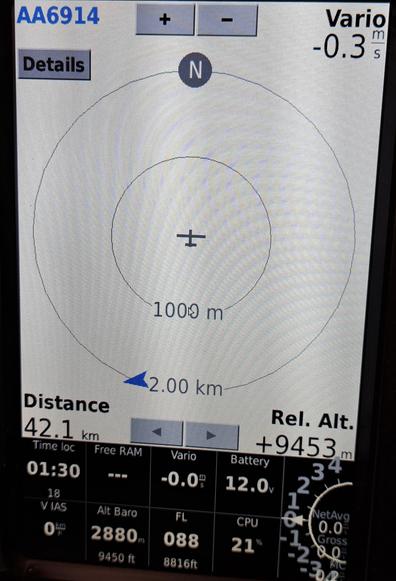
Successful first power-up of the glider's FLARM module. (Boring video)
Current draw is nominal. The status light shows the unit going through self-test (steady amber), then blinking red/green to write to the USB drive on the instrument panel.
https://www.youtube.com/watch?v=0VkrUG3OrPc
More boring stuff after lunch: upload configuration file (aircraft ID, etc.) and latest firmware.
#AvGeek #Aviation #ElectricAircraft #ExperimentalAviation #Homebuilt #Glider #DIY #Avionics #Electronics #Radio #GPS #FLARM #USB
 ToBe
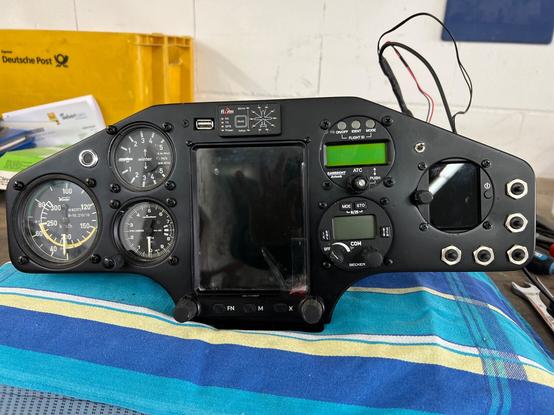
ToBeMein neues Instrumentenbrett für den #Kestrel - so langsam wird's. Verkabelung fast fertig - Verschlauchung fehlt noch. Und natürlich der Test, ob die ganze Mimik geht. Muss fertig werden - die Tagen werden schließlich wieder länger
#soobock #segelfliegen #gliding #glasflügel #wintersolstice #solstice #xcvario #openvario #flarm