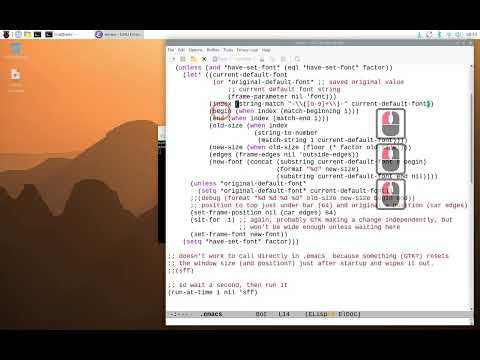
I've been using Emacs since 2014, but never learned Elisp. Last week on my holiday, I started reading the Intro to Elisp.

But does it make sense to learn Elisp in 2026 when everyone is hyping about AI? Is this investment a wasted effort? I don't think so.

AI is overhyped for sure. Emacs, instead, has been around for decades. As @bbatsov
puts it (https://batsov.com/articles/2026/03/09/emacs-and-vim-in-the-age-of-ai/): "And Emacs? Emacs just keeps absorbing whatever the world throws at it. It always has."

#emacs #elisp

Emacs and Vim in the Age of AI

It’s tough to make predictions, especially about the future. – Yogi Berra

(think)

"For those who haven't seen it before, Emacs Solo is my daily-driver Emacs configuration with one strict rule: no external packages." by Rahul M. Juliato

https://www.rahuljuliato.com/posts/emacs-solo-two-years

#emacs #elisp #lisp

Two Years of Emacs Solo: 35 Modules, Zero External Packages, and a Full Refactor | Rahul's Blog

Rahul's Blog

Cursor comet trail effect for Emacs!

A simple script to avoid losing the cursor.

https://git.andros.dev/andros/comet.el

#emacs #elisp
🌗 Emacs Solo 兩週年:35 個模組、零外部套件與全面重構
➤ 極簡主義下的開發者堅持:脫離套件生態的配置哲學
https://www.rahuljuliato.com/posts/emacs-solo-two-years
作者 Rahul M. Juliato 分享了他維護兩年的 Emacs 設定檔專案「Emacs Solo」。該專案的核心理念是「不依賴任何外部套件」,所有功能皆直接運用 Emacs 內建機制或由作者親自撰寫 Elisp 代碼實現。經歷兩年發展後,作者對專案進行了架構重構,將龐大的單一設定檔拆分為「核心配置」與「自訂模組」兩層,大幅提升了程式碼的可維護性與可移植性。
+ 這種做法非常「Emacs 風格」。雖然學習成本較高,但能完全掌控自己的工作環境,不必再為套件更新導致的崩潰而煩惱,這纔是真正的配置自由。
+ 雖然我很欣賞這種零相依的純粹感,但對於像 Org-mode 或是現代化 IDE 功能的需求,放棄整個生態系似乎有些得不償失。不過,作為學習 Emacs 底層機制的研究素材,這篇文章非常出色。
#Emacs #Elisp #軟體架構 #開源工具
Two Years of Emacs Solo: 35 Modules, Zero External Packages, and a Full Refactor | Rahul's Blog

Rahul's Blog

Blame this on @dougmerritt , @mousebot

Tootchaining utility that breaks at and trims whitespace:

https://codeberg.org/martianh/mastodon.el/issues/340#issuecomment-11390971

which as DM requested is incomprehensible cl-search .. :end2 .. :test-not .. :from-end

The version that does not attempt to play god with whitespace:

https://codeberg.org/martianh/mastodon.el/issues/340#issuecomment-11388562

Maybe you could patch it into #mastodonel.
#mastodon #programming #emacs #elisp #lisp

#emacs #elisp Why does this still display scratch? I asked LLM, but their answers weren't enlightening to me.

(let ((display-buffer-overriding-action '(display-buffer-no-window)))
(display-buffer "*scratch*"))

@whitecold Nice! I've been using #Emacs for over 30 years (damn, I'm getting old) but I haven't done much with #elisp until recently. But now I'm getting serious about learning it, and I agree - it's a lot of fun!

Not going to lie, the more I learn about #elisp, the more I like #emacs as well, which has been for a while my "almost-everything" application already ^^ - and I'm not even a #developer / #hacker!

I've just managed to write my first functions to toggle the background of the wonderful #Seoul256 theme (https://github.com/anandpiyer/seoul256-emacs), so no more manual setq and load-theme for me!

GitHub - anandpiyer/seoul256-emacs: Emacs theme port of seoul256 color scheme for vim.

Emacs theme port of seoul256 color scheme for vim. - anandpiyer/seoul256-emacs

GitHub

Just discovered the `*replace-regexp-as-diff` family of Emacs 30+ commands.

I especially like the combo of `find-name-dired` and `dired-do-replace-regexp-as-diff`.

https://emacsredux.com/blog/2026/02/28/preview-regex-replacements-as-diffs/

#emacs #elisp

Preview Regex Replacements as Diffs

If you’ve ever hesitated before running query-replace-regexp across a large file (or worse, across many files), you’re not alone. Even experienced Emacs users get a bit nervous about large-scale regex replacements. What if the regex matches something unexpected? What if the replacement is subtly wrong? Emacs 30 has a brilliant answer to this anxiety: replace-regexp-as-diff. How it works Run M-x replace-regexp-as-diff, enter your search regexp and replacement string, and instead of immediately applying changes, Emacs shows you a diff buffer with all proposed replacements. You can review every single change in familiar unified diff format before committing to anything. If you’re happy with the changes, you can apply them as a patch. If something looks off, just close the diff buffer and nothing has changed. Multi-file support It gets even better. There are two companion commands for working across files: multi-file-replace-regexp-as-diff — prompts you for a list of files and shows all replacements across them as a single diff. dired-do-replace-regexp-as-diff — works on marked files in Dired. Mark the files you want to transform, run the command, and review the combined diff. The Dired integration is particularly nice — mark files with m, run the command from the Dired buffer, and you get a comprehensive preview of all changes. Note to self - explore how to hook this into Projectile. A practical example Say you want to rename a function across your project. In Dired: Mark all relevant files with m (or % m to mark by regexp) Run dired-do-replace-regexp-as-diff Enter the search pattern: \bold_function_name\b Enter the replacement: new_function_name Review the diff, apply if it looks good No more sweaty palms during large refactorings.1 Closing Thoughts I have a feeling that in the age of LLMs probably few people will get excited about doing changes via patches, but it’s a pretty cool workflow overall. I love reviewing changes as diffs and I’ll try to incorporate some of the commands mentioned in this article in my Emacs workflow. That’s all I have for you today. Keep hacking! Assuming you’re still doing any large-scale refactorings “old-school”, that is. And that you actually read the diffs carefully! ↩

Emacs Redux