 Danny Hayes
New Gear: Node75 Low Profile Custom ⌨️🍎
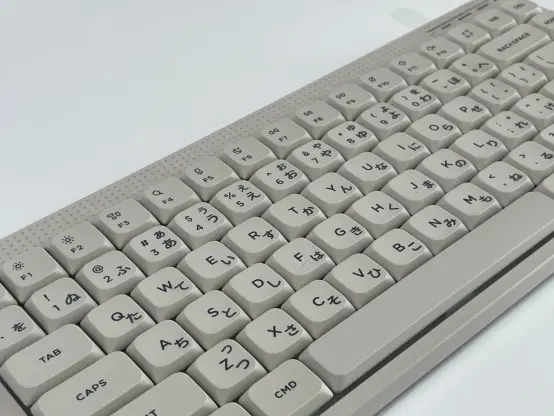
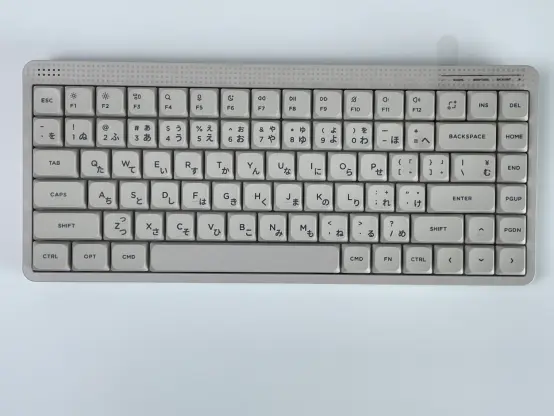
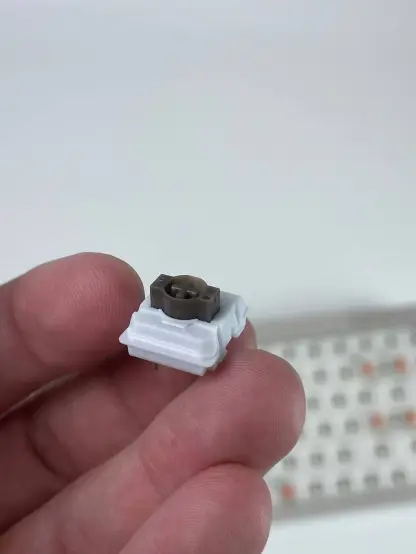
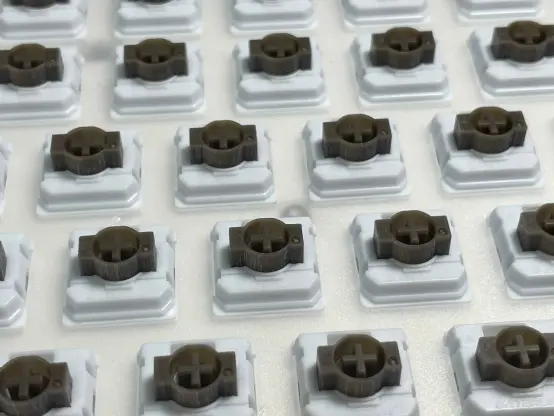
Finally received my mobile replacement for the Rainy 75. I went with the Node75 low profile with brown switches. The goal was a dedicated setup for the MacBook that I could actually carry around without sacrificing the typing experience.
First Impressions:
Despite the plastic build, it’s surprisingly solid and has some decent weight to it. I was worried about it feeling too "laptop-like," but that’s not the case at all. Zero adaptation time needed—it feels like a proper mechanical board, just with a lower center of gravity. The sound out of the box is already impressive.
The Build & Modding:
I didn't stick with the stock setup. Total investment was around 16,000 RUB (~$208):
- Base Board: 8,000 RUB (~$104)
- Full Mod: 5,000 RUB (~$65). Everything was stripped, switches and stabilizers lubed. We skipped extra foam mods because the stock sound profile is already clean.
- Customization: 3,000 RUB (~$39) for Japanese legends and a custom inscription on the back. The engraver hooked me up with an inline laser technique instead of the standard one at no extra cost.
Control & Workflow:
It features a touch bar for volume and muting. It’s actually usable—there are physical ridges so you can feel the boundaries of the sensor and hit your marks blindly.
I’m running it via the 2.4GHz dongle. No wake-up latency issues so far. The best part? It’s configured entirely through a browser interface. No proprietary bloatware needed on macOS.
I was originally hunting for a NuPhy Air75, but they were out of stock on browns, which led me to the Node. Honestly? No regrets.
What do you think of the look? Anyone else rocking a low-profile setup for their mobile workstation?
#MechanicalKeyboard #Node75 #LowProfile #CustomKeyboard #TechSetup #MacOS #Productivity #Hardware #VIA #WebHID #Keyboards
Finally received my mobile replacement for the Rainy 75. I went with the Node75 low profile with brown switches. The goal was a dedicated setup for the MacBook that I could actually carry around without sacrificing the typing experience.
First Impressions:
Despite the plastic build, it’s surprisingly solid and has some decent weight to it. I was worried about it feeling too "laptop-like," but that’s not the case at all. Zero adaptation time needed—it feels like a proper mechanical board, just with a lower center of gravity. The sound out of the box is already impressive.
The Build & Modding:
I didn't stick with the stock setup. Total investment was around 16,000 RUB (~$208):
- Base Board: 8,000 RUB (~$104)
- Full Mod: 5,000 RUB (~$65). Everything was stripped, switches and stabilizers lubed. We skipped extra foam mods because the stock sound profile is already clean.
- Customization: 3,000 RUB (~$39) for Japanese legends and a custom inscription on the back. The engraver hooked me up with an inline laser technique instead of the standard one at no extra cost.
Control & Workflow:
It features a touch bar for volume and muting. It’s actually usable—there are physical ridges so you can feel the boundaries of the sensor and hit your marks blindly.
I’m running it via the 2.4GHz dongle. No wake-up latency issues so far. The best part? It’s configured entirely through a browser interface. No proprietary bloatware needed on macOS.
I was originally hunting for a NuPhy Air75, but they were out of stock on browns, which led me to the Node. Honestly? No regrets.
What do you think of the look? Anyone else rocking a low-profile setup for their mobile workstation?
#MechanicalKeyboard #Node75 #LowProfile #CustomKeyboard #TechSetup #MacOS #Productivity #Hardware #VIA #WebHID #Keyboards
 Ultimate Hacking Keyboard


 13
13


