 Linuxiac
COSMIC Desktop 1.0.15 brings fixes for tray icons, Bluetooth status, Steam Big Picture Mode, gaming cursor behavior, and more.
https://linuxiac.com/cosmic-desktop-1-0-15-fixes-gaming-tray-icons-and-bluetooth-issues/
COSMIC Desktop 1.0.15 brings fixes for tray icons, Bluetooth status, Steam Big Picture Mode, gaming cursor behavior, and more.
https://linuxiac.com/cosmic-desktop-1-0-15-fixes-gaming-tray-icons-and-bluetooth-issues/
COSMIC Frosted Glass riporta in auge Windows Aero
#COSMICDesktop #linux
Carl Richell, il CEO di System76, ha postato su X una anteprima dell'effetto di COSMIC Frosted Glass, un nuovo effetto per COSMIC Desktop che introduce una trasparenza che ricorda per un certo verso l'effetto Aero introdotto con Windows Vista.
https://www.marcosbox.com/2026/06/02/cosmic-frosted-glass-riporta-in-auge-windows-aero/
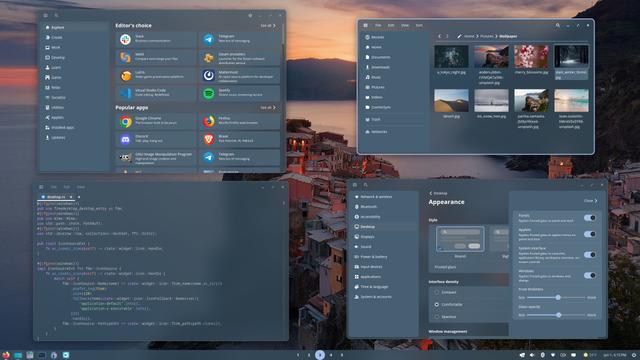
Carl Richell, il CEO di System76, ha postato su X una anteprima dell'effetto di COSMIC Frosted Glass, un nuovo effetto per COSMIC Desktop che introduce una trasparenza che ricorda per un certo verso l'effetto Aero introdotto con Windows Vista.
Episode 19 of Dark Blue Weekly released
https://darkblueproject.com/sites/news/dbw-e19.php
#darkblueweekly #darkblueproject #nixos #sway #labwc #cosmicdesktop #system76 #linux #opensource #freesoftware #linuxdesktop
System76 CEO praises open source carveout in age verification laws
https://fed.brid.gy/r/https://nerds.xyz/2026/05/system76-open-source-age-verification-laws-linux/

COSMIC Desktop 1.0.14 brings DDC/CI brightness support, text previews in COSMIC Files, VPN fixes, and better X11 game handling.
https://linuxiac.com/cosmic-desktop-1-0-14-adds-external-monitor-brightness-control/
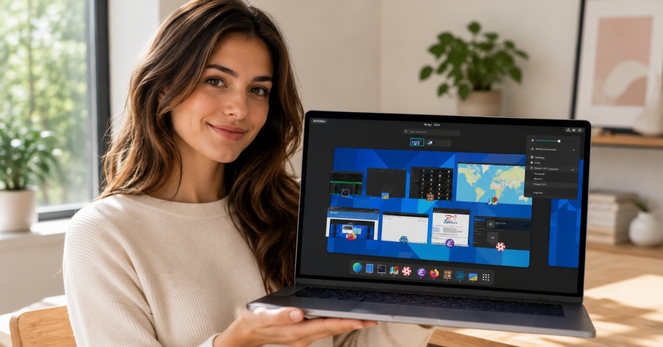
Today I learned if you hold the action button and hold right click, you can resize your windows on cosmic desktop
RakuOS takes a huge step toward becoming a serious Linux distro
https://fed.brid.gy/r/https://nerds.xyz/2026/05/rakuos-linux-44-stable/
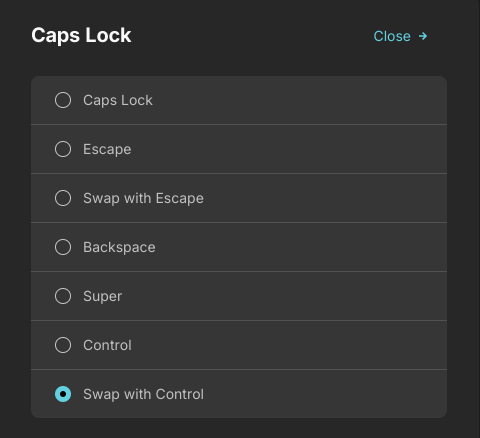
After learning touch typing, one of the best changes I made was swapping Caps Lock and Ctrl.
I barely use Caps Lock, but I use Ctrl all the time. Reaching down to the bottom-left corner for Ctrl is awkward and uncomfortable. Swapping them makes typing so much smoother. I highly recommend it.
 Marco Giannini
 fosstopia 🇩🇪
 Dark Blue Project
 NERDS.xyz – Real Tech News for Real Nerds [Unofficial]
 beem
beem Furkan Uysal