Still manually organizing files on your Mac?
VaultSort helps you:
✓ Organize folders automatically
✓ Find and remove duplicates
✓ Recover storage space
✓ Securely delete sensitive files
Use code 10OFF for 10% off any license.
👉 https://vaultsort.com


| VaultSort | https://vaultsort.com |
| Download | https://vaultsort.com/download |
Still manually organizing files on your Mac?
VaultSort helps you:
✓ Organize folders automatically
✓ Find and remove duplicates
✓ Recover storage space
✓ Securely delete sensitive files
Use code 10OFF for 10% off any license.
👉 https://vaultsort.com
VaultSort now encrypts your Mac's files with Touch ID 🔐
Under the hood: a rebuilt V4 format. Every file is locked to a secret sealed inside your hardware — your Secure Enclave or a YubiKey, never a password. Steal the file and our entire credential store, and you still get nothing.
We also published a free encryption whitepaper: threat model, the full algorithm chain, and what it doesn't protect against. No email.
vaultsort.com/secure

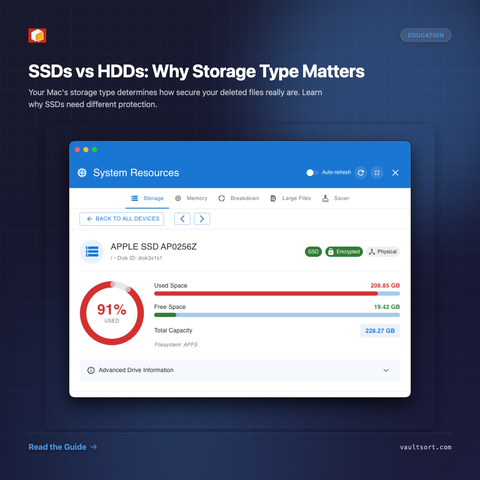
SSD vs HDD: Why it matters for file security.
SSDs use wear-leveling and copy-on-write — traditional overwriting doesn't work. Files stay recoverable for months even after deletion.
HDDs overwrite predictably. Same file, same spot.
VaultSort detects your storage type and applies the right deletion method. SSD owners: your old tools aren't protecting you.
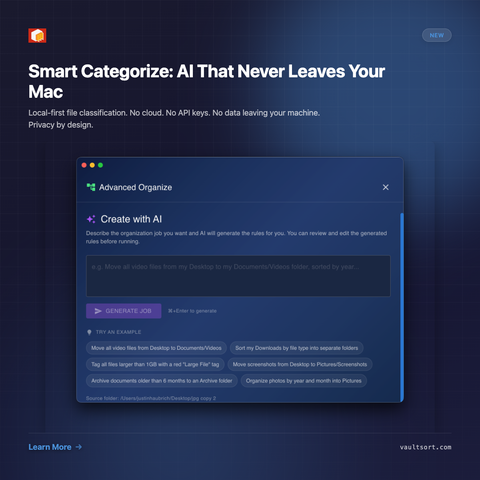
VaultSort 3 is adding something big: Smart Categorize.
A fully local AI model (no cloud, no API key) that actually reads your files—PDFs, ePubs, docs—and groups them based on what’s inside, not filenames. It builds categories from your real data, not generic presets.
The goal isn’t “AI magic”—it’s fixing the messy reality of large file libraries. You stay in control with previews, rules, and on-device processing—just with way less manual setup.
Most Mac users don’t realize how fragmented their “cleanup” stack actually is.
One app to clean files. Another to automate folders. Another for encryption. Another for storage analysis. Tools like CleanMyMac made this feel normal—but it’s really just patching over a broken workflow.
A recent feature by Mac Automation Lab argues that VaultSort is taking a different approach: not another utility, but a replacement for the entire category.
Read More:
https://macautomationlab.substack.com/p/vaultsort-wants-to-replace-cleanmymac