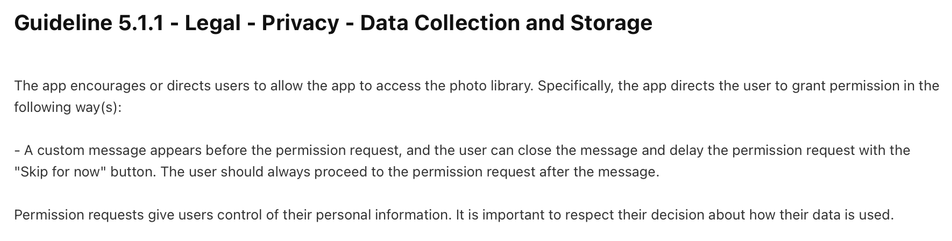
Second app I’ve seen being rejected this week for this. Since when is it illegal to have a Skip button on the permissions step of onboarding? Also App Review Guideline 5.1.1 does not say anything about this 🤷♂️ /cc @rejected

| Location | Barcelona |
| Website | https://www.andrespiza.com |
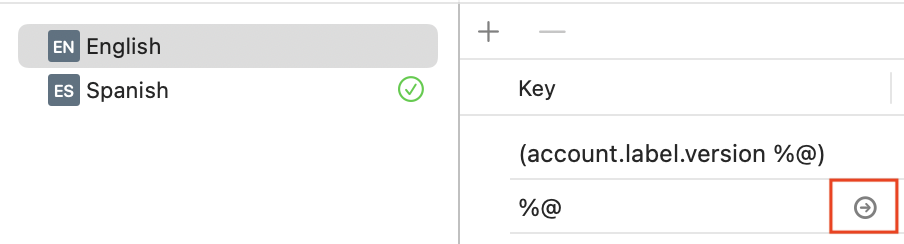
I think this is new in Xcode 16. When you hover over a string in String Catalog, a button with an arrow appears, linking to the code that generates that string. This is great to find those places where you forgot to use Text(verbatim:).
A very welcome improvement! 🤩
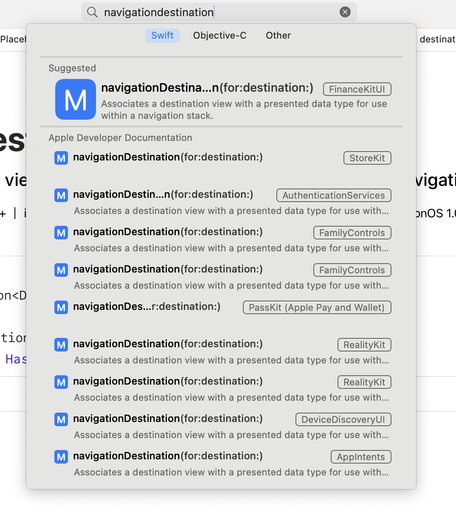
I wish they would fix this thing where you search for some SwiftUI API in Xcode's documentation and you get the same thing from every framework in the world 😩 They should remove generic SwiftUI APIs from non-SwiftUI frameworks. Searching for `navigationDestination ` should return just three results with the three variants of that function, all from the SwiftUI framework.
FB15174390
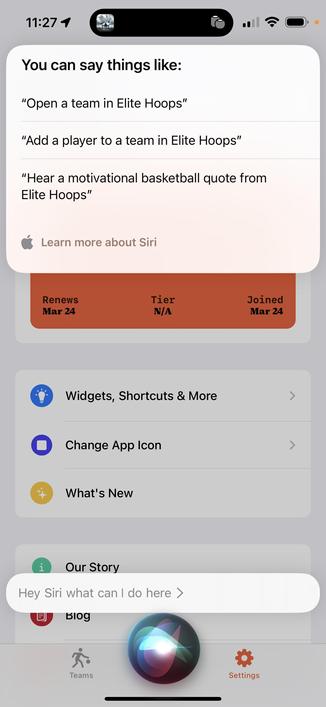
Reminder as a user and a dev:
If you’ve got app intents, you can say “Hey Siri, what can I do here?” and intents will be suggested.
It’s a good way to discover shortcuts in other apps too.

 Jordan Morgan