
205 Followers
23 Following
15 Posts
Work: Unity3D, doing Burst compiler stuff
Non-work: Shader Playground, HLSL Tools
Githubhttps://github.com/tgjones
Websitehttp://timjones.io

Hey, finally! I just published a new - and real - blog post "10x Performance with SIMD Vectorized Code in C#/.NET" https://xoofx.com/blog/2023/07/09/10x-performance-with-simd-in-csharp-dotnet/ 🎉

That was a quick write up, so my apologize for the poor phrasing, after 3 years without writing a blog post, I feel rusty. But it feels good to share again! 🤗 #dotnet

10x Performance with SIMD Vectorized Code in C#/.NET | xoofx

@joeldevahl that’s amazing, thank you!
@neilhenning aww thank you!
@neilhenning d’oh, I missed the link off! Thanks for noticing. I’ve edited it in. Good idea about the sponsor link on the website (not the first time you’ve suggested it) - I’ll do that.

Occasional reminder - Shader Playground is possible because of the generous support of these people: @aras, @neilhenning, KornnerStudios, @TheAnimator.

If Shader Playground is useful to you please consider adding your name to that prestigious list :) https://github.com/sponsors/tgjones

A few more $5 sponsors would get me to break-even on the Azure hosting bill, which would make this more sustainable for the long term (hosting bill is £70/month, current sponsors generously provide ~£50 of that).

Sponsor @tgjones on GitHub Sponsors

Support tgjones’s open source work

GitHub

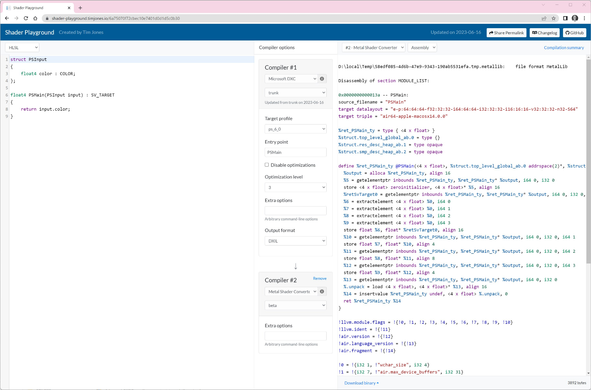
Want to try out the new Metal Shader Converter without installing anything?

Now you can, on Shader Playground https://shader-playground.timjones.io/6a75070f72cbec10e7401d0d1d5c0b30

Shader Playground

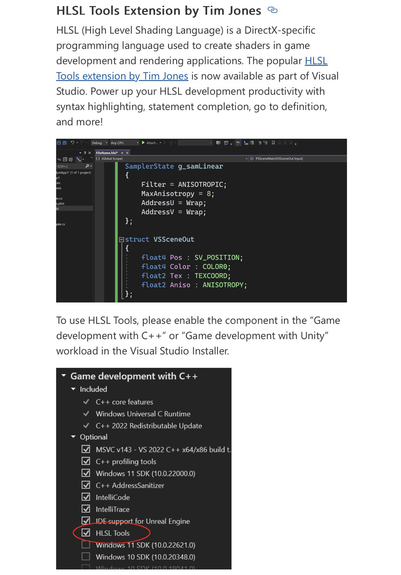
Please excuse the own-horn-tooting: a thing I made is now part of Visual Studio 😊

https://devblogs.microsoft.com/visualstudio/visual-studio-2022-v17-6-preview-2-is-now-available/#hlsl-tools-extension-by-tim-jones

Visual Studio 2022 v17.6 Preview 2 is now available - Visual Studio Blog

Preview 2 for Visual Studio 17.6 is now available! If you are a game developer, a mobile developer, or are interested in learning new tricks to better debug your code, check out this latest release. It’s as easy as upgrading your Preview channel in the Visual Studio installer.

Visual Studio Blog
@tjheuvel @aras that's technically possible, but somebody would have to take the time to implement that (presumably for every thrown exception in Unity types, not just that one, to be consistent), and then they'd have to remember to remove that workaround, when Burst supports interpolated exception messages. Or that time could be used for something else. It's all trade-offs :)
@tjheuvel @aras but what should it use instead? :) Burst can only compile what's there in the code, and what's there in the code is a format string, and a few arguments to interpolate into that format string. We don't (yet) support interpolating the arguments, so as a fallback we use the format string as-is.

@tjheuvel @aras I don't know why the actual exception happens. I'm only talking about why you see the un-interpolated exception message - that's because Burst doesn't support string interpolation in exception messages, so it just uses the original format string.

Were you asking why the exception is raised in the first place?