Seeing all the M5 Max MBP benchmarks roll in is making it hard to wait for M5 Ultra!
Still slumming it with my M1 Max...
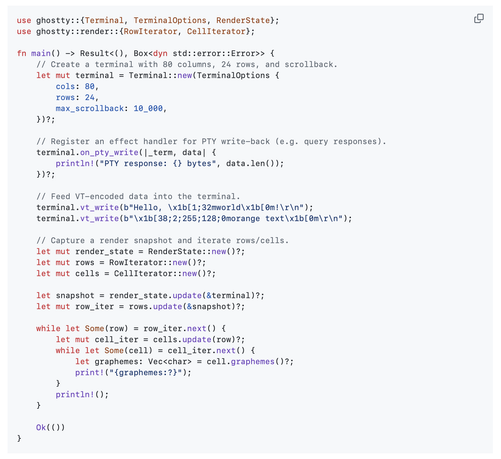
From empty repo to a functional minimal standalone terminal based on libghostty in less than 2 hours, presenting Ghostling! ~600 lines of C and you get extremely accurate, performant, and proven terminal emulation. Every program on earth that needs any subset of terminal functionality and can now easily get it.
https://github.com/ghostty-org/ghostling
Feature list:
- Resize with text reflow
- Full 24-bit color and 256-color palette support
- Bold, italic, and inverse text styles
- Unicode and multi-codepoint grapheme handling (no shaping or layout)
- Keyboard input with modifier support (Shift, Ctrl, Alt, Super)
- Kitty keyboard protocol support
- Mouse tracking (X10, normal, button, and any-event modes)
- Mouse reporting formats (SGR, URxvt, UTF8, X10)
- Scroll wheel support (viewport scrollback or forwarded to applications)
- Scrollbar with mouse drag-to-scroll
- Focus reporting (CSI I / CSI O)
- And more. Effectively all the terminal emulation features supported by Ghostty!
The libghostty C API is not formally released, but I built this project to prove its ready to go. 😎 https://github.com/ghostty-org/ghostling
Nuts. In four hours I rebuilt an iOS app that I had spent months on before AI.
Still needs UX polishing but the code is good enough and a lot more consistent than my version.
Admittedly, it did help when the AI screwed up a piece here or there to tell it to consult the old app to see how I fixed it and do something similar. But I took a freaking day to do a tricky layout thing, and after I described it conceptually it one-shot it.
But I threw the SwiftUI stuff in the bin, if the AI is writing the code UIKit is better from a performance and ability to access more platform functionality perspective. It is buttery smooth now for pieces where SwiftUI was a bit choppy.
I only open up Xcode to press Command-R 🤣
Everything else happens in Claude Code.
Surprisingly different experience using Claude Code in terminal to create an iOS app vs the new Claude Agent in Xcode.
Terminal Claude Code one-shots tasks, Xcode spins its wheels a long time and doesn't get it right after several tries.
I wonder if Anthropic or Apple created the agent harness for Xcode, I suspect Apple (UI looks nice, but it doesn't work well).
Or I just know how to drive Claude Code better.
Both are using the same Claude Max account with Opus 4.6.
If there was a 1Password replacement that worked on Windows/Linux also I would drop it today.
Right around subscription renewal time, every interaction with this thing requires entering my password again, if it even activates.
It is such a piece of shit now.
I feel like I've just unlocked a cheat code when using Claude Code.
I create two Markdown files.
CLAUDE.md, for project setup / architecture / development tasks ("this is the architecture", "always run linter and formatter on changed files", "always run tests after changes", and so on). Most important: Give it the guidance it can use to check its work.
PLAN.md, containing detailed plans for different parts of the application, broken down into phases/steps. I go back and forth with the LLM in great detail on a particular phase, challenging its chosen approaches and making alternate suggestions until I am happy. I try to make a phase reasonably small and granular, with measurable outcomes.
Then I clear context, and start with "I am working on Phase X in PLAN.md, that is your focus for this session".
Same process with what it produced, I challenge and refine until I am happy, and we work through it commit by commit on one PR.
I also add Claude skills for annoying boring admin stuff I want it to do for me, like creating decent Conventional Commit style commit messages, committing and pushing, code formatting, etc, and tell it in CLAUDE.md to use those skills when I ask it to do things like that.
Unlike a dumb intern that always forgets (my previous experience), this feels like working with a bright engineer with a lot of energy that makes calls I largely agree with.

A useful job I have found for LLM agents is to investigate an unknown code-base and find likely places where certain functionality resides.
The hit-rate for this is pretty good, I've been quite successful in using it to reverse engineer some internal corporate libraries that have less than ideal or no documentation.