 AnimeAndVisial
 David Lynch
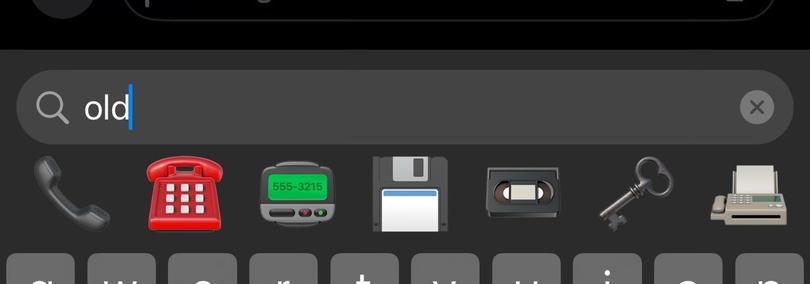
Ouch, apple emoji search. Ouch.

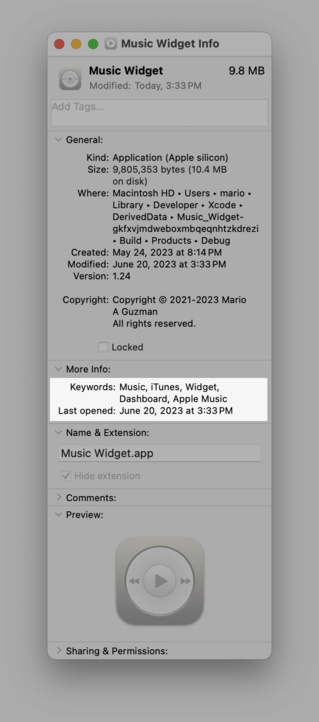
If you ship an app for macOS, please do this! I hardly see this at all with Mac apps.
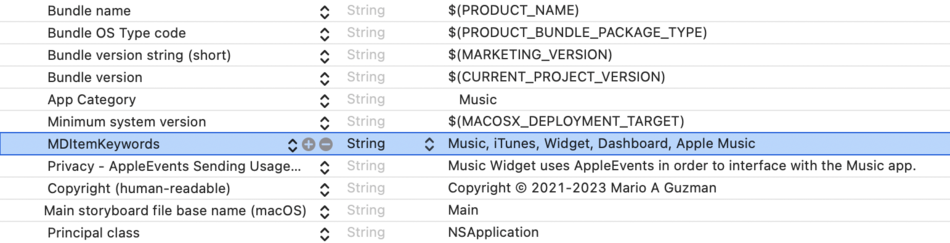
In your info.plist, add `MDItemKeywords` and the value is a list of keywords for your app separated by commas. This will show up in your More Info window for your app under “Keywords”.
Why is this useful? Let’s say you make a Mastodon client app called anything BUT Mastodon, if you throw “Mastodon” in this list in `MDItemKeywords`, searching “Mastodon” in Spotlight would surface it as a search result!

Excuse the alarmist title, but I think it’s justified, as it’s an issue that’s caused me a ton of pain in both support emails and actually tracking it down, so I want to make others aware of it so they don’t similarly burned. Brief intro For the uninitiated, UserDefaults (née NSUserDefaults) is the de facto iOS standard for persisting non-sensitive, non-massive data to “disk” (AKA offline). In other words, are you storing some user preferences, maybe your user’s favorite ice cream flavors? UserDefaults is great, and used extensively from virtually every iOS app to Apple sample code. Large amount of data, or sensitive data? Look elsewhere! This is as opposed to just storing it in memory where if the user restarts the app all the data is wiped out.
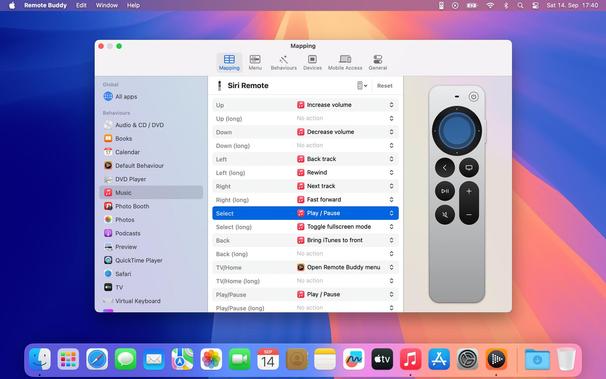
This weekend, we released Remote Buddy 2.6.1 with an important fix for macOS Sequoia.
For the smoothest experience, please install the update before installing macOS Sequoia.
https://www.iospirit.com/blog/2024/09/Remote-Buddy-261-Update
Longplay 2.3 is out now.
There's a new Purity playback mode, and for iOS 18:
- Album Shuffle button for your Control Centre or Lock Screen
- Dark Mode-friendly app icon
- Widgets and app icon are tint-friendly
Plus a couple of fixes. All changes: https://longplay.rocks/changelog/

Longplay is the iOS and visionOS app for music lovers who enjoy listening to full albums but have a hard time finding them in their music library. It provides a beautiful view of the album artworks of the (near) complete albums in your music library with one-tap access to play them.
A nice side effect of using FindAnyFile on your Time Machine volume is that it can alert you about structural errors on your TM volume, which might later prevent you from restoring all your data. FAF has alerted users hundreds of time about this in the past.
You could as well just run Disk Utility's First Aid check on the TM volume, but many don't ever think of that.
 Dgar
Dgar Mario Guzmán
 Hendrik
 Christian Selig
 Remote Buddy
 Longplay
 Thomas Tempelmann