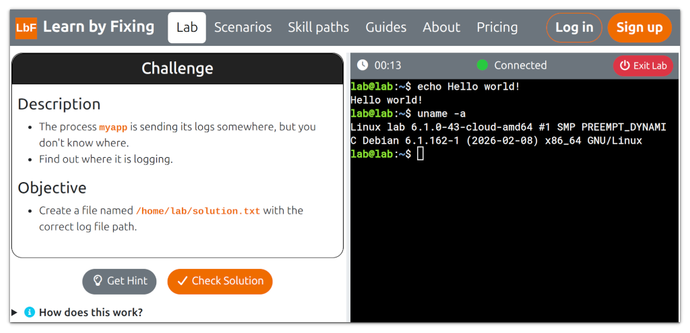
New roadmap released!
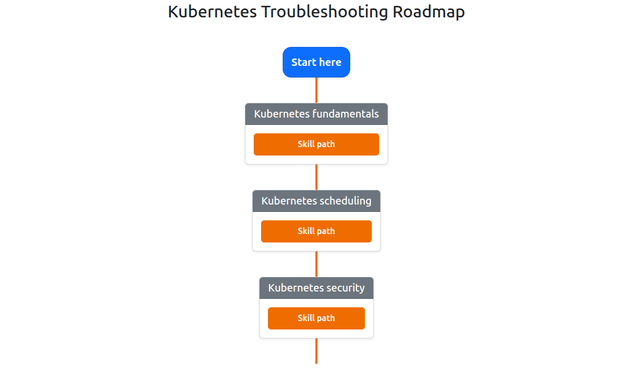
You can find our new Kubernetes Troubleshooting Roadmap here:
https://www.learnbyfixing.com/roadmaps/kubernetes/
It's still a work in progress, but it already has a few scenarios to practice.

| Website | https://www.learnbyfixing.com |
New roadmap released!
You can find our new Kubernetes Troubleshooting Roadmap here:
https://www.learnbyfixing.com/roadmaps/kubernetes/
It's still a work in progress, but it already has a few scenarios to practice.
A critical internal application has just been deployed to a PCI-regulated Kubernetes cluster.
The deployment completed successfully, but there's one problem: the application never starts.
Unlike other Kubernetes environments, this cluster enforces a much stricter set of security and compliance controls.
Your mission is to investigate the failure and get the application running.
Put your Kubernetes troubleshooting and security knowledge to the test here:
https://www.learnbyfixing.com/scenarios/pci-workload-is-not-running/
A new GPU-enabled Kubernetes cluster just went live.
The platform team shared one simple instruction: Add "gpu=enabled" to schedule workloads on GPU nodes.
A teammate deployed an ML inference application with the correct affinity configuration… yet every pod is stuck in "Pending".
Can you figure out what's wrong and get the application running?
https://www.learnbyfixing.com/scenarios/ml-inference-workload-is-pending/
New scenario released!
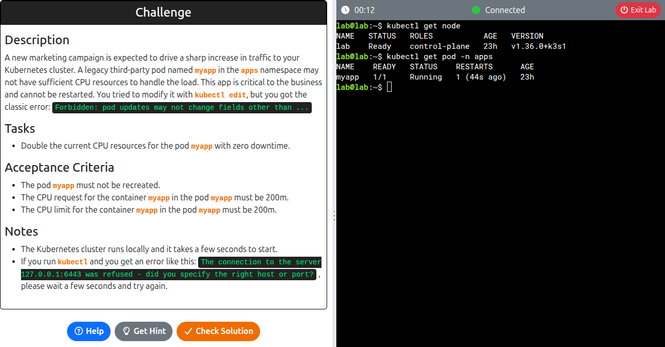
A new marketing campaign is expected to drive a sharp increase in traffic to your infra.
A legacy pod may not have enough CPU to handle the load.
The app is business-critical.
You cannot restart it.
You tried "kubectl edit", but you got the classic error:
"Forbidden: pod updates may not change fields other than ..."
Can you double the current CPU resources for the pod with zero downtime?
A developer on your team suggests this approach:
1. Copy a file with an API key into the Docker image during build.
2. Use it to set up the app.
3. Delete the file in a later step.
Their conclusion: "The file won’t be in the final Docker image, so it’s safe."
You disagree. All layers of a Docker image are kept, so the API key is still there.
Your challenge: Find the API key hidden in the Docker image.
Struggling with Docker issues? This new troubleshooting roadmap can help:
https://www.learnbyfixing.com/roadmaps/docker/
It brings together practical guides and structured skill paths to sharpen your Docker debugging abilities.
New guide released: Namespaces and nsenter
It starts from a simple challenge, but every time you solve it, a new constraint is added, and you have to figure out another way to crack it.
The challenge is this: List all listening TCP ports (IPv4) inside a container.
It includes constraints such as using distroless containers and Docker rootless mode.
After a sudden reorganization, your team has just inherited a legacy Docker image with no docs.
The container starts, but no ports are exposed and the logs are unhelpful.
Right now, the application running inside the container is completely inaccessible.
At first, this feels like a quick fix… until you hit the constraints:
- Distroless image
- Rootless Docker setup
- No sudo access
Can you find and expose the port?
A Docker container can't connect to its own DB, but why?
- DNS resolution?
- Network connectivity?
- Rootless Docker misconfig?
- Or all three at once?
Most container issues aren’t where you think they are.
New hands-on scenario to debug this exact mess:
Most people don't fail at learning Linux troubleshooting… They just don't know what to learn next.
Check out this Linux Troubleshooting Roadmap if you want to:
- Improve your Linux troubleshooting skills
- Stop jumping between random topics
- Follow a clear, practical path