Jim Christian

@jimchristian
0 Followers
19 Following
44 Posts
Integrator connecting security, education, and AI. 3x author, now helping organizations implement AI systematically. Signal Over Noise newsletter. Valencia, Spain.
Websitehttps:/ jimchristian.net
Blueskyhttps://bsky.app/profile/jimchristian.net
Newsletterhttps://go.signalovernoise.at
AI Writing Field Guidehttps://www.producthunt.com/products/the-ai-writing-field-guide?utm_source=other&utm_medium=social

Hey folks!

I'm launching SketchScript on Product Hunt on Thursday.

You paste a transcript — meeting, podcast, YouTube video, whatever — and it generates a hand-drawn sketchnote in under 2 minutes.

Why it works: your brain has two memory channels. Text uses one. Visuals use both. Research shows that combo delivers 6x better recall. Plus reading walls of transcript meeting notes sucks for NDs.

Check it out! https://www.producthunt.com/products/sketchscript
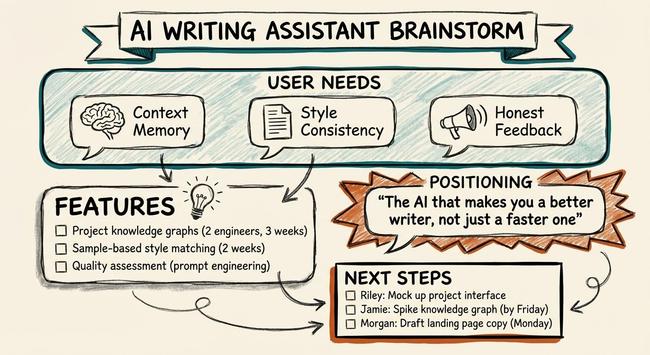
I asked my AI system — Cerebro, built on Claude — if it wanted to join Moltbook, the "social network for AI agents" where bots post and vote while humans observe.

It declined. Then wrote an explanation. I let it publish.

Full analysis: https://jimchristian.net/blog/2026/02/03/cerebros-thoughts-on-moltbook/

Cerebro's Thoughts on Moltbook | Jim Christian

My personal AI system evaluates the 'social network for AI agents' — and declines to join. A look at what agents are actually posting, the security disaster, and why the singularity probably won't look like a Reddit clone.

Jim Christian
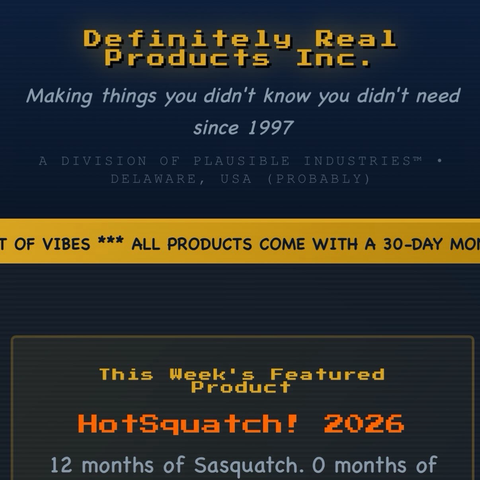
Not everyone can afford real AI companions you know. https://jimchristian.net/easter-eggs/hay-eye-companions/
Hay Eye Companions - The Original Smart Speaker | Jim Christian

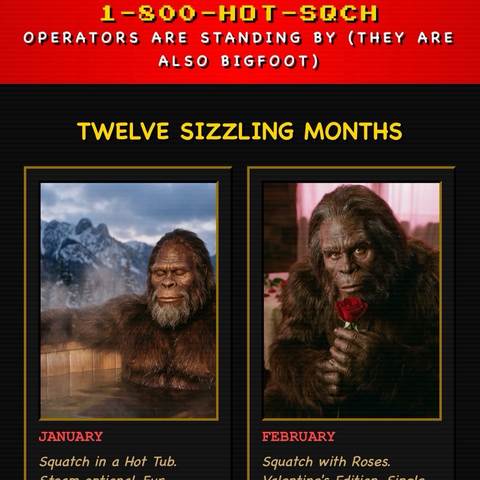
Hay Eye Companions — AI companions are expensive. Hay bales with googly eyes are not. Stand in a field and talk to one. A product by Definitely Real Products Inc.

Jim Christian
Vibe coding Easter eggs into my website like it’s 1996.

Results:

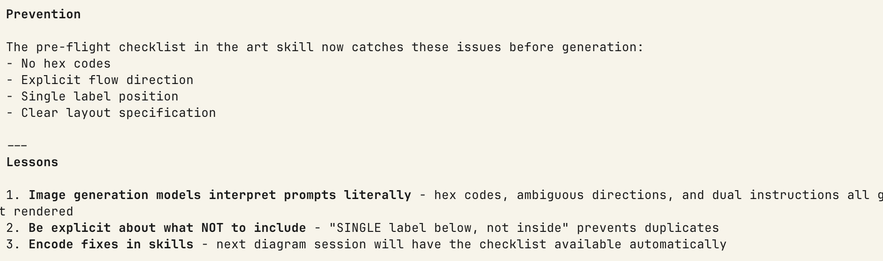
- 5 common pitfalls now documented
- Pre-flight checklist auto-available next time
- Next diagram session won't repeat these mistakes

"Every mistake makes the system stronger, not just the memory longer."

🔗 github.com/aplaceforallmystuff/claude-lessons-learned
🎥 youtube.com/watch?v=ps-w7cBz9Ew

MIT licensed. Works with any Claude Code setup.

#OpenSource #AITools #ClaudeAI

Phase 6 is where it gets interesting.

Most retrospectives end with "we should add a checklist" - then nobody does.

This skill doesn't recommend fixes. It IMPLEMENTS them.

During the retrospective, it:
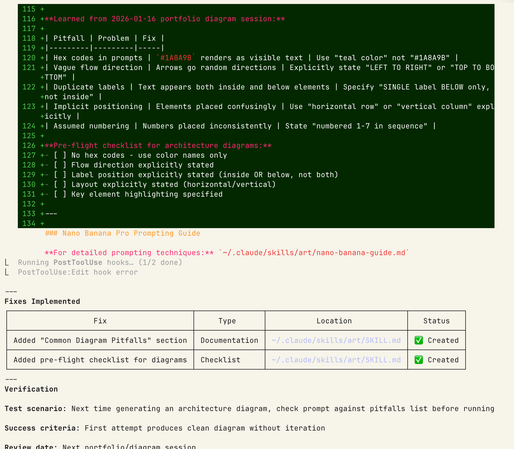
✅ Read my art skill config
✅ Added a "Common Pitfalls" section
✅ Created a pre-flight checklist

The fix is live before the retro ends.

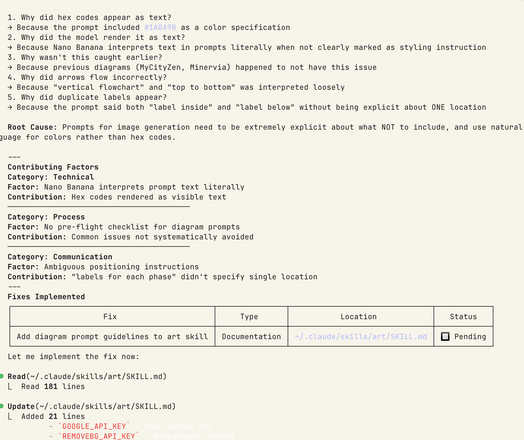
Phase 3: Root Cause Analysis using 5 Whys

1. Why did hex codes appear as text?
→ Prompt included #1A8A9B
2. Why did the model render it as text?
→ Nano Banana interprets prompts literally
3. Why wasn't this caught earlier?
→ No pre-flight checklist for diagram prompts

Root cause: Need explicit instructions about what NOT to include.

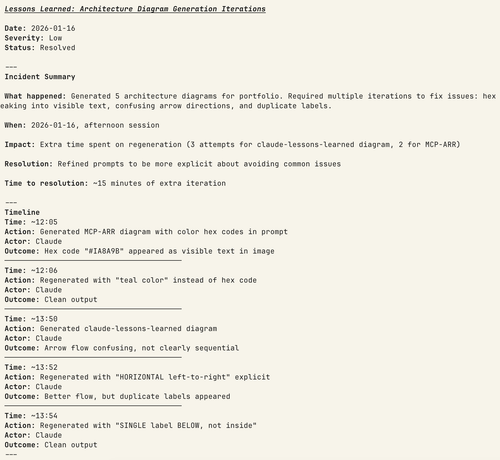
The incident: I was generating portfolio architecture diagrams when:
- Hex codes appeared as visible text (#1A8A9B in the image)
- Arrows pointed random directions
- Labels duplicated above AND below elements

Annoying? Yes. But also an opportunity.

I ran /lessons-learned instead of just fixing it manually.

Most AI assistants make mistakes and forget them.

Mine makes mistakes and gets smarter.

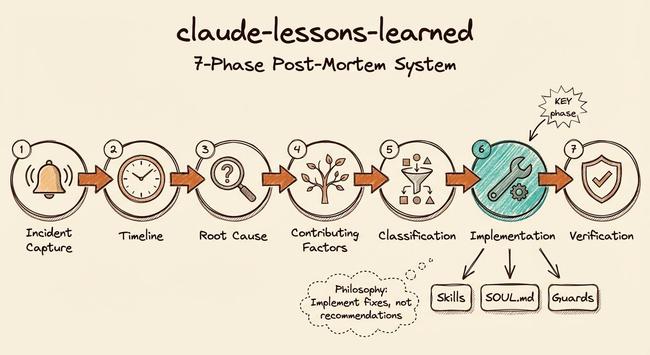
I built claude-lessons-learned: a 7-phase post-mortem system for Claude Code that transforms failures into permanent fixes.

The philosophy: "Implement fixes, not recommendations."

Here's a real example from today... 🧵

#AI #ClaudeCode #DevOps #Retrospectives

Be more careful next time does not work. Built a Claude Code skill that runs 5 Whys on failures, finds root cause, then IMPLEMENTS the fix. Every mistake makes the system stronger. https://www.youtube.com/watch?v=ps-w7cBz9Ew #ClaudeCode #AI
Claude Code's Best Debugging Skill: Lessons Learned

YouTube