@dmd

56 Followers
157 Following
337 Posts
I care about some things too much, and other things not enough. But mostly the first one.
Web sitehttps://horizon-nigh.org
ProfessioniOS & Mac app maker person
Current project@Radiccio

SwiftUI tip: NEVER use SceneStorage on macOS.

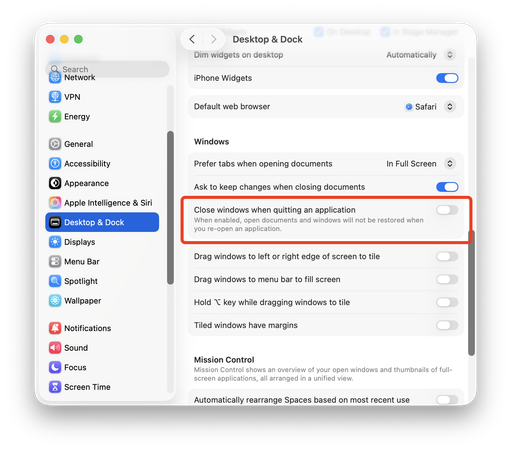
It turns out, when this system setting is ON (which is the default), SceneStorage is completely erased on every app launch. I am a weirdo, so I have this setting OFF, and I never noticed that my app UX was awful for the vast majority of my users! (Until someone reported it, thanks!!)

I will be switching everything over to AppStorage.

You know, it would be really nice if important details like this were mentioned somewhere in the documentation!!!

New fidget toy just dropped on my web site
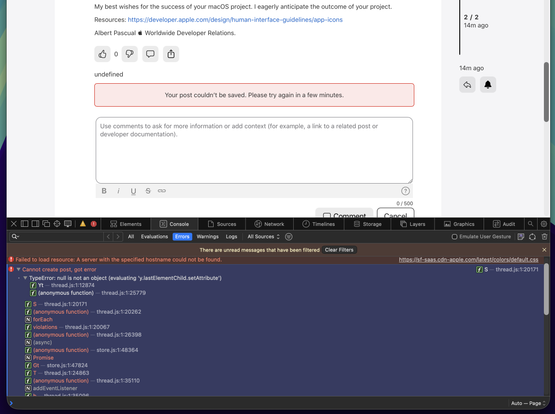
Well this is going just great

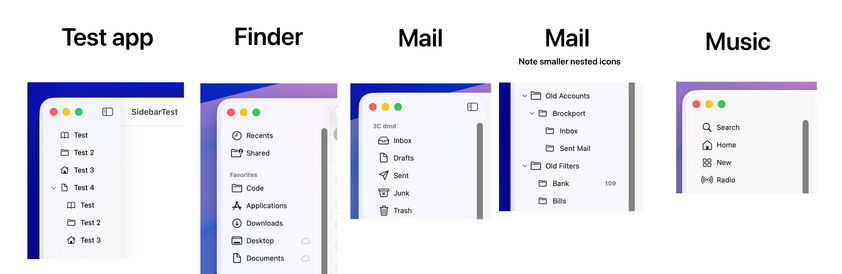
I am working on a Liquid Glass/Tahoe design update (I know, I know…) and I'm having a difficult time trying to get something as simple as the sidebar icons to work correctly. The sizing and spacing is all wrong compared to built-in apps. Am I crazy or should this "just work"? I can't figure out what I'm doing wrong.

The same code works perfectly on Sequoia.

Any advice appreciated.

https://gist.github.com/dmdeller/9a5518c02e5e6ac8027ce916520c5c0e

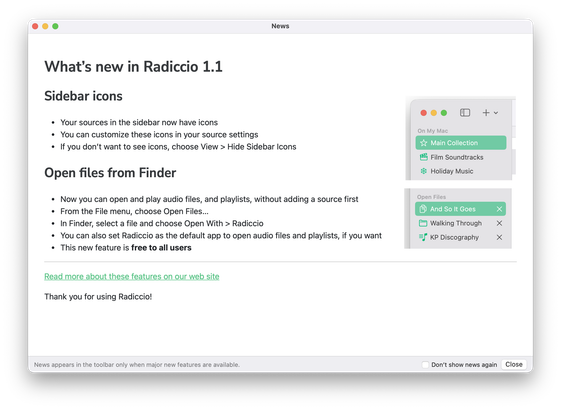
If or when you do click the toolbar icon, the window opens. At the bottom, there's some text that briefly explains the circumstances under which the toolbar icon appears. I am trying to find a way to earn your trust in a landscape in which software everywhere is increasingly untrustworthy and disrespectful.

And from there, it's only one more click if you want to opt out, forever. You'll never see it again. (If you change your mind, it's in the Help menu.)

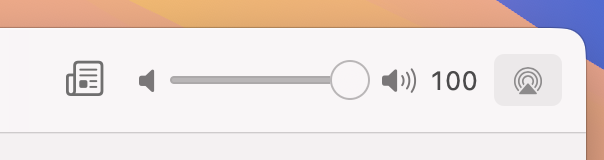
I agonized over this with @Radiccio 1.1, my first "feature" update. The solution I eventually settled on was a toolbar button: a newspaper icon. Same color and design as others. No pop-ups. No red dot. No sparkly animations. No existing UI elements are covered up or obscured. Nothing gets in your way or prevents normal interaction. Perhaps you'll notice the new icon there in the toolbar, but I hope it's not too distracting. So you can take your time, and click on it whenever you get around to it

Fun fact: I first used the name Radiccio for an audio software project over 20 years ago.

The original one remains available (but it's cringe so please don't look).

Behind the scenes…

It's a bit strange how System Settings still has these sliders, when "key repeat" is not really a thing any more. If you press and hold any letter or number key, either you get a popover to choose an accented character, or (in the case of numbers and some letters) nothing at all happens.

As far as I can tell, space bar is the only key left that you can press and hold to repeat.

There is a Terminal command to get the old key-repeat behavior, but the vast majority of users will never know that.