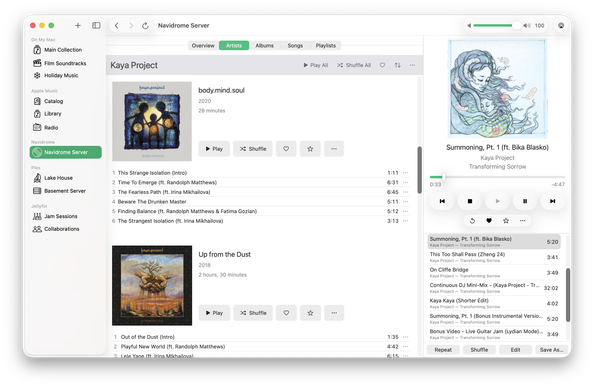
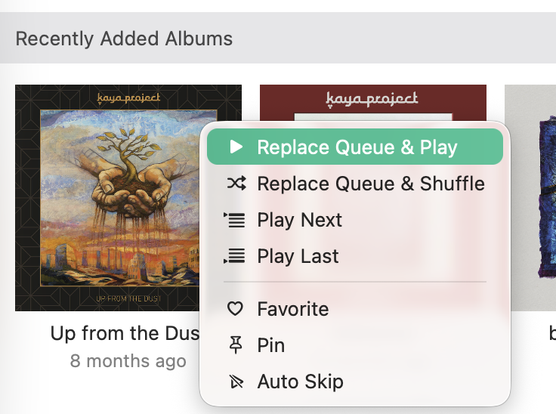
Today’s update (1.4.1) adds context menus so you can play an album (or artist) directly from the list!

Your digital music hub for Mac. Plays audio files on your Mac, Apple Music, Navidrome, OpenSubsonic, Plex, and Jellyfin. Built-in server lets you stream your music to your other devices.
We 💚 feedback! Show us how you’re using Radiccio. Tell us what you wish for in a Mac music app.
| Web site | https://radiccio.music |
| [email protected] |
If you previously used your free trial, and would like another one so you can try Radiccio Server, use this link!
https://apps.apple.com/redeem?ctx=offercodes&id=6751426653&code=SERVER
We’ve been very busy making Radiccio Server, which is why we’ve been quiet for a while. Originally, we set out to make Radiccio the best music player on Mac, and we’re not done yet – far from it. And we want to make an iPhone version, too.
We could really use your help. Subscriptions to Radiccio Plus! directly support our future development efforts. Boosts are also very much appreciated. Thank you very much to everyone for your support!
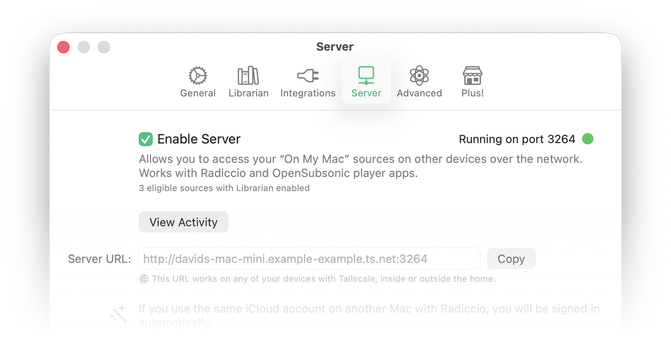
Radiccio is not just a music player any more. Now it’s also a personal music server, and it’s the easiest way to stream your music collection from your Mac to your other devices. Introducing Radiccio Server.
It uses the OpenSubsonic standard, which makes it compatible with dozens of music players on many platforms – including iPhone.
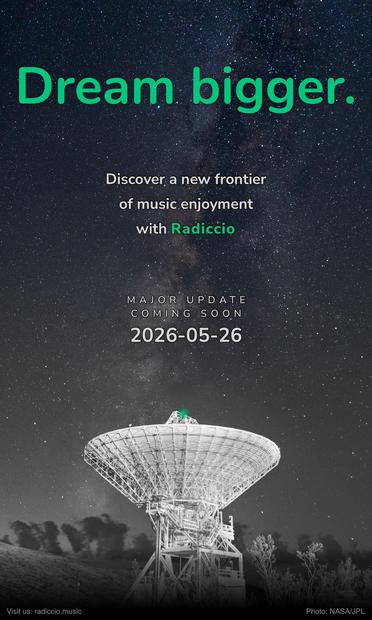
Server is now built-in to Radiccio, with today’s version 1.4 update: https://r.crispycrunchy.computer/news/2026/05/26/version-1.4-radiccio-server
If you’ve been seeing the dreaded beachball a little more often than you would like (which, to be fair, even once is too much) – or if you’ve been having trouble connecting your Plex server – today’s update is for you.
Don’t forget to get in touch with us if you have any issues with or feedback about Radiccio. We are here to help!
https://r.crispycrunchy.computer/news/2026/04/01/version-1.3.1
We are aware of an issue with macOS 26.4 where, if you are an Apple Music subscriber, Catalog and Radio may no longer appear in the Radiccio sidebar. If this occurs:
1. Open the Music app
2. Wait a moment for Music to finish its tasks
3. Quit and reopen Radiccio
This should resolve the issue. If not, please contact us for support.
Radiccio now works with Unstream! Unstream is a Mac menubar app that helps you support the artists you’re listening to, with links to buy their music where the artists get a bigger cut of the proceeds. Unstream can also scrobble your Radiccio listening activity to ListenBrainz.
Radiccio + Unstream make it easier than ever to #OwnYourMusic. Thanks to @kidlightbulbs for the collab! https://unstream.stream
Today’s update brings Navidrome to Radiccio – one of our most requested features! Radiccio now also works with a variety of other OpenSubsonic servers.
Radiccio is a native Mac music player that works with local files, Apple Music, and many media servers. Get started with local files for free with no time limit, or get a free trial to use with Navidrome. Connect to multiple servers, and browse libraries separately or combined. Try it today!
https://r.crispycrunchy.computer/news/2026/03/16/version-1.3