
@asol
- 7 Followers
- 39 Following
- 96 Posts
 Hacker News Discussions
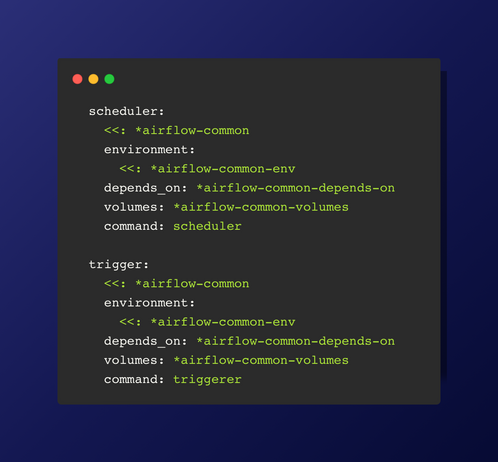
scheduler: This service is responsible for scheduling tasks, defining dependencies, and determining execution times.
trigger: This service manages external event triggers for task execution.
Both services inherit common settings (airflow-common, environment variables, dependencies, and volumes) and specify their respective commands (scheduler and triggerer).
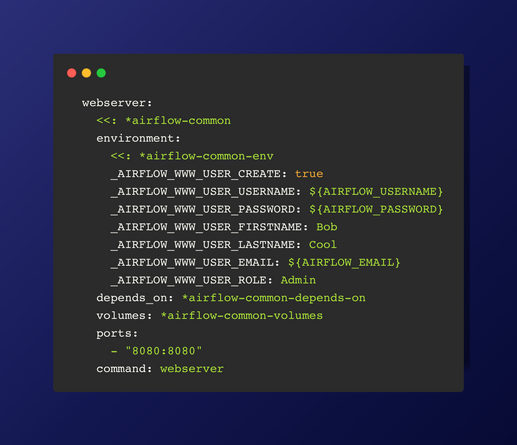
Next we can configures the Airflow webserver service, setting up a default admin user with provided environment variables and specifying dependencies, volumes, and port mappings for accessing the web interface. A webserver serves the web-based user interface for managing and monitoring Airflow workflows.
Recommendation would be to setup .envrc file with all the environment variables
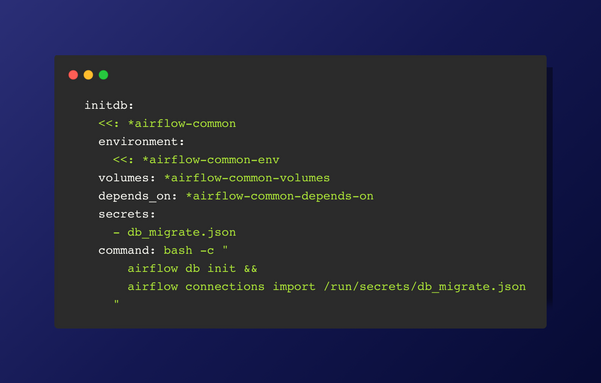
The initdb service uses common Airflow settings extended from *airflow-common.
The environment variables and volume mappings are also extended from common settings.
The service depends on other services defined in *airflow-common-depends-on.
The command initializes the Airflow database with airflow db init and imports connections specified in the db_migrate.json file located in the secrets directory.
The environment variables and volume mappings are also extended from common settings.
The service depends on other services defined in *airflow-common-depends-on.
The command initializes the Airflow database with airflow db init and imports connections specified in the db_migrate.json file located in the secrets directory.
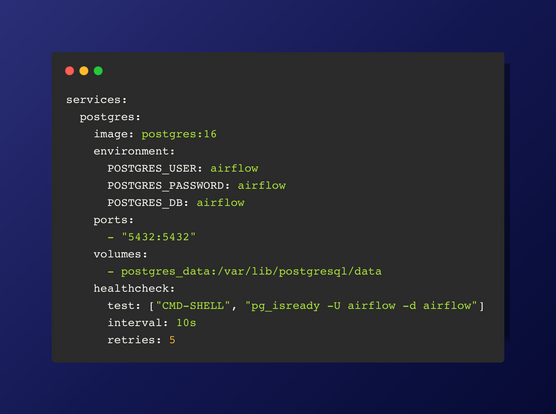
Standard parameters are set for the Postgres service in the compose.yml file.
Health Check: The health check ensures that the Postgres container is running and accepting connections. It executes the command pg_isready -U airflow -d airflow every 10 seconds and retries up to 5 times before marking the container as unhealthy. This helps in automatically managing the container's health status and ensures reliability in your setup.
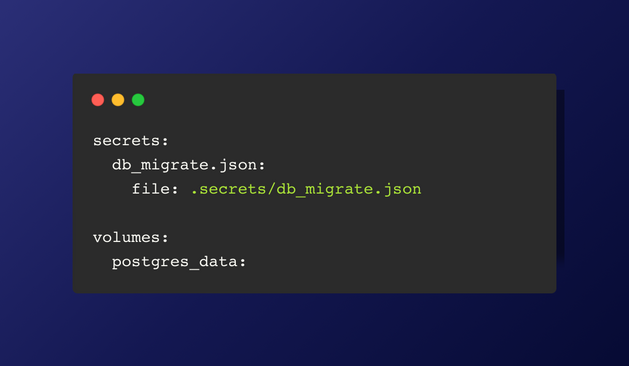
Before configuring the services, the volume for Postgres should be set up, and the secrets for the databases should be imported.
secrets:
connections.json:
file: .secrets/connections.json
volumes:
postgres_data:
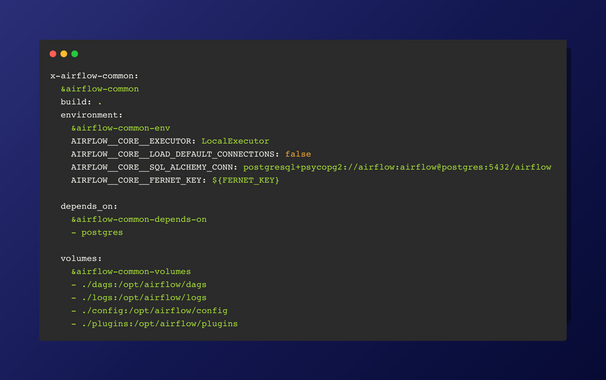
My personal preference is to create a template for common variables that will be reused in the compose.yml file.
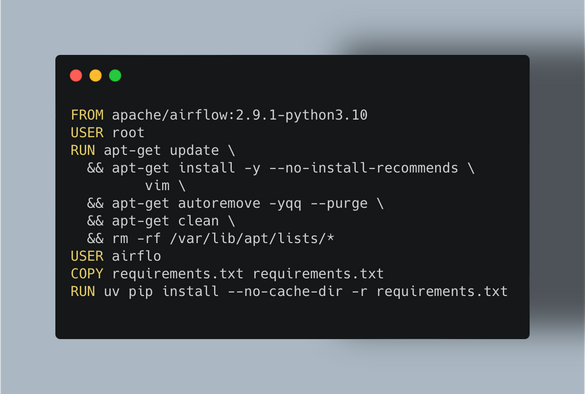
FROM apache/airflow:2.9.1-python3.10
USER root
RUN apt-get update \
&& apt-get install -y --no-install-recommends \
vim \
&& apt-get autoremove -yqq --purge \
&& apt-get clean \
&& rm -rf /var/lib/apt/lists/*
USER airflow
COPY requirements.txt requirements.txt
RUN uv pip install --no-cache-dir -r requirements.txt
USER root
RUN apt-get update \
&& apt-get install -y --no-install-recommends \
vim \
&& apt-get autoremove -yqq --purge \
&& apt-get clean \
&& rm -rf /var/lib/apt/lists/*
USER airflow
COPY requirements.txt requirements.txt
RUN uv pip install --no-cache-dir -r requirements.txt
The Dockerfile setup is quite straightforward. You can either pull a prebuilt container directly from the Airflow repository, or use it as a foundation to create your own customized container.
The best #Airflow setup I've managed to achieve using #Dockerfile and Docker Compose.