129 Followers
471 Following
235 Posts

Hello, me and VampDog are escaping from the BirdApp now Elon has taken over.

More to come later..

NationalityAustralian | Indigenous
PronounsHe | Him | Boring
Playlist 🎶https://sptfy.com/XoMeXiCo
InterestedMusic 🎼 | News | Geopolitics. Politics | History | Art | Equality Equity | Science | Technology.. Literally All of The Things
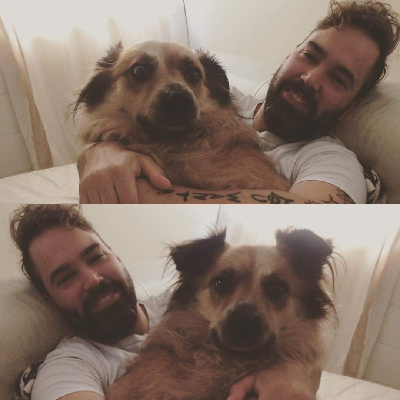
DogMobile ♥️
✌️ I Am Not A Foot ✌️
#NoToesHarmed
Me at every single concert I've ever been to, pretending I know both the lyrics and the words. #Music #InfiniteContent
That One Time, I Got Wayyy Too High 🎶
#SoHighGonnaDie #NotActuallyHigh
Okay Bye, Y'all Come Back Now, Ya Hear 👋

Back to content warnings..

Once you click the speech bubble with exclamation mark in it (💭❗️/⚠️) to add a content warning - A second text line will show up.

You can input what your content warning is or just a description of what you have hidden/why you have hidden it.

In my case I entered *that my post is long and it is tips for new users*.

Anything you have entered into this section will show for everyone and everything below this section, people will have to click *show more* to see.

And if you are responding to a post with a content warning, or your own thread with a content warning, it will automatically hide your content under the same warning, unless you unselect the content warning icon, and change it from *blue* back to *grey* 😉

If you are responding about a particular topic and the original poster has chosen to hide their discussion behind a content warning, you are probably best to leave it though 🤗
I forgot to set captions for my images in that post - So, I used the handy *Delete and re-draft* feature.

You get to this by clicking the *3 horizontal dots* at the bottom right of your post, then selecting *Delete and re-draft*.

This is great as it deletes and provides you with a copy of your post as it was posted, for you to easily edit and make any changes you would Ike 🤗

*As I just learnt, if you do this on a comment further up your thread, it will break it though*

🗨⚠️ Speech bubble with exclamation mark in it - This sets whether your post has a content warning or not.

💭 If it is in grey, you don't have a content warning set.

🗨 If it is in blue, you have a content warning set.

In this case, I have set a content warning on this post, just to say it is long and to not clog up people's timelines - One of the many ways you can use this to be respectful of other people 😉

Then there are these symbols here.

🌏 Use the globe symbol to choose who you would like to be able to view your post - Public / Unlisted / Followers Only / Mentioned (@) Users Only

To caption my image - I clicked the little A✔️ symbol that is in blue, select *enter caption* then enter my description and hit *ok*.