phantomofearth ☃️

208 Followers
56 Following
1.9K Posts
I take a look at #WindowsInsider builds and older Windows betas, with some randomness and bad jokes here and there.
me on the dumpster sitetwitter.com/phantomofearth
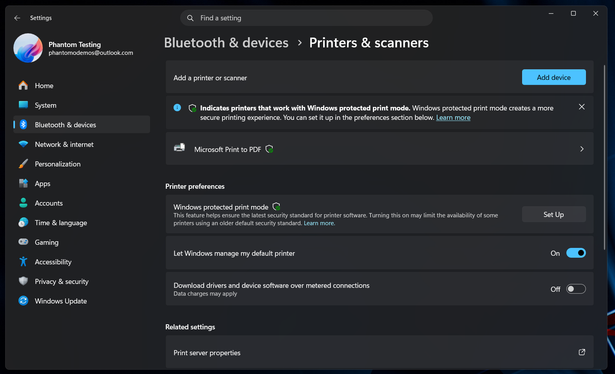
The printers and scanners settings page in Windows 11 will soon be updated to show little shield icons next to the names of printers that support Windows Protected Print Mode.
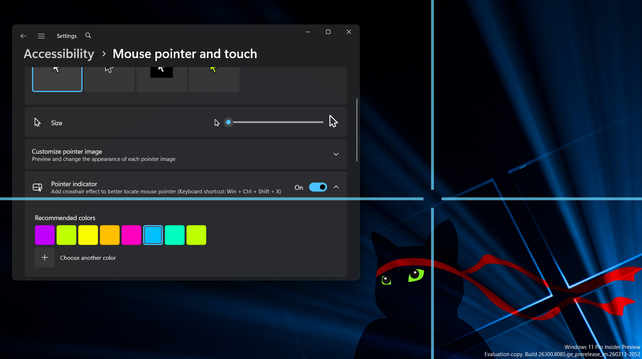
If you want to try out the new mouse pointer crosshair indicator feature in Dev build 26300.8085 but didn't get lucky with CFR, enable feature ID 27829265.

Since the announcement specified that only "select markets" would get Xbox Mode/FSE to start, you might be wondering what markets *won't* get it.

The EEA will not get it in April.

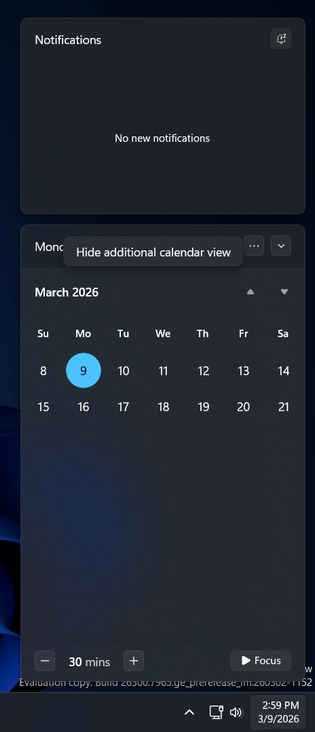
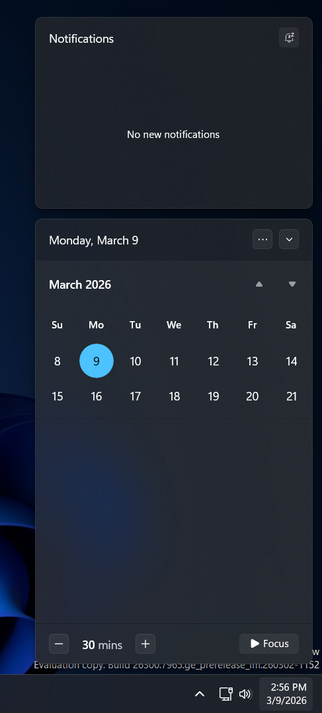
When the upcoming agenda view in notification center (still not rolling out!) first showed up in builds late last year, there was no way to hide it.

Newer builds now have an option to show/hide it which can be found next to the date.
Another completely normal screenshot with nothing out of the ordinary, this time: File Explorer
The (still hidden) migrated "Change account name" option in Settings now works properly in build 26300.7965!
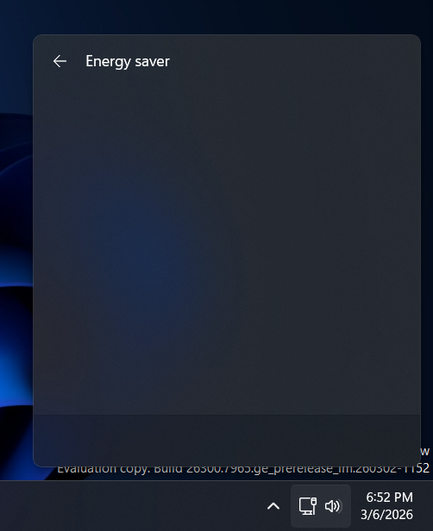
The updated quick setting has also been turned into a split toggle with a currently blank subpage, energy recommendations will likely be displayed here in a later build.

It looks like the ability to remove unwanted quick actions from Windows 11's quick settings menu is finally returning!

Hidden in build 26300.7965 is an updated energy saver quick setting which supports this (removing it doesn't work just yet, though). Hopefully more follow suit.

The option to change user account name is finally being migrated from Control Panel to Settings. Here it is in 26300.7877, doesn't work just yet (see duplicated "Change account *type*" button that opens the dialog for changing between standard user and administrator)
Undocumented change in Canary build 29531: the modernized reset this PC and go back to earlier build dialogs are now enabled out of box.