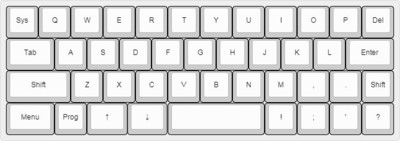
I've been trying to put together a note-taking compact system similar to a Poqet PC. If it was used for writing notes (and *only* writing notes) I've been experimenting with the bare minimum keyboard layout I would be comfortable with. And maybe be able to type with one hand (strapped to my arm, maybe)

A conventional OS isn't going to work since it would require too many resources and keys. And instead of shift for symbols, I thought of using a layer. That reduced the key count considerably
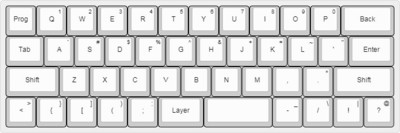
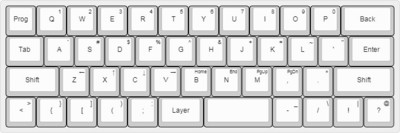
First idea. Layers for symbols. Shift is only used for uppercase letters. Because the total width of the keyboard is less than the length of my stretched hand from thumb to little finger, I can type with one hand, if needed

Because I'm writing the OS, I thought of just using a single key for program related functions. No more Ctrl, Alt, Win/OS keys

https://mastodon.social/media/o9ZEgLN_7xSEI6hZwkY

Revision with arrow keys and navigation

https://mastodon.social/media/Nu4-_V2_I5Ov8OqXJ6E

I have no idea what this kind of keyboard layout could be used for, but it could be useful for an ultra-minimal system of some sort

43 Keys total:
36 - 1x1
02 - 1.25x1
03 - 1.5x1
01 - 2x1
01 - 3x1 https://mastodon.social/media/9kHoN8FNIw6RHZQUl7Y

@cypnk What are you using to design these?

@erico Here you go : http://www.keyboard-layout-editor.com

It's a really great tool. I've used it quite a lot just to experiment

Sometimes, I come across a very old keyboard layout I like and try to duplicate it and extend the keys from there. Some of the designs have also affected how I'm planning the system so it's like a sketch pad too