 gloriouscow
This is an NTSC color wheel, in SVG.
I'm contemplating a chapter on composite artifact color. The problem is I have to teach the material to myself first.

This is an NTSC color wheel, in SVG.
I'm contemplating a chapter on composite artifact color. The problem is I have to teach the material to myself first.
Just arrange a bunch of colored circles so they overlap, then gaussian-blur the shit out of them.
So this isn't like, strictly correct in the way it would be if you rendered in in Mathematica, but uh, I guess don't cite this in your doctoral thesis, and we're all good here.

If you're an old fart, you might remember this.
This is the SMPTE test pattern. Well, one of them, anyway.
You might see this if you got drunk and stayed up to 2 AM watching PBS.
It's weird explaining to people that like TV channels used to just ... go to bed. Imagine YouTube being like aight it's 2 AM we're kinda eepy over here , see you tomorrow at 8

To create the color bars at the top of the SMPTE test pattern we follow a particular trail across the color wheel.
Start at yellow on the left, then head to cyan, and just follow the lines, you'll reproduce the pattern.

The CGA's dot clock is exactly 4x the NTSC color carrier clock. That means four pixels can fit into one revolution of the NTSC color wheel, but they take their own particular path.
If I show you these pixels relative to the color carrier, can you guess what color pixels they'll turn into on a composite display?
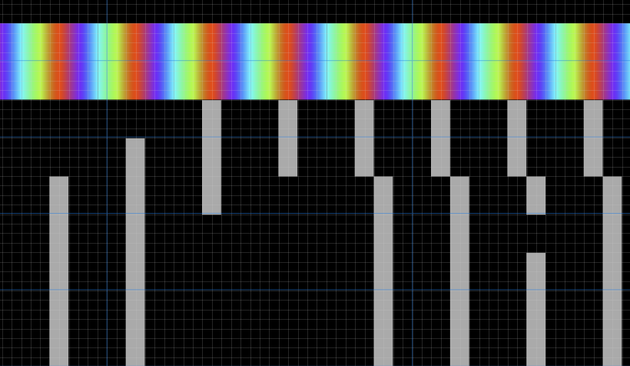
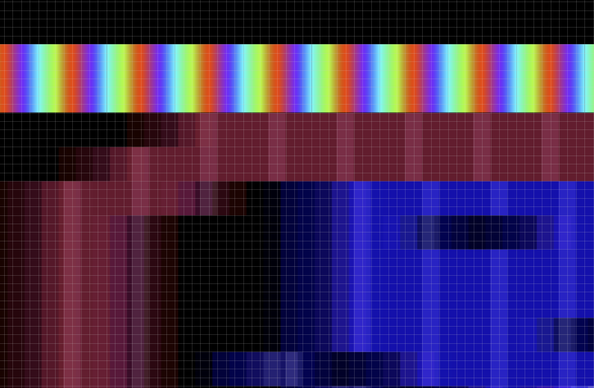

The Apple II is another system with artifact color, but it looks very different than the CGA.
The Apple II is well known for four primary artifact colors: blue, orange, green and purple.
Welcome to the YIQ color space!
https://en.wikipedia.org/wiki/YIQ
Besides the I and Q components, we have Y, which stands for Yo, what the shit is this stuff so complicated for
But why are the Apple II and CGA different lookin'? Well, very different designs.
The CGA just yeets out 912 pixel wide scanlines of which 640 pixels are typically visible, all in the same phase. In composite mode that gives you the same 16 colors, all the time.
Apple II's hi-res mode, which is really what i'm talking about here, is more complex in operation. There's lower color resolution, but you can change the phase offset mid-scanline!
The CGA might not have had that bad a rep as bein the most bitchin' ugly video card of all time had composite displays been more popular.
But they were a non-starter for Serious Businessing. Nobody wanted to do a Lotus 1-2-3 spreadsheet with a bunch of blurry as hell numbers.
Here's an old analog vectorscope - does that pattern look familiar?

here's your vocabulary word for the day:
The NTSC color cycle starts a rollin' cross your screen starting with yellow at 180 degrees because why not.
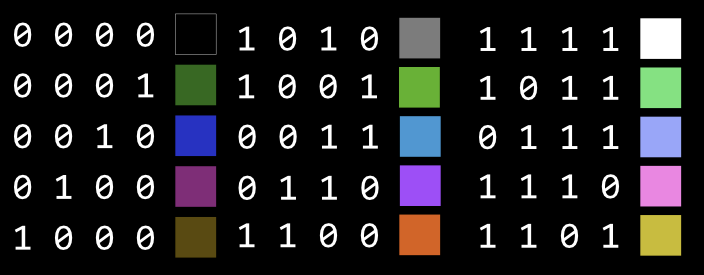
So you might expect the pattern '1000' to emit , well, yellow.
Instead we get poo brown.
Look, I'm not trying to be crude, but tell me that isn't poo brown.
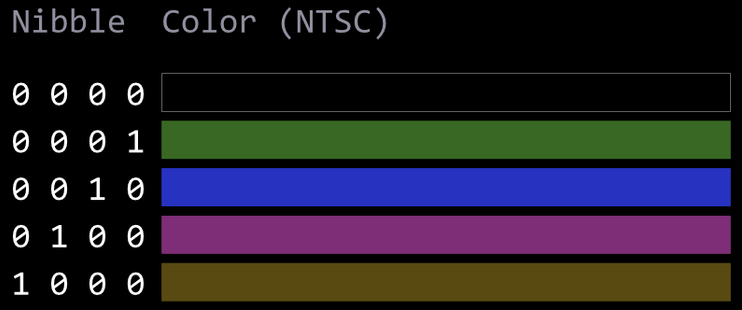
But what IS brown, anyway? Is it even a color? shit's very philosophical.
if we use our eye-dropper, we can see that poo brown is actually .... wait for it...
dark yellow.
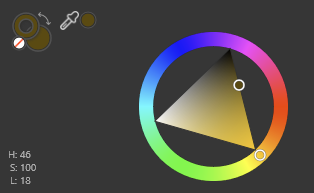
much about human color perception makes absolutely no sense from like an objective standpoint.
why doesn't every other color turn into some weirdass different color when it gets darker? yellow's just like i'm gonna be brown now. hold my beer.
As you might expect, the patterns
1010 and 0101 are both gray.
But they're not quite the same gray.
Go figure that one out.

so, I don't have the best method for making composite color emulation and i'm not even gonna try. the point is to explain it well enough that i could set someone off on their journey of maybe writing their own NTSC shader.
this is the RGBI source data for 8088 MPH's "flower girl" effect, by the talented VileR

as you can see it is in color, so that throws a whole new dimension of pain into the conversion process.
the first thing you can do is sample a luma signal from it.

put 'em together and you get something like this.
this isn't entirely accurate to how it looks on a real CGA, because a real CGA has a lot of analog sloppiness that modelling things with perfect clock edges can't really capture.

reenigne's approach was a sampling one - using a modified video capture card to characterize the CGA's composite output, statistically.
His resulting composite decoding routine is used by nearly every major PC emulator.

Great thread.
And for folks that missed it in the last few days, SMPTE has open sourced it's standards library.
h/t to whoever posted this


 zl2tod