 cannedtuna
Repository > individual .exe
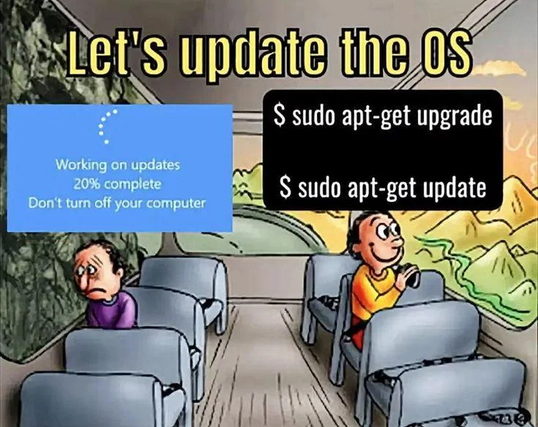
Good catch. Haven’t been using apt in some time.
sudo pacman -Syu
Is it even apt-get still? thought they changed over to apt long ago and apt-get is just a symlink for legacy reasons.
At least that’s what I last read… as someone also loving candy.
apt is meant more for user interaction and apt-get is more stable and more for scripting. But apt-get is often used in online tutorials because it doesn’t really change.
I think it wasn’t for APT but I once worked for a business with a lot of RHEL, the script that was updating hundreds of servers was using the user wrapper instead of the binaries. A warning was displayed in the script to warn not to use the wrapper for scripts.
I warned my team leader of the issue and was completely ignored and was said that it was an issue for the team that made the script in the first place.
I gave up.
A few weeks later, the poorly designed script botched a major update on hundred of servers because the wrapper had a tiny change and the update script didn’t handle it well.
It’s insane to me how much money a business can waste for stupid shit like that. The devs warned us not to use their wrapper to script on, the linux team did it anyway, my warning was ignored, many hours of engineers work was wasted fixing the chaos that ensued.
… && apt-get moo
I reinstalled Windows 11 a while ago because of a software I struggled to get working on Linux (the adobe installer patches for WINE have since resolved that) and I had no idea how annoying the installation process is. You had to babysit it, and tell it your life’s story. Not to mention the amount of times it asked me to sign up for MS 365 and OneDrive. In the end, it enabled OneDrive anyway, despite me telling it to sod off at least half a dozen times.
And that’s just the install process. Using it is another beast entirely. Why do I need to accept a UAC prompt just to open a browser? Why does the browser need to update itself every time I boot the OS?
Why do I have to hunt all over the internet for basic stuff that should come with the OS itself? Even when I used an NVidia card I didn’t have to faff around with some stupid third party software to handle drivers, it was just there. Sure it broke all the time because NVidia is a garbage company, but it was right there!
“Fun” fact: Windows is finally just now, in the year of our lord 2026, trying to release some updates as “live”. As in not requiring reboot.
It’s going better than you’d expect, but still far worse than they have any excuse for.
It’s all fun and games until you one day you see:
E: Unable to correct problems, you have held broken packages.
And it’s complaining about packages you’ve never heard of before.
I just want to share that last semester, the Windows podium computer we used decided randomly to update during a student presentation. It did not help their nerves, but I did turn it into a chance to evangelize Linux.
And no, they can’t use their own laptop, the connections to the podium computer, and thus the projector, use VGA…
Honestly, I would prefer if a video projector wasn’t tossed as garbage if you can just buy a cheap adapter and put it in a box next to the podium.
We have enough electronic waste as it is!
Yes, same; the real solution is Linux podium with an adapter in every room by default. But that’s not happening anytime soon, lol.
Technically it’s not the projector with the issue either, the podium is more or less a very fancy hub with a monitor built in. I feel like the adapter could just be built in if necessary, lol.
For those who are confident in their system setup
sudo apt update && sudo apt update && sudo apt upgrade -y && sudo apt autoremove -yapt-get dist-upgrade
choco upgrade all
Not a built-in, of course, but chocolatey eggs you Linux-like package manager behavior on Windows. With it you can run headless software installs and automatically update software. It’s great for remote/VM management.
 7uWqKj
 Ooops
Ooops Broadfern
 aketawi
 Björn
Björn Leon
Leon wizardbeard
 y0kai [he/him]
 Reznik
 lime!
lime! boredsquirrel (he)
 Gutek8134
 diabetic_porcupine