
Today on AppAddict - Why I Replaced Jettison with Ejectify after 15 Years - In trying to be open-minded, I recently agreed to try Ejectify, an app that performs a task for which I already had a solution: to automatically eject external disks from my Mac before it goes to sleep and to remount them when it wakes. I worked off a MacBook for... - https://appaddict.app/post/why-i-replaced-jettison-with-ejectify-after-15-years - #Mac #macOS #Apple #AppAddict

Provided by @altbot, generated privately and locally using Gemma4:26b

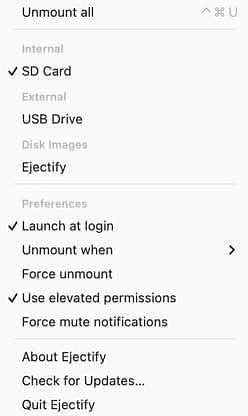
@amerpie A screenshot of a vertical software menu for an application called Ejectify. The menu begins with "Unmount all" accompanied by an up-arrow and an 'X' icon, followed by "Internal" with a checked "SD Card" option, "External" with "USB Drive", and "Disk Images". Below these items, "Ejectify" is listed, followed by a horizontal divider. The "Preferences" section includes "Launch at login" with a checkmark, "Unmount when" with a right-pointing arrow, "Force unmount", "Use elevated permissions" with a checkmark, and "Force mute notifications". The bottom of the menu, below another divider, contains "About Ejectify", "Check for Updates...", and "Quit Ejectify".

🌱 Energy used: 0.416 Wh