One neat thing about #GNOME #Web (the browser formerly known as #Epiphany) is that, if you make the window really small—that is, about the size of a phone screen—the browser controls will change to a minimal phone-like appearance!

I figured this behavior was inherited from #Safari, but I happen to have a Mac in my possession at the moment, and no, desktop Safari doesn't do this. Just GNOME Web.

Interesting.

Was GNOME Web specifically designed to work without modification on phones?

GNOME Web's minimum window size is also extremely small for a desktop browser. It's almost small enough to fit on a watch, let alone a phone.

Side note: I'm pleased to announce that my employer's website, whose CSS was written entirely by yours truly, still works when viewed through this microscopic viewport. 😎

#webdev

@argv_minus_one Yes.
When I introduced the adaptive apps UI design term in GNOME (through a blog post launching the development of the companion GUI toolkit widget libraries we have today) ~10 years ago, that was the goal.
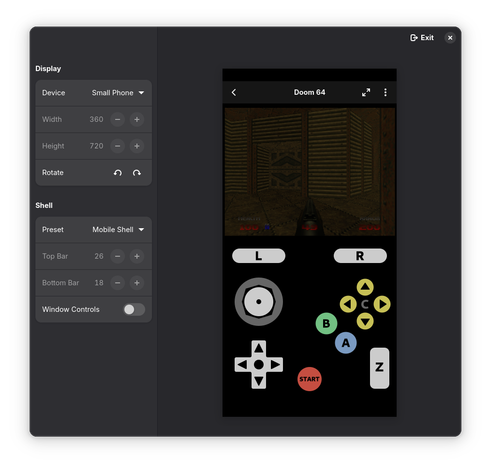
Now there's even a formfactor simulator in the Inspector: https://blogs.gnome.org/alicem/2024/12/19/mobile-testing-in-libadwaita/

Many GNOME apps using #libadwaita are designed to "adapt" to the device formfactor that way; GNOME Calendar, Showtime, Secrets, Warehouse, are good examples of adaptive GUIs besides Web.

#GNOME

Mobile testing in libadwaita

Lately I’ve been working on touch controls overlays in Highscore1, and quickly found out that previewing them across different screen sizes is rather tedious. Currently we have two ways of testing UIs on a different screen size – resize the window, or run the app on that device. Generally when developing, I do the former...

Just another blog

@nekohayo

Impressive.

I maintain a Java Swing app, and although this sort of responsiveness isn't completely impossible with Swing, it is very difficult.