 Iain Collins
Recent updates to #MicroState include updates to the wireframe mode, improved residential buildings, and special FX and improved City Generation.
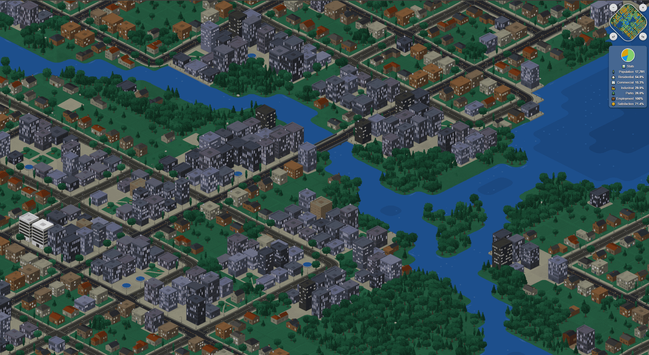
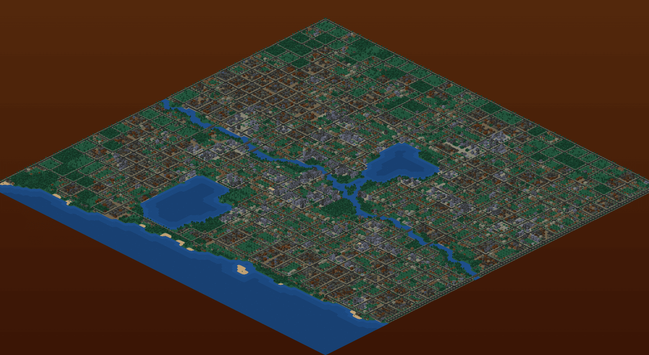
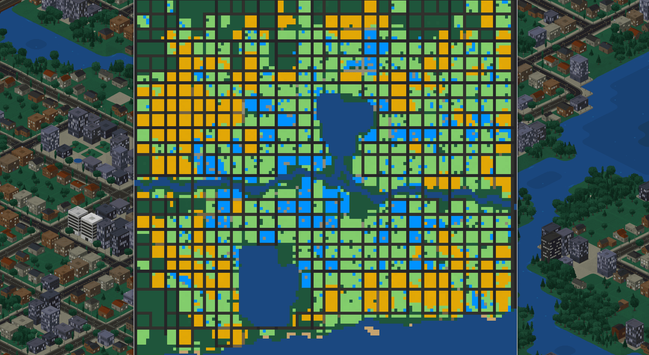
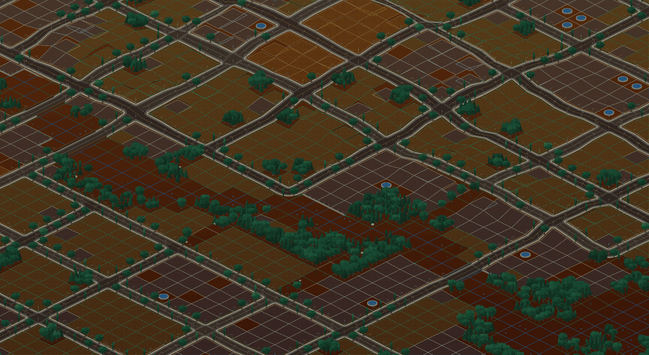
Recent updates to #MicroState include updates to the wireframe mode, improved residential buildings, and special FX and improved City Generation.
The "wireframe" mode is starting to double as a "city planning view", showing how areas are zoned, making it easier to see how city blocks are laid out while also providing a view to make it easier to see things under the surface.
The intent is to include both underground infrastructure and extractable resources and to be able to see where they are in relation to each other.
As a city planning view, it seems like a good place to also add an indicator for where there is traffic congestion.
The City Generation mode isn't intended to be a main feature, but combined with the terrain generation system - which is serviceable for now, but I would like to build out more - I would like to use it to generate challenge scenarios.
Automatic city generation is also a really handy thing to have for testing mechanics.
Being able to instantly generate cities helped me realize how much green space - and trees in particular - were missing from cities and adding in more forested and open areas really glues things together.
It works well when combined with more dynamic road layouts and a system for automated zoning that uses on weighted distribution of zone type based on proximity to the center of the map, rather than more rigidly zoning by block.
This creates more natural greenspaces around the edges of cities.
The map data is very simple JSON:
{
"version": 2,
"bearing": 0,
"cityName": "Smallville",
"createdAt": "2026-05-11T12:00:00.000Z",
"modifiedAt": "2026-05-11T13:30:00.000Z",
"tiles": {
"0,0": {
"type": "residential",
"z": 2,
"density": 3,
},
"0,1": {
"type": "commercial",
"z": 2,
"density": 2,
},
"1,1": {
"type": "parkland",
"z": 2,
"features": {
"road": "highway"
}
},
}
}
A seed (int) is also assigned to each tile, and use for per-tile RNG and combined with other data to randomize trees, building appearance, etc.
I use an object with keys rather than an Array or a Set for the map data because it's much faster to work with in practice - I found both were much slower for this use case, especially when modifying terrain and filtering only for currently visible tiles.
I was curious and threw the JSON schema for this at an LLM and let it hallucinate some city maps to see what happened and it did some really weird but interesting things.
None of the results looked "realistic" or at all like plausible cities, the results were very unusual.
Looking at what it did for map surface generation would be interesting though, as the same approach seemed organic and could be good for generating interesting terrain (if not for cities).
Regarding performance, having every single building be unique is pretty harsh on performance for a web game.
(Just like every fire and every water fountain animation is unique and generated at runtime!)
For performance sake I may have to settle for pre-canning, they way I am doing for trees, but that's a bit of a shame but it it MASSIVELY improves how smooth the map is to move around if I do.
I'm sure I can still have at least couple of dozen building types per tile type, and probably a lot more if I use an offscreen sprite sheet.
Alas undocumented Chrome canvas limits - that I had to fight against for ages, before capping the resolution at 2K so that full screen on a 4K display didn't trigger Chrome canvas to silently freak out, mean that I can't just have as many cached sprites as I want, unless I lower the internal resolution (also an option).
If I was using WebGL and not 2D Canvas I could avoid this problem, but this is the sort of problem I chose to create for myself, I guess.
Oh yes! And multi-tile buildings coming soon. Almost ready. Keep getting distracted.
 Dr. Bruce Simpson