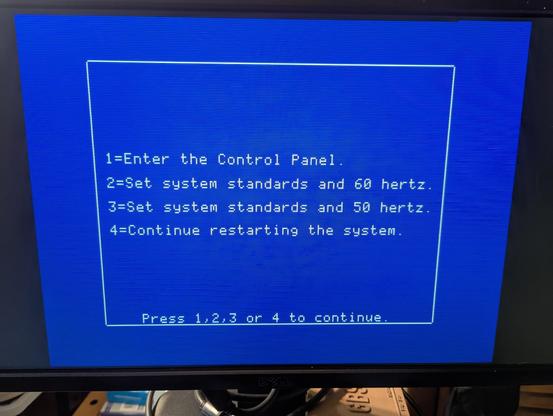
Argh. My Apple #IIgs just decided to give me a scare. I switched it on and it wouldn't boot from any disk (BlueSCSI or FloppyEmu), going directly to the boot menu.

The boot settings were all as I'd left them (time and date, boot slot etc.), but I opened it up to check the ROM battery anyway.

My IIgs came to me with the old lithium cell cut out, and I've replaced that with a pair of AA alkaline cells. Don't worry, they sit on the floor of the case, can't ever leak onto anything.
#AprilApples

The series voltage on the battery in the IIgs read a little above 2.9V, so I replaced them with fresh cells. But, the computer still wasn't attempting to boot off of either disk interface.

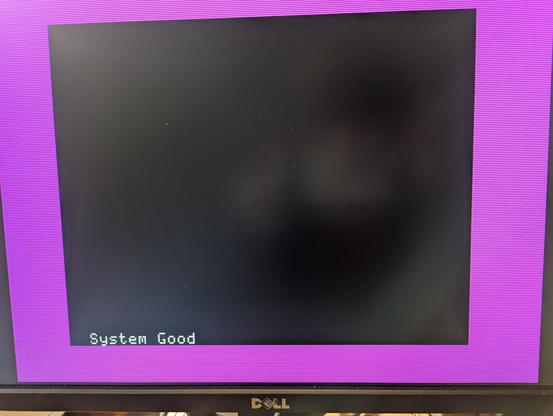
I ran the system test and it came back good, then realized that I hadn't gone into the Control Panel and redone all my system preferences, including -- importantly -- setting the boot slot. "Scan" didn't seem to want to pick between Smartport and SCSI, I had to set it myself.

So I'm not certain as to what happened, but I'm guessing it's that the voltage of the alkaline battery had run too low? Even though it was still storing the time and date and all correctly?

If anyone out there who knows more about the IIgs than I do* wants to chime in, please do. I'm just happy it's working properly after all.

Now I need to figure out why AppleWorks is happy to print to the network laser printer, but WordPerfect is balking.

* That would be almost all of you.

The IIgs has been shut down, and upon coming back up again everything is still running the way it should be. Lends credence to my idea that it was the voltage running low on the backup battery.

For all four of you out there running an Apple #IIgs:

- It looks like the computer starts acting wonky when the backup battery voltage drops to around 2.9V.
- For my makeshift battery made up of two alkaline AA cells, that took approximately 2 years.

#Retrocomputing

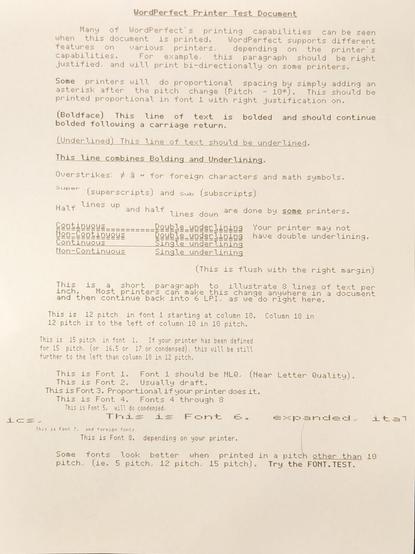
I got WordPerfect (version 2.1b) on the IIgs to print! A few times. There is something screwy going on.

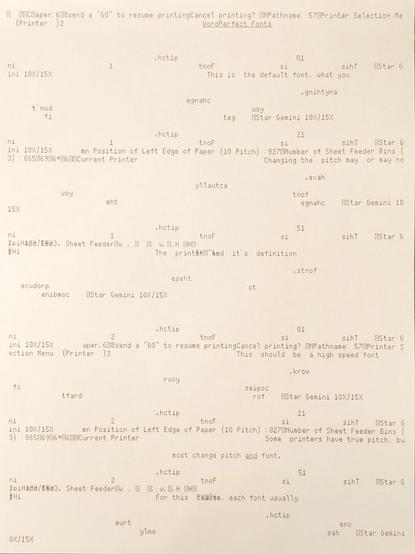
It printed the test page great. Then it printed my own document with garbage characters, and what looks to be the Print Menu text, at the top of the document?

And then it went all "Iä! Iä! Cthulhu fhtagn!" when I tried to print the Font Test page ...

AppleWorks may not have the same nostalgia for me, but at least it works reliably and doesn't pull this sort of crap with the printer.

@GamesMissed by backup battery, do you mean the battery that remembers date, time and all manner of system settings?

Even without a battery, the IIGS will function normally, just that it won’t remember the various settings made since last power down.

@helix_nrg That's what I thought. But, it was the only immediately noticeable thing that seemed off. I don't know why else it would have been refusing to boot normally.

I am, obviously, not a IIgs expert here (and I believe that you are). Would there have been something else that would have made it boot repeatedly into the menu? Is there something I should be concerned about?

@GamesMissed to confirm, are you seeing the options screen when you power on? With 1. Control Panel and options 2 to 4?
@GamesMissed That appears when holding down the option key on power up or reset. You’re likely not doing that, so it could either be:
@GamesMissed An issue with your ADB keyboard (which model are you using?). Unplug it while powered down and try another keyboard if tou have one.
@GamesMissed An issue with your joystick, if you have one. Fire button 0 is mapped to open apple key and button 1 is mapped to option key. So if you have a joystick, unplug it while powered down and see if the problem still occurs.

@helix_nrg It was the joystick! I held down the fire button and it reproduced the "boot to the selection menu" (1 is Control Panel, 2-3 are reset to system defaults, and 4 is restart the system) loop exactly as happened yesterday. I must have had something resting on the joystick button, and didn't even realize that could have an effect at startup.

Thank you very much for your help.

@GamesMissed Huzzah! Faulty joysticks can cause the problem, so glad it was just the button was held down.