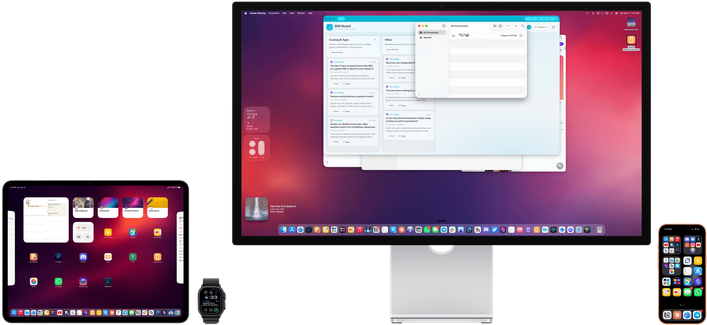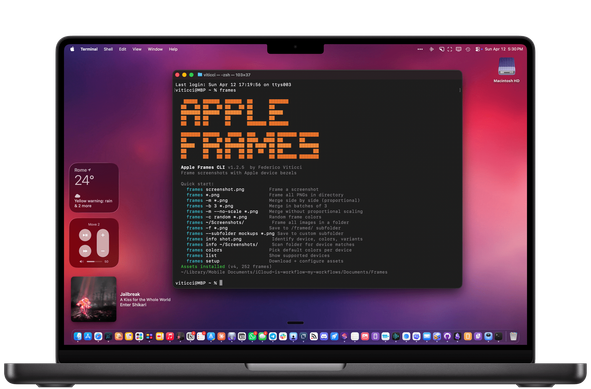
I’m thrilled to launch Apple Frames 4 – a massive update to my shortcut that frames Apple device screenshots.

Now featuring:

💻 The latest Apple devices, including Studio Displays and MacBook Neo
⚡ A rebuilt (and faster) shortcut
🎨 Support for multiple frame/Watch band colors
📐 Proportional scaling

...and:

🛠️ I'm launching an Apple Frames CLI for developers! It can frame hundreds of screenshots in seconds, and it's designed for AI agents too.

All free and open source: https://www.macstories.net/stories/introducing-apple-frames-4-a-revamped-shortcut-support-for-frame-colors-proportional-scaling-and-the-apple-frames-cli-for-developers/
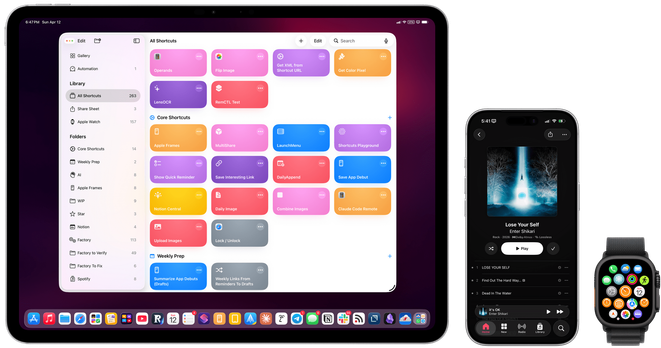
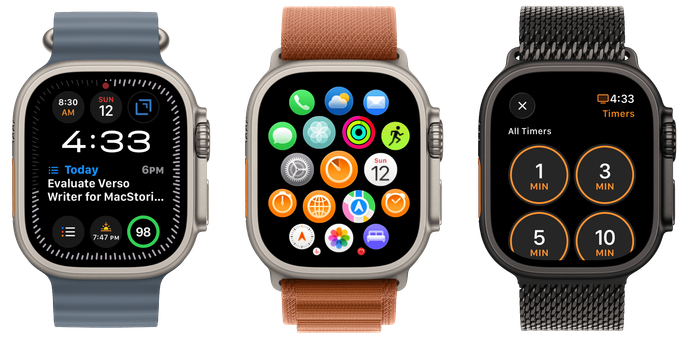
The Apple Frames CLI is *incredibly* fast. Here's a video (not sped up) showing how it frames 50 screenshots in an instant.

It's highly customizable, supports more options than the shortcut, and comes with a skill for Claude Code/Codex.

You can even use it while Claude Code is testing your iOS apps in the Simulator to automate screenshots for the App Store.

Avaiable here with detailed docs: https://github.com/viticci/frames-cli

@viticci now that I cancelled my ShareShot subscription, I should probably reconsider Apple Frames with release 4!

@viticci I’ve always loved Apple Frames as my go-to tool for quickly framing screenshots when throwing together a design for a social media banners etc. for an app update and THIS makes Apple Frames even more awesome!

Thank you Federico - you rock 🚀 💪

@viticci is there a way to use without iCloud Drive enabled?
@viticci Insta-saved and used. I have been using a personally modified/butchered version of Frames3 to do my Ultra3 screenshots, but it was leaving a small slit of background peeping through. I lived with it as it was "close enough". So I'm happy to get the real deal. Just tested and it's perfect for my Ultra3. Thanks Federico!!
@viticci Hell yeah, CLI is good. No MCP needed, shell and markdown is all we need
@viticci that's incredible, thank you so much for putting in the work into this!
@viticci after using it for three weeks, I can say it with confidence: it’s really really awesome! Thank you for this amazing tool!