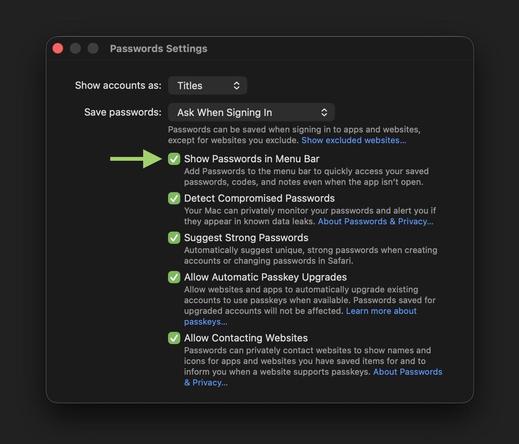
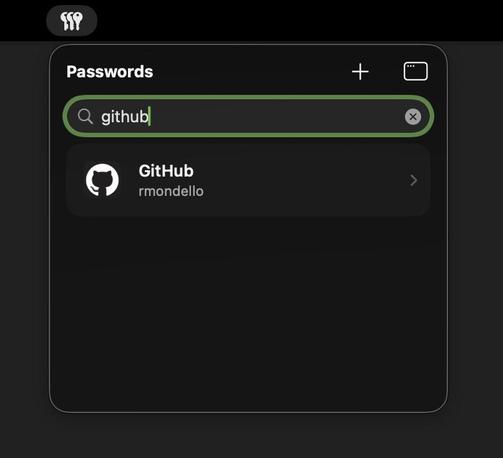
New to macOS 26.4, the menu extra for the Passwords app shares its unlock state with the full app. So if you use Touch ID or your Mac password to unlock the menu extra and then go to add a new password or open an item in the full app, you won’t have to authenticate again to unlock the app.

Quitting the app or closing its last window is taken as a signal that you’re done for now, so the menu extra will lock as well. And you can lock the Passwords app or its menu extra any time with ⌘L.
@rmondello Would love a way to hold the app unlocked as you can with other password managers. The current lock timeout becomes annoying it's so short.
@rmondello You‘re almost making me want to upgrade to macOS 26

@rmondello

Unfortunately OS 26.4 screws up. You cannot login to IMessage and FaceTime. A fault that has plagued The OS system up-dates for the past year. iMessage will work with your iPhone but malfunctions with the iPad and Computer. I've taken my devices to local repair folks and online Apple Techs, it seems as if Apple gives a shit. Hope your Password System works correctly.

@rmondello nice! Can we get favorites? I frequently have to search for the same 3 logins 😬
@rmondello Thank you for fixing this paper cut!
@rmondello This is awesome! Do you happen to know if anything changes with autofill in Safari when on a HTTPS site with a non-signed cert? I connect to many self-hosted services over Tailscale, and they stopped popping up autofill with 26.4. Basically seems to happen anytime "Not Secure" is in the address bar.
@thatsthequy @rmondello Looks like it. The moment I imported the self-signed cert of my Synology into Keychain Access and manually trusted it, the autofill popup reappeared.
@rmondello Enabled instantly, used daily.
Icon fetching still broken.

@rmondello thanks for your continued hard work and improvements of the Passwords app on macOS and iOS.

Things I’d love to see (maybe it supports some of these already and I’m ignorant):
- custom fields (like 1Password)
- support my types of secrets (eg, ssh keys, API keys, certs, etc)
- CLI for scripting
- ssh agent support