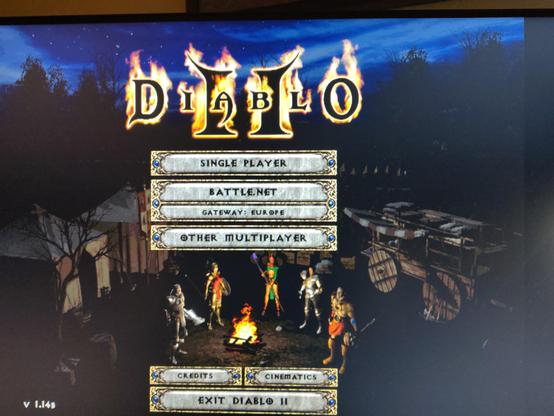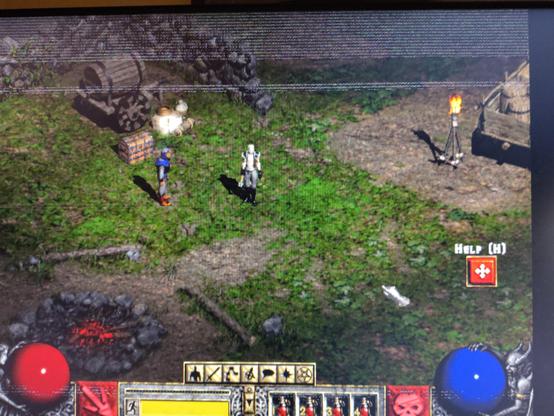
I need a break from everything so I'm going to attempt playing #Diablo I or II tonight on #ZorinOS!

Looks like I can't install Battle.net but there is an equivalent "#Lutris" - let's see if that works...

Edit: 2h later, I managed to launch Diablo II (main) and Torment once (a gog game), with some graphics bug and can't figure out how to start them again. The semi-solution that best worked so far was to download their windows installer and then run that in Steam as a "non-steam game" with the compatibility tool Proton.

Edit 2: after looking at this tutorial I understood that 1) every game installed this way in Steam is within its own little environment, some kind of sandboxing? that replicates the structure of Windows and 2) once I've installed the game as a non-steam game I need to update the path in the game properties to where the game launcher actually is.

problem is because of the sandboxing, I can't install Diablo II LOD extension because it needs to recognise the already -installed DII.. unsure how to fix that

otherwise it seems to be working except that I get scintillating bands in all the games I've installed this way.. yes it's probably a problem of NVIDIA drivers πŸ˜“

#LinuxGaming

How to install Battle.net on Linux, SteamOS and Steam Deck for World of Warcraft and Starcraft

Want to get Battle.net on your Linux system like SteamOS and Steam Deck? Here's a guide giving you the options to play World of Warcraft and Starcraft.

GamingOnLinux
oh great. apparently this is coded with genAI.. quoting @Natanox
https://chaos.social/@Natanox/116222559592865899
Natanox πŸ‡ΊπŸ‡¦πŸ‡΅πŸ‡Έ (@[email protected])

Content warning: Lutris dev crashout, AI, slurs

chaos.social
I'm not sure DII will work (downloaded my install files from Battle net and trying to install them through Lutris but it seems really slow) so I'm also trying Torment (from Gog) in parallel! apparently they provide a Ubuntu-compatible version!

Managed to maybe install D II "main" but when I tried to install the DII extension it didn't seem to find DII main (it has to "build on it") and failed.
Hmmm..

Edit:
actually tried to run the DII "main" on its own (from Lutris) and got an error "this game has no executable set"...

trying another way for DiabloII: going the "battle.net" way, via installing Battle.net first via Lutris following this link
How to install Battle.net on Linux, SteamOS and Steam Deck for World of Warcraft and Starcraft

Want to get Battle.net on your Linux system like SteamOS and Steam Deck? Here's a guide giving you the options to play World of Warcraft and Starcraft.

GamingOnLinux
Hmm.. that installed something but once again clicking on the icon of the installed Battle.net in Lutris just doesn't do anything..
@elduvelle You might want to try adding it as a non-steam game in steam and running it with their proton wine environment.
@cfwelch I will try that! it worked for the other game I was trying to install (Torment)

@cfwelch

it worked!!
(just DII, I haven't tried to install the extension yet)
however I'm having the same graphical bug as with Torment, which I don't have with my other Steam games: horizontal blinking bands across the screen..

@cfwelch
actually.. I can't figure out how to start it again because I'm not sure where it installed and the thing I added in Steam is just the installer πŸ˜…

@cfwelch (let me know if you want to be untagged)

trying to reinstall DII via steam again. the problem is when it starts the installer the installer asks for an installation destination directory which shows folders organised as in Windows ("My computer, C etc.") and not the actual organisation. And I think whatever I do in that mode is temporary..

@elduvelle oh, hmm. I haven't had graphical bugs like that before. I think I installed battle.net with a pretty plain wine env and then imported it to steam, pointing to battle.net exe and then ran it with proton experimental.
trying to install Battle.net in steam instead so I can use that to install DII and the extension.
it installs and launches but is not really working: the "Shop" tab works, but the "Home" or "Games" tab doesn't.. of course..

@elduvelle edit the .config of the blizzard launcher and disable hardware acceleration and streaming. (If you install from lutris it will do this automatically)

The "windows" directories you see when it installs is the wine prefix created for that application, it's a folder that gives the program a virtual windows file structure, steam/proton normally has one for each app under $HOME/.local/share/Steam/steamapps/compatdata

lutris will create one for each app as well in it's directory.

@elduvelle if you use vanilla/system installed WINE battle.net should work just fine, just as above disable hardware accel and streaming for the launcher app after it's installed. (if you don't specify using a different prefix with vanilla wine all wine apps will install under a single one at $HOME/.wine , which can cause issues if one app installs windows libraries/overrides that break another, so it's generally advised to use a different prefix per app. )

@raptor85

thanks for the tips!

you suggest to

"edit the .config of the blizzard launcher and disable hardware acceleration and streaming."

any chance you know where I can find this .config file? I looked where Battle. net is installed (via Steam) and couldn't find it.
I also tried to install it via Lutris and it didn't work. It looks like it's installing it but then I can't start it.
Via steam, it lauches and I can log in but then it gives me an "Battle.net Update agent went to sleep" error...

Anyway, I'm only trying to use Battle net to install Diablo II and the extension so maybe I don't need it!

I managed to install Diablo II (main) via steam, it has a graphical bug but it launches. however when I get to install the extension (Lord of destruction) it wants to know where the original game files are, and because everything is compartmented, I can't go there during the install. is there any way to avoid this "sandboxing" during install with Steam?

@elduvelle what exactly do you mean you installed it with steam? It sounds like you're not talking about the steam version of D2 but did you just add the installer as a non-steam game and run it?

Windows apps needs the windows fs and libraries, you can run another installer from the same prefix by launching it with WINE_PREFIX="installlocation" wine whatever.exe replacing installlocation and whatever.exe with yours

@raptor85

So, my Diablo II (+expansion) version is from Blizzard / battle.net. So I downloaded the installers from Blizzard and ran them in Steam via the "install a non-steam game" option. Once the game was installed I needed to update some of the properties of the Steam shortcut to actually point to the installed program instead of the installer. it worked for Diablo II but when I tried to install the extension (which needs to build up on the existing Diablo II install) I couldn't find the path to the original install so it didn't work.

I also tried to change the "start in" variable of the DII extension installer, in Steam, to the path of DII (original) but that didn't work.

can I ask what you mean by "windows fs"?

where can I find this "WINE_PREFIX" parameter?

@elduvelle ahh, ok, so the folder will be in the steam default compatdirs path since you're running with with proton, it's in a folder under ~/.local/share/Steam/steamapps/compatdata/ by default, but you can also just right click the game and browse it's location.

To install other things there you have to set a few variables like WINE_PREFIX, it's easier to use protontricks to manage that for you. (use it to select and install within existing prefix for the expansion)

https://github.com/matoking/protontricks

GitHub - Matoking/protontricks: A wrapper that does winetricks things for Proton enabled games, requires Winetricks.

A wrapper that does winetricks things for Proton enabled games, requires Winetricks. - Matoking/protontricks

GitHub
@raptor85 okay, I might try that, thanks!
@elduvelle hmm, interesting, i played through the entirety of LoD recently through the lutris install and it worked as easily as just installing battle.net and from there choosing to install diablo 2.
@raptor85 I am envious

@elduvelle to be clear, you used this installer, you didn't download and run the installer from blizzards site while using lutris correct?

https://lutris.net/games/battlenet/

Battle.net

Battle.net - Lutris

Lutris
@elduvelle also depending on what WINE versions you have installed you might want to select the properties for the WINE runner on battle.net and select for it to use proton or proton-ge instead of WINE vanilla.
@raptor85 thanks, I'm not sure where these options are but I'll have a look when I go back to it!
@elduvelle it's to change the version of the WINE runner it's running with, lutris can make it use anything. I generally recommend wine-ge for gaming as it has extra patches to fix game specific issues.
@raptor85 When I was trying with Lutris, I think I tried both. definitely tried the installers (/downloaders) that I obtained from the battle.net website. not 100% sure I tried the Lutris ones but I think I did. none worked that's why I moved to Steam..
@elduvelle the lutris installer automatically patches the battle.net config to disable broken features that prevent it from launching correctly on some WINE versions. If you used the installers directly you'd have to either manually edit the files before launching or switch the runner to wine-ge to get the proton patches that fix that support.
ashamed to say I'm now trying to install my Diablo II pair on my Windows 10 partition... I thought the things I got from Battle.net were installers but actually they're downloaders, annoying but at least it's downloading.. for now
Diablo II (basic) working!

Managed to install the extension too!
everything works!! except that I didn't see the intro sequence.. and that's the main reason why I'm playing this game.. hopefully I can get them to play somehow

I am not giving up on getting this to work on Linux. if anyone has tips specifically for getting Diablo II + Lord of Destruction to work on ZorinOS (Ubuntu) I'll try them!