
(solved) Can you start kwin on NixOS without the drm component?

It appears the H11DSi mainboard from super micro doesn't have resizable BAR support and therefore the xe and xedrmfb driver get unhappy.

> [drm] Failed to resize BAR2 to 16384M (-ENOSPC). Consider enabling 'Resizable BAR' support in your BIOS

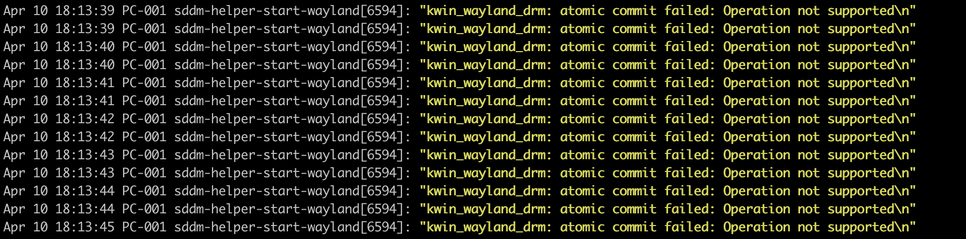
When I "systemctl stop display-manager.service" I get the blinking curser in the top right. But as soon as it starts the monitor looses signal and the logs show:
#NixOS #KDE #kwin #SDDM

The answer is:

> services.displayManager.sddm.wayland.compositor="weston";

Or not, that apparently just partially fixes the greeter. The usb mouse and keyboard are not working on it for some reason too (the KVM one however does?!?).

And it still crashes after I enter the password and try to login.

switching to gnome with gdm kind fixes it but for whatever reason the curser is just a white square.

Note, by fixing it I mean I get a desktop not that it is fully working.

Gnome also logs a lot of drm related errors into the journald.

However compared to kde with kwin it is at least showing something.

Also for some reason 4k@60Hz doesn't work, but I'm not sure if that is related to the drm issue here or the fact that I'm using a HDMI over fibre bridge in between (which technically should support 4k@60Hz)

I wrote an email to the #Supermicro support asking if it would be possible to get resizable BAR support for the H11DSi motherboard as that appears to be the only way to actually fix this hardware issue here at its root.

#Linux #KDE #kWin

In the mean time it appears like some people have already been modding it in: https://winraid.level1techs.com/t/release-resizable-bar-bios-efi-module/100235/826?page=42

However I'm currently on the latest bios version which has additional signature checks in place and doesn't allow to downgrade (that easily) anymore...

[Release] Resizable BAR BIOS EFI Module

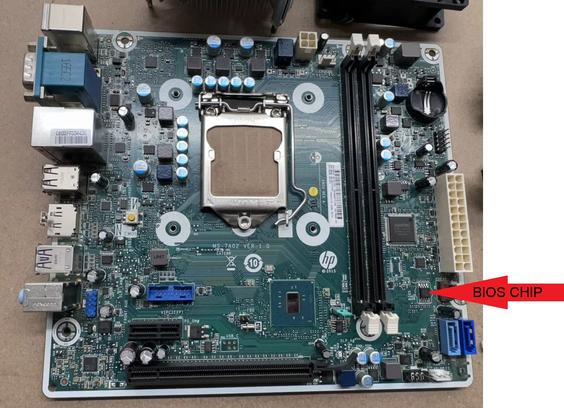
If you have the tools:- I would take the chip off the board and do a full read and verify of it. Erase the chip, flash the new file and verify Then put the chip back on If it boots \ ๐Ÿ™‚ / if not ๐Ÿ˜ข . If you donโ€™t have the tools:- HP did have a BIOS recovery method around the time this system was released. It involved putting the latest BIOS from HP on a USB stick with a default name (model neame I think). Putting the stick into a USB2 port (NOT a USB3). Turning it on a...

Win-Raid Forum